- Local time
- 2:02 AM
- Messages
- 152
Hello,
I have an older external terabyte drive that I use for backups (one of the first terabytes available for consumers). It hasn't gotten a whole lot of use, but I do use it several times a year.
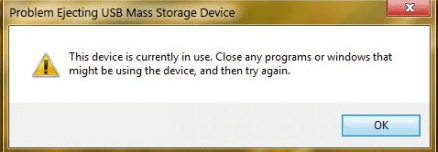
Recently I've been having a problem ejecting the drive, and usually deal with it by shutting down the computer, as I get a message that says the drive is in use, and shutting down seems like a relatively safe way to eject a device with a running process.
Today I tried ejecting though Devices and Printers, which resulted in notification of that there was a problem with the device. I troubleshooted and got an error 47 and a message that there are some PnP devices that have a problem with Windows.
My question is, is this a terminal problem, or is there a way to resolve the error code?
I have an older external terabyte drive that I use for backups (one of the first terabytes available for consumers). It hasn't gotten a whole lot of use, but I do use it several times a year.
Recently I've been having a problem ejecting the drive, and usually deal with it by shutting down the computer, as I get a message that says the drive is in use, and shutting down seems like a relatively safe way to eject a device with a running process.
Today I tried ejecting though Devices and Printers, which resulted in notification of that there was a problem with the device. I troubleshooted and got an error 47 and a message that there are some PnP devices that have a problem with Windows.
My question is, is this a terminal problem, or is there a way to resolve the error code?
My Computer
- Computer type
- PC/Desktop
- Computer Manufacturer/Model Number
- Lenovo ThinkPad E545 / Dell Optiplex 980
- OS
- Windows 7 Pro 64-bit
- CPU
- AMD 2.9GHz / Intel 3.2GHz
- Memory
- 8GB / 4GB
- Antivirus
- AVG / Norton 360
- Browser
- Firefox & Chrome


 - so it won't be that inconvenient. Thanks for the info, Andrew. I'll keep using the drive until it shows other signs of wearing out.