Vino's Event Viewer v01c run on Windows 2008 in English
Report run at 27/01/2012 8:58:28 AM

Note: All dates below are in the format dd/mm/yyyy

~~~~~~~~~~~~~~~~~~~~~~~~~~~~~~~~~~
'Application' Log - Critical Type
~~~~~~~~~~~~~~~~~~~~~~~~~~~~~~~~~~
~~~~~~~~~~~~~~~~~~~~~~~~~~~~~~~~~~
'Application' Log - Error Type
~~~~~~~~~~~~~~~~~~~~~~~~~~~~~~~~~~
Log: 'Application' Date/Time: 27/01/2012 2:46:09 PM
Type: Error Category: 0
Event: 72 Source: SideBySide
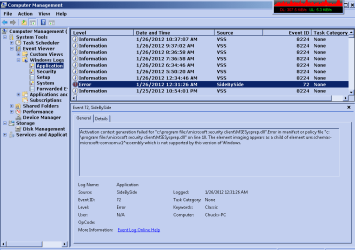
Activation context generation failed for "c:\program files\microsoft security client\MSESysprep.dll".Error in manifest or policy file "c:\program files\microsoft security client\MSESysprep.dll" on line 10. The element imaging appears as a child of element urn:schemas-microsoft-com:asm.v1^assembly which is not supported by this version of Windows.

Log: 'Application' Date/Time: 26/01/2012 11:31:21 PM
Type: Error Category: 101
Event: 1002 Source: Application Hang
The program Explorer.EXE version 6.1.7601.17567 stopped interacting with Windows and was closed. To see if more information about the problem is available, check the problem history in the Action Center control panel.  Process ID: 740  Start Time: 01ccda093a945dcd  Termination Time: 110  Application Path: C:\Windows\Explorer.EXE  Report Id:

Log: 'Application' Date/Time: 26/01/2012 8:31:26 AM
Type: Error Category: 0
Event: 72 Source: SideBySide
Activation context generation failed for "c:\program files\microsoft security client\MSESysprep.dll".Error in manifest or policy file "c:\program files\microsoft security client\MSESysprep.dll" on line 10. The element imaging appears as a child of element urn:schemas-microsoft-com:asm.v1^assembly which is not supported by this version of Windows.

Log: 'Application' Date/Time: 25/01/2012 10:32:13 PM
Type: Error Category: 0
Event: 257 Source: Microsoft-Windows-Defrag
The volume BACKUPS (E:) was not defragmented because an error was encountered: The disk was disconnected from the system. (0x89000011)

Log: 'Application' Date/Time: 25/01/2012 10:27:47 PM
Type: Error Category: 101
Event: 1002 Source: Application Hang
The program mmc.exe version 6.1.7600.16385 stopped interacting with Windows and was closed. To see if more information about the problem is available, check the problem history in the Action Center control panel.  Process ID: fd0  Start Time: 01ccdbae248c2eac  Termination Time: 16  Application Path: C:\Windows\system32\mmc.exe  Report Id:

Log: 'Application' Date/Time: 25/01/2012 8:31:27 AM
Type: Error Category: 0
Event: 72 Source: SideBySide
Activation context generation failed for "c:\program files\microsoft security client\MSESysprep.dll".Error in manifest or policy file "c:\program files\microsoft security client\MSESysprep.dll" on line 10. The element imaging appears as a child of element urn:schemas-microsoft-com:asm.v1^assembly which is not supported by this version of Windows.

Log: 'Application' Date/Time: 24/01/2012 8:31:24 AM
Type: Error Category: 0
Event: 72 Source: SideBySide
Activation context generation failed for "c:\program files\microsoft security client\MSESysprep.dll".Error in manifest or policy file "c:\program files\microsoft security client\MSESysprep.dll" on line 10. The element imaging appears as a child of element urn:schemas-microsoft-com:asm.v1^assembly which is not supported by this version of Windows.

Log: 'Application' Date/Time: 23/01/2012 8:31:27 AM
Type: Error Category: 0
Event: 72 Source: SideBySide
Activation context generation failed for "c:\program files\microsoft security client\MSESysprep.dll".Error in manifest or policy file "c:\program files\microsoft security client\MSESysprep.dll" on line 10. The element imaging appears as a child of element urn:schemas-microsoft-com:asm.v1^assembly which is not supported by this version of Windows.

Log: 'Application' Date/Time: 23/01/2012 12:11:14 AM
Type: Error Category: 101
Event: 1002 Source: Application Hang
The program otter.exe version 1.0.0.1 stopped interacting with Windows and was closed. To see if more information about the problem is available, check the problem history in the Action Center control panel.  Process ID: e9c  Start Time: 01ccd9636fe138bc  Termination Time: 874  Application Path: J:\OTTER\otter.exe  Report Id: c0e75333-4556-11e1-9fba-c7b66fa6ad4e

Log: 'Application' Date/Time: 23/01/2012 12:10:33 AM
Type: Error Category: 101
Event: 1002 Source: Application Hang
The program otter.exe version 1.0.0.1 stopped interacting with Windows and was closed. To see if more information about the problem is available, check the problem history in the Action Center control panel.  Process ID: f4c  Start Time: 01ccd96179824ed4  Termination Time: 780  Application Path: J:\OTTER\otter.exe  Report Id: a84a78c3-4556-11e1-9fba-c7b66fa6ad4e

Log: 'Application' Date/Time: 22/01/2012 4:00:03 PM
Type: Error Category: 0
Event: 4103 Source: Windows Backup
The backup did not complete because of an error writing to the backup location Y:\. The error is: The backup location cannot be found or is not valid. Review your backup settings and check the backup location. (0x81000006).

Log: 'Application' Date/Time: 22/01/2012 8:31:33 AM
Type: Error Category: 0
Event: 72 Source: SideBySide
Activation context generation failed for "c:\program files\microsoft security client\MSESysprep.dll".Error in manifest or policy file "c:\program files\microsoft security client\MSESysprep.dll" on line 10. The element imaging appears as a child of element urn:schemas-microsoft-com:asm.v1^assembly which is not supported by this version of Windows.

Log: 'Application' Date/Time: 21/01/2012 12:34:49 PM
Type: Error Category: 0
Event: 72 Source: SideBySide
Activation context generation failed for "c:\program files\microsoft security client\MSESysprep.dll".Error in manifest or policy file "c:\program files\microsoft security client\MSESysprep.dll" on line 10. The element imaging appears as a child of element urn:schemas-microsoft-com:asm.v1^assembly which is not supported by this version of Windows.

Log: 'Application' Date/Time: 20/01/2012 8:31:54 AM
Type: Error Category: 0
Event: 72 Source: SideBySide
Activation context generation failed for "c:\program files\microsoft security client\MSESysprep.dll".Error in manifest or policy file "c:\program files\microsoft security client\MSESysprep.dll" on line 10. The element imaging appears as a child of element urn:schemas-microsoft-com:asm.v1^assembly which is not supported by this version of Windows.

Log: 'Application' Date/Time: 19/01/2012 8:31:55 AM
Type: Error Category: 0
Event: 72 Source: SideBySide
Activation context generation failed for "c:\program files\microsoft security client\MSESysprep.dll".Error in manifest or policy file "c:\program files\microsoft security client\MSESysprep.dll" on line 10. The element imaging appears as a child of element urn:schemas-microsoft-com:asm.v1^assembly which is not supported by this version of Windows.

Log: 'Application' Date/Time: 18/01/2012 7:45:21 PM
Type: Error Category: 101
Event: 1002 Source: Application Hang
The program Main.exe version 9.1.0.0 stopped interacting with Windows and was closed. To see if more information about the problem is available, check the problem history in the Action Center control panel.  Process ID: fac  Start Time: 01ccd6198b9fe113  Termination Time: 0  Application Path: C:\Program Files\EASEUS Partition Master 9.1.0\bin\Main.exe  Report Id:

Log: 'Application' Date/Time: 18/01/2012 7:38:58 PM
Type: Error Category: 100
Event: 1000 Source: Application Error
Faulting application name: PartitionWizard.exe, version: 7.0.0.1, time stamp: 0x4e60e518 Faulting module name: PartitionWizard.exe, version: 7.0.0.1, time stamp: 0x4e60e518 Exception code: 0xc0000094 Fault offset: 0x00101f1b Faulting process id: 0x1564 Faulting application start time: 0x01ccd6188e275d1d Faulting application path: C:\Program Files\ Partition Wizard Home Edition 7.0\PartitionWizard.exe Faulting module path: C:\Program Files\ Partition Wizard Home Edition 7.0\PartitionWizard.exe Report Id: 1006cd0e-420c-11e1-907d-9f05457f57fb

Log: 'Application' Date/Time: 18/01/2012 7:36:51 PM
Type: Error Category: 101
Event: 1002 Source: Application Hang
The program PartitionWizard.exe version 7.0.0.1 stopped interacting with Windows and was closed. To see if more information about the problem is available, check the problem history in the Action Center control panel.  Process ID: 13cc  Start Time: 01ccd61854d6bb10  Termination Time: 47221  Application Path: C:\Program Files\ Partition Wizard Home Edition 7.0\PartitionWizard.exe  Report Id: a681147a-420b-11e1-907d-9f05457f57fb

Log: 'Application' Date/Time: 18/01/2012 7:26:09 PM
Type: Error Category: 101
Event: 1002 Source: Application Hang
The program Main.exe version 9.1.0.0 stopped interacting with Windows and was closed. To see if more information about the problem is available, check the problem history in the Action Center control panel.  Process ID: 11e8  Start Time: 01ccd616c23b711c  Termination Time: 15  Application Path: C:\Program Files\EASEUS Partition Master 9.1.0\bin\Main.exe  Report Id:

Log: 'Application' Date/Time: 18/01/2012 7:23:53 PM
Type: Error Category: 101
Event: 1002 Source: Application Hang
The program Main.exe version 9.1.0.0 stopped interacting with Windows and was closed. To see if more information about the problem is available, check the problem history in the Action Center control panel.  Process ID: 1624  Start Time: 01ccd61641f88bb4  Termination Time: 0  Application Path: C:\Program Files\EASEUS Partition Master 9.1.0\bin\Main.exe  Report Id:

~~~~~~~~~~~~~~~~~~~~~~~~~~~~~~~~~~
'Application' Log - Warning Type
~~~~~~~~~~~~~~~~~~~~~~~~~~~~~~~~~~
Log: 'Application' Date/Time: 25/01/2012 11:07:40 PM
Type: Warning Category: 0
Event: 12348 Source: VSS
Volume Shadow Copy Service warning: VSS was denied access to the root of volume \\?\Volume{3cef6f47-e867-11df-be10-806e6f6e6963}\. Denying administrators from accessing volume roots can cause many unexpected failures, and will prevent VSS from functioning properly.  Check security on the volume, and try the operation again.

Operation:
   Removing auto-release shadow copies
   Loading provider

Context:
   Execution Context: System Provider

Log: 'Application' Date/Time: 23/01/2012 7:55:53 PM
Type: Warning Category: 0
Event: 1530 Source: Microsoft-Windows-User Profiles Service
Windows detected your registry file is still in use by other applications or services. The file will be unloaded now. The applications or services that hold your registry file may not function properly afterwards.     DETAIL -   5 user registry handles leaked from \Registry\User\S-1-5-21-2992634109-1028455920-1278798123-1000:
Process 920 (\Device\HarddiskVolume2\Windows\System32\lsass.exe) has opened key \REGISTRY\USER\S-1-5-21-2992634109-1028455920-1278798123-1000
Process 920 (\Device\HarddiskVolume2\Windows\System32\lsass.exe) has opened key \REGISTRY\USER\S-1-5-21-2992634109-1028455920-1278798123-1000
Process 920 (\Device\HarddiskVolume2\Windows\System32\lsass.exe) has opened key \REGISTRY\USER\S-1-5-21-2992634109-1028455920-1278798123-1000\Software\Microsoft\SystemCertificates\My
Process 920 (\Device\HarddiskVolume2\Windows\System32\lsass.exe) has opened key \REGISTRY\USER\S-1-5-21-2992634109-1028455920-1278798123-1000\Software\Microsoft\SystemCertificates\CA
Process 920 (\Device\HarddiskVolume2\Windows\System32\lsass.exe) has opened key \REGISTRY\USER\S-1-5-21-2992634109-1028455920-1278798123-1000\Software\Microsoft\SystemCertificates\Disallowed


Log: 'Application' Date/Time: 21/01/2012 4:53:22 PM
Type: Warning Category: 0
Event: 1530 Source: Microsoft-Windows-User Profiles Service
Windows detected your registry file is still in use by other applications or services. The file will be unloaded now. The applications or services that hold your registry file may not function properly afterwards.     DETAIL -   5 user registry handles leaked from \Registry\User\S-1-5-21-2992634109-1028455920-1278798123-1000:
Process 892 (\Device\HarddiskVolume2\Windows\System32\lsass.exe) has opened key \REGISTRY\USER\S-1-5-21-2992634109-1028455920-1278798123-1000
Process 892 (\Device\HarddiskVolume2\Windows\System32\lsass.exe) has opened key \REGISTRY\USER\S-1-5-21-2992634109-1028455920-1278798123-1000
Process 892 (\Device\HarddiskVolume2\Windows\System32\lsass.exe) has opened key \REGISTRY\USER\S-1-5-21-2992634109-1028455920-1278798123-1000\Software\Microsoft\SystemCertificates\My
Process 892 (\Device\HarddiskVolume2\Windows\System32\lsass.exe) has opened key \REGISTRY\USER\S-1-5-21-2992634109-1028455920-1278798123-1000\Software\Microsoft\SystemCertificates\CA
Process 892 (\Device\HarddiskVolume2\Windows\System32\lsass.exe) has opened key \REGISTRY\USER\S-1-5-21-2992634109-1028455920-1278798123-1000\Software\Microsoft\SystemCertificates\Disallowed


Log: 'Application' Date/Time: 20/01/2012 10:01:03 PM
Type: Warning Category: 0
Event: 1530 Source: Microsoft-Windows-User Profiles Service
Windows detected your registry file is still in use by other applications or services. The file will be unloaded now. The applications or services that hold your registry file may not function properly afterwards.     DETAIL -   5 user registry handles leaked from \Registry\User\S-1-5-21-2992634109-1028455920-1278798123-1000:
Process 704 (\Device\HarddiskVolume2\Windows\System32\lsass.exe) has opened key \REGISTRY\USER\S-1-5-21-2992634109-1028455920-1278798123-1000
Process 704 (\Device\HarddiskVolume2\Windows\System32\lsass.exe) has opened key \REGISTRY\USER\S-1-5-21-2992634109-1028455920-1278798123-1000
Process 704 (\Device\HarddiskVolume2\Windows\System32\lsass.exe) has opened key \REGISTRY\USER\S-1-5-21-2992634109-1028455920-1278798123-1000\Software\Microsoft\SystemCertificates\My
Process 704 (\Device\HarddiskVolume2\Windows\System32\lsass.exe) has opened key \REGISTRY\USER\S-1-5-21-2992634109-1028455920-1278798123-1000\Software\Microsoft\SystemCertificates\CA
Process 704 (\Device\HarddiskVolume2\Windows\System32\lsass.exe) has opened key \REGISTRY\USER\S-1-5-21-2992634109-1028455920-1278798123-1000\Software\Microsoft\SystemCertificates\Disallowed


Log: 'Application' Date/Time: 20/01/2012 9:50:35 PM
Type: Warning Category: 0
Event: 12348 Source: VSS
Volume Shadow Copy Service warning: VSS was denied access to the root of volume \\?\Volume{d440495c-3ef2-11e1-92c8-808199028047}\. Denying administrators from accessing volume roots can cause many unexpected failures, and will prevent VSS from functioning properly.  Check security on the volume, and try the operation again.

Operation:
   Removing auto-release shadow copies
   Loading provider

Context:
   Execution Context: System Provider

Log: 'Application' Date/Time: 18/01/2012 12:05:24 AM
Type: Warning Category: 0
Event: 1530 Source: Microsoft-Windows-User Profiles Service
Windows detected your registry file is still in use by other applications or services. The file will be unloaded now. The applications or services that hold your registry file may not function properly afterwards.     DETAIL -   4 user registry handles leaked from \Registry\User\S-1-5-21-2992634109-1028455920-1278798123-1000_Classes:
Process 1500 (\Device\HarddiskVolume2\Windows\explorer.exe) has opened key \REGISTRY\USER\S-1-5-21-2992634109-1028455920-1278798123-1000_CLASSES\Local Settings\Software\Microsoft\Windows\Shell\Bags\236\Shell\{94D6DDCC-4A68-4175-A374-BD584A510B78}
Process 1500 (\Device\HarddiskVolume2\Windows\explorer.exe) has opened key \REGISTRY\USER\S-1-5-21-2992634109-1028455920-1278798123-1000_CLASSES\Local Settings\Software\Microsoft\Windows\Shell\Bags\2\Shell\{C4D98F09-6124-4FE0-9942-826416082DA9}
Process 1500 (\Device\HarddiskVolume2\Windows\explorer.exe) has opened key \REGISTRY\USER\S-1-5-21-2992634109-1028455920-1278798123-1000_CLASSES\Local Settings\Software\Microsoft\Windows\Shell\Bags\236\Shell
Process 1500 (\Device\HarddiskVolume2\Windows\explorer.exe) has opened key \REGISTRY\USER\S-1-5-21-2992634109-1028455920-1278798123-1000_CLASSES\Local Settings\Software\Microsoft\Windows\Shell\Bags\AllFolders\Shell


Log: 'Application' Date/Time: 18/01/2012 12:05:23 AM
Type: Warning Category: 0
Event: 1530 Source: Microsoft-Windows-User Profiles Service
Windows detected your registry file is still in use by other applications or services. The file will be unloaded now. The applications or services that hold your registry file may not function properly afterwards.     DETAIL -   5 user registry handles leaked from \Registry\User\S-1-5-21-2992634109-1028455920-1278798123-1000:
Process 1500 (\Device\HarddiskVolume2\Windows\explorer.exe) has opened key \REGISTRY\USER\S-1-5-21-2992634109-1028455920-1278798123-1000
Process 1500 (\Device\HarddiskVolume2\Windows\explorer.exe) has opened key \REGISTRY\USER\S-1-5-21-2992634109-1028455920-1278798123-1000
Process 1500 (\Device\HarddiskVolume2\Windows\explorer.exe) has opened key \REGISTRY\USER\S-1-5-21-2992634109-1028455920-1278798123-1000\Software\Microsoft\SystemCertificates\SmartCardRoot
Process 1500 (\Device\HarddiskVolume2\Windows\explorer.exe) has opened key \REGISTRY\USER\S-1-5-21-2992634109-1028455920-1278798123-1000\Software\Microsoft\SystemCertificates\TrustedPeople
Process 1500 (\Device\HarddiskVolume2\Windows\explorer.exe) has opened key \REGISTRY\USER\S-1-5-21-2992634109-1028455920-1278798123-1000\Software\Policies\Microsoft\SystemCertificates


Log: 'Application' Date/Time: 17/01/2012 11:53:16 PM
Type: Warning Category: 0
Event: 12348 Source: VSS
Volume Shadow Copy Service warning: VSS was denied access to the root of volume \\?\Volume{3cef6f54-e867-11df-be10-806e6f6e6963}\. Denying administrators from accessing volume roots can cause many unexpected failures, and will prevent VSS from functioning properly.  Check security on the volume, and try the operation again.

Operation:
   Removing auto-release shadow copies
   Loading provider

Context:
   Execution Context: System Provider

Log: 'Application' Date/Time: 17/01/2012 11:16:08 PM
Type: Warning Category: 0
Event: 1530 Source: Microsoft-Windows-User Profiles Service
Windows detected your registry file is still in use by other applications or services. The file will be unloaded now. The applications or services that hold your registry file may not function properly afterwards.     DETAIL -   12 user registry handles leaked from \Registry\User\S-1-5-21-2992634109-1028455920-1278798123-1000_Classes:
Process 1708 (\Device\HarddiskVolume2\Windows\explorer.exe) has opened key \REGISTRY\USER\S-1-5-21-2992634109-1028455920-1278798123-1000_CLASSES
Process 1708 (\Device\HarddiskVolume2\Windows\explorer.exe) has opened key \REGISTRY\USER\S-1-5-21-2992634109-1028455920-1278798123-1000_CLASSES
Process 1708 (\Device\HarddiskVolume2\Windows\explorer.exe) has opened key \REGISTRY\USER\S-1-5-21-2992634109-1028455920-1278798123-1000_CLASSES\Local Settings\Software\Microsoft\Windows\Shell\Bags\2\Shell\{C4D98F09-6124-4FE0-9942-826416082DA9}
Process 1708 (\Device\HarddiskVolume2\Windows\explorer.exe) has opened key \REGISTRY\USER\S-1-5-21-2992634109-1028455920-1278798123-1000_CLASSES\Local Settings\Software\Microsoft\Windows\Shell\Bags\2\Shell\{C4D98F09-6124-4FE0-9942-826416082DA9}
Process 1708 (\Device\HarddiskVolume2\Windows\explorer.exe) has opened key \REGISTRY\USER\S-1-5-21-2992634109-1028455920-1278798123-1000_CLASSES\Local Settings\Software\Microsoft\Windows\Shell\Bags\2\Shell
Process 1708 (\Device\HarddiskVolume2\Windows\explorer.exe) has opened key \REGISTRY\USER\S-1-5-21-2992634109-1028455920-1278798123-1000_CLASSES\Local Settings\Software\Microsoft\Windows\Shell
Process 1708 (\Device\HarddiskVolume2\Windows\explorer.exe) has opened key \REGISTRY\USER\S-1-5-21-2992634109-1028455920-1278798123-1000_CLASSES\Local Settings\Software\Microsoft\Windows\Shell\Bags\73\Shell
Process 1708 (\Device\HarddiskVolume2\Windows\explorer.exe) has opened key \REGISTRY\USER\S-1-5-21-2992634109-1028455920-1278798123-1000_CLASSES\Local Settings\Software\Microsoft\Windows\Shell\Bags\73\Shell
Process 1708 (\Device\HarddiskVolume2\Windows\explorer.exe) has opened key \REGISTRY\USER\S-1-5-21-2992634109-1028455920-1278798123-1000_CLASSES\Local Settings\Software\Microsoft\Windows\Shell\Bags\AllFolders\Shell
Process 1708 (\Device\HarddiskVolume2\Windows\explorer.exe) has opened key \REGISTRY\USER\S-1-5-21-2992634109-1028455920-1278798123-1000_CLASSES\Local Settings\Software\Microsoft\Windows\Shell\Bags\AllFolders\Shell
Process 1708 (\Device\HarddiskVolume2\Windows\explorer.exe) has opened key \REGISTRY\USER\S-1-5-21-2992634109-1028455920-1278798123-1000_CLASSES\Local Settings\Software\Microsoft\Windows\Shell\Bags\73\Shell\{5C4F28B5-F869-4E84-8E60-F11DB97C5CC7}
Process 1708 (\Device\HarddiskVolume2\Windows\explorer.exe) has opened key \REGISTRY\USER\S-1-5-21-2992634109-1028455920-1278798123-1000_CLASSES\Local Settings\Software\Microsoft\Windows\Shell\Bags\73\Shell\{5C4F28B5-F869-4E84-8E60-F11DB97C5CC7}


Log: 'Application' Date/Time: 17/01/2012 11:16:08 PM
Type: Warning Category: 0
Event: 1530 Source: Microsoft-Windows-User Profiles Service
Windows detected your registry file is still in use by other applications or services. The file will be unloaded now. The applications or services that hold your registry file may not function properly afterwards.     DETAIL -   30 user registry handles leaked from \Registry\User\S-1-5-21-2992634109-1028455920-1278798123-1000:
Process 1708 (\Device\HarddiskVolume2\Windows\explorer.exe) has opened key \REGISTRY\USER\S-1-5-21-2992634109-1028455920-1278798123-1000
Process 1708 (\Device\HarddiskVolume2\Windows\explorer.exe) has opened key \REGISTRY\USER\S-1-5-21-2992634109-1028455920-1278798123-1000
Process 1708 (\Device\HarddiskVolume2\Windows\explorer.exe) has opened key \REGISTRY\USER\S-1-5-21-2992634109-1028455920-1278798123-1000
Process 1708 (\Device\HarddiskVolume2\Windows\explorer.exe) has opened key \REGISTRY\USER\S-1-5-21-2992634109-1028455920-1278798123-1000
Process 648 (\Device\HarddiskVolume2\Program Files\Maxtor\MaxBlast\MaxBlast.exe) has opened key \REGISTRY\USER\S-1-5-21-2992634109-1028455920-1278798123-1000
Process 1708 (\Device\HarddiskVolume2\Windows\explorer.exe) has opened key \REGISTRY\USER\S-1-5-21-2992634109-1028455920-1278798123-1000
Process 1708 (\Device\HarddiskVolume2\Windows\explorer.exe) has opened key \REGISTRY\USER\S-1-5-21-2992634109-1028455920-1278798123-1000\Software\Microsoft\Windows\CurrentVersion\Internet Settings\ZoneMap
Process 1708 (\Device\HarddiskVolume2\Windows\explorer.exe) has opened key \REGISTRY\USER\S-1-5-21-2992634109-1028455920-1278798123-1000\Software\Microsoft\Windows\CurrentVersion\Internet Settings
Process 1708 (\Device\HarddiskVolume2\Windows\explorer.exe) has opened key \REGISTRY\USER\S-1-5-21-2992634109-1028455920-1278798123-1000\Software\Microsoft\Windows\CurrentVersion\Internet Settings
Process 1708 (\Device\HarddiskVolume2\Windows\explorer.exe) has opened key \REGISTRY\USER\S-1-5-21-2992634109-1028455920-1278798123-1000\Software\Microsoft\SystemCertificates\My
Process 1708 (\Device\HarddiskVolume2\Windows\explorer.exe) has opened key \REGISTRY\USER\S-1-5-21-2992634109-1028455920-1278798123-1000\Software\Microsoft\SystemCertificates\CA
Process 1708 (\Device\HarddiskVolume2\Windows\explorer.exe) has opened key \REGISTRY\USER\S-1-5-21-2992634109-1028455920-1278798123-1000\Software\Microsoft\SystemCertificates\Disallowed
Process 1708 (\Device\HarddiskVolume2\Windows\explorer.exe) has opened key \REGISTRY\USER\S-1-5-21-2992634109-1028455920-1278798123-1000\Software\Microsoft\Windows\CurrentVersion\Explorer\UserAssist\{CEBFF5CD-ACE2-4F4F-9178-9926F41749EA}\Count
Process 1708 (\Device\HarddiskVolume2\Windows\explorer.exe) has opened key \REGISTRY\USER\S-1-5-21-2992634109-1028455920-1278798123-1000\Software\Policies
Process 1708 (\Device\HarddiskVolume2\Windows\explorer.exe) has opened key \REGISTRY\USER\S-1-5-21-2992634109-1028455920-1278798123-1000\Software\Microsoft\SystemCertificates\SmartCardRoot
Process 1708 (\Device\HarddiskVolume2\Windows\explorer.exe) has opened key \REGISTRY\USER\S-1-5-21-2992634109-1028455920-1278798123-1000\Software\Policies\Microsoft\Windows\CurrentVersion\Internet Settings
Process 1708 (\Device\HarddiskVolume2\Windows\explorer.exe) has opened key \REGISTRY\USER\S-1-5-21-2992634109-1028455920-1278798123-1000\Software\Microsoft\Internet Explorer\Main\FeatureControl\FEATURE_LOCALMACHINE_LOCKDOWN
Process 1708 (\Device\HarddiskVolume2\Windows\explorer.exe) has opened key \REGISTRY\USER\S-1-5-21-2992634109-1028455920-1278798123-1000\Software\Microsoft\SystemCertificates\Root
Process 1708 (\Device\HarddiskVolume2\Windows\explorer.exe) has opened key \REGISTRY\USER\S-1-5-21-2992634109-1028455920-1278798123-1000\Software\Microsoft\SystemCertificates\trust
Process 1708 (\Device\HarddiskVolume2\Windows\explorer.exe) has opened key \REGISTRY\USER\S-1-5-21-2992634109-1028455920-1278798123-1000\Software\Microsoft\Windows\CurrentVersion\Explorer\FileExts
Process 1708 (\Device\HarddiskVolume2\Windows\explorer.exe) has opened key \REGISTRY\USER\S-1-5-21-2992634109-1028455920-1278798123-1000\Software\Microsoft\SystemCertificates\TrustedPeople
Process 1708 (\Device\HarddiskVolume2\Windows\explorer.exe) has opened key \REGISTRY\USER\S-1-5-21-2992634109-1028455920-1278798123-1000\Software\Microsoft\Internet Explorer\IETld
Process 1708 (\Device\HarddiskVolume2\Windows\explorer.exe) has opened key \REGISTRY\USER\S-1-5-21-2992634109-1028455920-1278798123-1000\Software\Microsoft\Windows\Shell\Bags\1\Desktop
Process 1708 (\Device\HarddiskVolume2\Windows\explorer.exe) has opened key \REGISTRY\USER\S-1-5-21-2992634109-1028455920-1278798123-1000\Software\Microsoft\Windows\Shell\Bags\1\Desktop
Process 1708 (\Device\HarddiskVolume2\Windows\explorer.exe) has opened key \REGISTRY\USER\S-1-5-21-2992634109-1028455920-1278798123-1000\Software\Microsoft\Windows\CurrentVersion\Explorer
Process 1708 (\Device\HarddiskVolume2\Windows\explorer.exe) has opened key \REGISTRY\USER\S-1-5-21-2992634109-1028455920-1278798123-1000\Software\Microsoft\Windows\CurrentVersion\Explorer
Process 1708 (\Device\HarddiskVolume2\Windows\explorer.exe) has opened key \REGISTRY\USER\S-1-5-21-2992634109-1028455920-1278798123-1000\Software
Process 1708 (\Device\HarddiskVolume2\Windows\explorer.exe) has opened key \REGISTRY\USER\S-1-5-21-2992634109-1028455920-1278798123-1000\Software\Policies\Microsoft\SystemCertificates
Process 1708 (\Device\HarddiskVolume2\Windows\explorer.exe) has opened key \REGISTRY\USER\S-1-5-21-2992634109-1028455920-1278798123-1000\Software\Microsoft\Windows\CurrentVersion\Explorer\UserAssist\{F4E57C4B-2036-45F0-A9AB-443BCFE33D9F}\Count
Process 1708 (\Device\HarddiskVolume2\Windows\explorer.exe) has opened key \REGISTRY\USER\S-1-5-21-2992634109-1028455920-1278798123-1000\Software\Microsoft\Windows\Shell


Log: 'Application' Date/Time: 17/01/2012 11:16:08 PM
Type: Warning Category: 0
Event: 6000 Source: Microsoft-Windows-Winlogon
The winlogon notification subscriber <GPClient> was unavailable to handle a notification event.

Log: 'Application' Date/Time: 17/01/2012 11:16:06 PM
Type: Warning Category: 0
Event: 6000 Source: Microsoft-Windows-Winlogon
The winlogon notification subscriber <GPClient> was unavailable to handle a notification event.

Log: 'Application' Date/Time: 17/01/2012 11:07:24 PM
Type: Warning Category: 0
Event: 6000 Source: Microsoft-Windows-Winlogon
The winlogon notification subscriber <GPClient> was unavailable to handle a notification event.

Log: 'Application' Date/Time: 17/01/2012 11:05:13 PM
Type: Warning Category: 0
Event: 1530 Source: Microsoft-Windows-User Profiles Service
Windows detected your registry file is still in use by other applications or services. The file will be unloaded now. The applications or services that hold your registry file may not function properly afterwards.     DETAIL -   9 user registry handles leaked from \Registry\User\S-1-5-21-2992634109-1028455920-1278798123-1000_Classes:
Process 1940 (\Device\HarddiskVolume2\Windows\explorer.exe) has opened key \REGISTRY\USER\S-1-5-21-2992634109-1028455920-1278798123-1000_CLASSES
Process 1940 (\Device\HarddiskVolume2\Windows\explorer.exe) has opened key \REGISTRY\USER\S-1-5-21-2992634109-1028455920-1278798123-1000_CLASSES
Process 1940 (\Device\HarddiskVolume2\Windows\explorer.exe) has opened key \REGISTRY\USER\S-1-5-21-2992634109-1028455920-1278798123-1000_CLASSES\Local Settings\Software\Microsoft\Windows\Shell\Bags\2\Shell\{C4D98F09-6124-4FE0-9942-826416082DA9}
Process 1940 (\Device\HarddiskVolume2\Windows\explorer.exe) has opened key \REGISTRY\USER\S-1-5-21-2992634109-1028455920-1278798123-1000_CLASSES\Local Settings\Software\Microsoft\Windows\Shell\Bags\2\Shell\{C4D98F09-6124-4FE0-9942-826416082DA9}
Process 1940 (\Device\HarddiskVolume2\Windows\explorer.exe) has opened key \REGISTRY\USER\S-1-5-21-2992634109-1028455920-1278798123-1000_CLASSES\Local Settings\Software\Microsoft\Windows\Shell\Bags\2\Shell
Process 1940 (\Device\HarddiskVolume2\Windows\explorer.exe) has opened key \REGISTRY\USER\S-1-5-21-2992634109-1028455920-1278798123-1000_CLASSES\Local Settings\Software\Microsoft\Windows\Shell
Process 1940 (\Device\HarddiskVolume2\Windows\explorer.exe) has opened key \REGISTRY\USER\S-1-5-21-2992634109-1028455920-1278798123-1000_CLASSES\Local Settings\Software\Microsoft\Windows\Shell\Bags\AllFolders\Shell
Process 1940 (\Device\HarddiskVolume2\Windows\explorer.exe) has opened key \REGISTRY\USER\S-1-5-21-2992634109-1028455920-1278798123-1000_CLASSES\Folder
Process 1940 (\Device\HarddiskVolume2\Windows\explorer.exe) has opened key \REGISTRY\USER\S-1-5-21-2992634109-1028455920-1278798123-1000_CLASSES\Folder


Log: 'Application' Date/Time: 17/01/2012 11:05:12 PM
Type: Warning Category: 0
Event: 1530 Source: Microsoft-Windows-User Profiles Service
Windows detected your registry file is still in use by other applications or services. The file will be unloaded now. The applications or services that hold your registry file may not function properly afterwards.     DETAIL -   36 user registry handles leaked from \Registry\User\S-1-5-21-2992634109-1028455920-1278798123-1000:
Process 1940 (\Device\HarddiskVolume2\Windows\explorer.exe) has opened key \REGISTRY\USER\S-1-5-21-2992634109-1028455920-1278798123-1000
Process 1940 (\Device\HarddiskVolume2\Windows\explorer.exe) has opened key \REGISTRY\USER\S-1-5-21-2992634109-1028455920-1278798123-1000
Process 1940 (\Device\HarddiskVolume2\Windows\explorer.exe) has opened key \REGISTRY\USER\S-1-5-21-2992634109-1028455920-1278798123-1000
Process 1940 (\Device\HarddiskVolume2\Windows\explorer.exe) has opened key \REGISTRY\USER\S-1-5-21-2992634109-1028455920-1278798123-1000
Process 1940 (\Device\HarddiskVolume2\Windows\explorer.exe) has opened key \REGISTRY\USER\S-1-5-21-2992634109-1028455920-1278798123-1000
Process 1940 (\Device\HarddiskVolume2\Windows\explorer.exe) has opened key \REGISTRY\USER\S-1-5-21-2992634109-1028455920-1278798123-1000\Software\Microsoft\Windows\CurrentVersion\Internet Settings\ZoneMap
Process 1940 (\Device\HarddiskVolume2\Windows\explorer.exe) has opened key \REGISTRY\USER\S-1-5-21-2992634109-1028455920-1278798123-1000\Software\Microsoft\Windows\CurrentVersion\Internet Settings
Process 1940 (\Device\HarddiskVolume2\Windows\explorer.exe) has opened key \REGISTRY\USER\S-1-5-21-2992634109-1028455920-1278798123-1000\Software\Microsoft\Windows\CurrentVersion\Internet Settings
Process 1940 (\Device\HarddiskVolume2\Windows\explorer.exe) has opened key \REGISTRY\USER\S-1-5-21-2992634109-1028455920-1278798123-1000\Software\Microsoft\SystemCertificates\My
Process 1940 (\Device\HarddiskVolume2\Windows\explorer.exe) has opened key \REGISTRY\USER\S-1-5-21-2992634109-1028455920-1278798123-1000\Software\Microsoft\Windows\CurrentVersion\Explorer\BitBucket\Volume\{3cef6f54-e867-11df-be10-806e6f6e6963}
Process 1940 (\Device\HarddiskVolume2\Windows\explorer.exe) has opened key \REGISTRY\USER\S-1-5-21-2992634109-1028455920-1278798123-1000\Software\Microsoft\SystemCertificates\CA
Process 1940 (\Device\HarddiskVolume2\Windows\explorer.exe) has opened key \REGISTRY\USER\S-1-5-21-2992634109-1028455920-1278798123-1000\Software\Microsoft\Windows\CurrentVersion\Internet Settings\Zones
Process 1940 (\Device\HarddiskVolume2\Windows\explorer.exe) has opened key \REGISTRY\USER\S-1-5-21-2992634109-1028455920-1278798123-1000\Software\Microsoft\MSF\Registration\Listen
Process 1940 (\Device\HarddiskVolume2\Windows\explorer.exe) has opened key \REGISTRY\USER\S-1-5-21-2992634109-1028455920-1278798123-1000\Software\Microsoft\SystemCertificates\Disallowed
Process 1940 (\Device\HarddiskVolume2\Windows\explorer.exe) has opened key \REGISTRY\USER\S-1-5-21-2992634109-1028455920-1278798123-1000\Software\Microsoft\Windows\CurrentVersion\Explorer\UserAssist\{CEBFF5CD-ACE2-4F4F-9178-9926F41749EA}\Count
Process 1940 (\Device\HarddiskVolume2\Windows\explorer.exe) has opened key \REGISTRY\USER\S-1-5-21-2992634109-1028455920-1278798123-1000\Software\Policies
Process 1940 (\Device\HarddiskVolume2\Windows\explorer.exe) has opened key \REGISTRY\USER\S-1-5-21-2992634109-1028455920-1278798123-1000\Software\Policies
Process 1940 (\Device\HarddiskVolume2\Windows\explorer.exe) has opened key \REGISTRY\USER\S-1-5-21-2992634109-1028455920-1278798123-1000\Software\Microsoft\SystemCertificates\SmartCardRoot
Process 1940 (\Device\HarddiskVolume2\Windows\explorer.exe) has opened key \REGISTRY\USER\S-1-5-21-2992634109-1028455920-1278798123-1000\Software\Policies\Microsoft\Windows\CurrentVersion\Internet Settings
Process 1940 (\Device\HarddiskVolume2\Windows\explorer.exe) has opened key \REGISTRY\USER\S-1-5-21-2992634109-1028455920-1278798123-1000\Software\Microsoft\Internet Explorer\Main\FeatureControl\FEATURE_LOCALMACHINE_LOCKDOWN
Process 1940 (\Device\HarddiskVolume2\Windows\explorer.exe) has opened key \REGISTRY\USER\S-1-5-21-2992634109-1028455920-1278798123-1000\Software\Microsoft\SystemCertificates\Root
Process 1940 (\Device\HarddiskVolume2\Windows\explorer.exe) has opened key \REGISTRY\USER\S-1-5-21-2992634109-1028455920-1278798123-1000\Software\Microsoft\Windows\CurrentVersion\Explorer\MountPoints2\U
Process 1940 (\Device\HarddiskVolume2\Windows\explorer.exe) has opened key \REGISTRY\USER\S-1-5-21-2992634109-1028455920-1278798123-1000\Software\Microsoft\SystemCertificates\trust
Process 1940 (\Device\HarddiskVolume2\Windows\explorer.exe) has opened key \REGISTRY\USER\S-1-5-21-2992634109-1028455920-1278798123-1000\Software\Microsoft\Windows\CurrentVersion\Explorer\FileExts
Process 1940 (\Device\HarddiskVolume2\Windows\explorer.exe) has opened key \REGISTRY\USER\S-1-5-21-2992634109-1028455920-1278798123-1000\Software\Microsoft\SystemCertificates\TrustedPeople
Process 1940 (\Device\HarddiskVolume2\Windows\explorer.exe) has opened key \REGISTRY\USER\S-1-5-21-2992634109-1028455920-1278798123-1000\Software\Microsoft\Windows\Shell\Bags\1\Desktop
Process 1940 (\Device\HarddiskVolume2\Windows\explorer.exe) has opened key \REGISTRY\USER\S-1-5-21-2992634109-1028455920-1278798123-1000\Software\Microsoft\Windows\Shell\Bags\1\Desktop
Process 1940 (\Device\HarddiskVolume2\Windows\explorer.exe) has opened key \REGISTRY\USER\S-1-5-21-2992634109-1028455920-1278798123-1000\Software\Microsoft\Internet Explorer\IETld
Process 1940 (\Device\HarddiskVolume2\Windows\explorer.exe) has opened key \REGISTRY\USER\S-1-5-21-2992634109-1028455920-1278798123-1000\Software\Microsoft\Windows\CurrentVersion\Explorer
Process 1940 (\Device\HarddiskVolume2\Windows\explorer.exe) has opened key \REGISTRY\USER\S-1-5-21-2992634109-1028455920-1278798123-1000\Software\Microsoft\Windows\CurrentVersion\Explorer
Process 1940 (\Device\HarddiskVolume2\Windows\explorer.exe) has opened key \REGISTRY\USER\S-1-5-21-2992634109-1028455920-1278798123-1000\Software
Process 1940 (\Device\HarddiskVolume2\Windows\explorer.exe) has opened key \REGISTRY\USER\S-1-5-21-2992634109-1028455920-1278798123-1000\Software
Process 1940 (\Device\HarddiskVolume2\Windows\explorer.exe) has opened key \REGISTRY\USER\S-1-5-21-2992634109-1028455920-1278798123-1000\Software\Microsoft\Windows\CurrentVersion\HomeGroup\Printers
Process 1940 (\Device\HarddiskVolume2\Windows\explorer.exe) has opened key \REGISTRY\USER\S-1-5-21-2992634109-1028455920-1278798123-1000\Software\Policies\Microsoft\SystemCertificates
Process 1940 (\Device\HarddiskVolume2\Windows\explorer.exe) has opened key \REGISTRY\USER\S-1-5-21-2992634109-1028455920-1278798123-1000\Software\Microsoft\Windows\CurrentVersion\Explorer\UserAssist\{F4E57C4B-2036-45F0-A9AB-443BCFE33D9F}\Count
Process 1940 (\Device\HarddiskVolume2\Windows\explorer.exe) has opened key \REGISTRY\USER\S-1-5-21-2992634109-1028455920-1278798123-1000\Software\Microsoft\Windows\Shell


Log: 'Application' Date/Time: 17/01/2012 11:05:12 PM
Type: Warning Category: 0
Event: 6000 Source: Microsoft-Windows-Winlogon
The winlogon notification subscriber <GPClient> was unavailable to handle a notification event.

Log: 'Application' Date/Time: 17/01/2012 11:05:11 PM
Type: Warning Category: 0
Event: 6000 Source: Microsoft-Windows-Winlogon
The winlogon notification subscriber <GPClient> was unavailable to handle a notification event.

Log: 'Application' Date/Time: 17/01/2012 10:57:58 PM
Type: Warning Category: 0
Event: 6000 Source: Microsoft-Windows-Winlogon
The winlogon notification subscriber <GPClient> was unavailable to handle a notification event.

Log: 'Application' Date/Time: 17/01/2012 10:55:47 PM
Type: Warning Category: 0
Event: 6005 Source: Microsoft-Windows-Winlogon
The winlogon notification subscriber <Sens> is taking long time to handle the notification event (Logoff).

Log: 'Application' Date/Time: 17/01/2012 10:35:00 PM
Type: Warning Category: 0
Event: 12348 Source: VSS
Volume Shadow Copy Service warning: VSS was denied access to the root of volume \\?\Volume{3cef6f54-e867-11df-be10-806e6f6e6963}\. Denying administrators from accessing volume roots can cause many unexpected failures, and will prevent VSS from functioning properly.  Check security on the volume, and try the operation again.

Operation:
   Removing auto-release shadow copies
   Loading provider

Context:
   Execution Context: System Provider

~~~~~~~~~~~~~~~~~~~~~~~~~~~~~~~~~~
'System' Log - Critical Type
~~~~~~~~~~~~~~~~~~~~~~~~~~~~~~~~~~
Log: 'System' Date/Time: 20/01/2012 10:05:40 PM
Type: Critical Category: 63
Event: 41 Source: Microsoft-Windows-Kernel-Power
The system has rebooted without cleanly shutting down first. This error could be caused if the system stopped responding, crashed, or lost power unexpectedly.

Log: 'System' Date/Time: 17/01/2012 10:57:38 PM
Type: Critical Category: 63
Event: 41 Source: Microsoft-Windows-Kernel-Power
The system has rebooted without cleanly shutting down first. This error could be caused if the system stopped responding, crashed, or lost power unexpectedly.

Log: 'System' Date/Time: 16/01/2012 11:15:48 PM
Type: Critical Category: 63
Event: 41 Source: Microsoft-Windows-Kernel-Power
The system has rebooted without cleanly shutting down first. This error could be caused if the system stopped responding, crashed, or lost power unexpectedly.

Log: 'System' Date/Time: 12/01/2012 9:20:24 PM
Type: Critical Category: 63
Event: 41 Source: Microsoft-Windows-Kernel-Power
The system has rebooted without cleanly shutting down first. This error could be caused if the system stopped responding, crashed, or lost power unexpectedly.

Log: 'System' Date/Time: 07/01/2012 4:38:42 PM
Type: Critical Category: 63
Event: 41 Source: Microsoft-Windows-Kernel-Power
The system has rebooted without cleanly shutting down first. This error could be caused if the system stopped responding, crashed, or lost power unexpectedly.

Log: 'System' Date/Time: 18/10/2011 8:32:59 PM
Type: Critical Category: 63
Event: 41 Source: Microsoft-Windows-Kernel-Power
The system has rebooted without cleanly shutting down first. This error could be caused if the system stopped responding, crashed, or lost power unexpectedly.

Log: 'System' Date/Time: 10/10/2011 6:19:57 PM
Type: Critical Category: 63
Event: 41 Source: Microsoft-Windows-Kernel-Power
The system has rebooted without cleanly shutting down first. This error could be caused if the system stopped responding, crashed, or lost power unexpectedly.

Log: 'System' Date/Time: 30/08/2011 9:24:15 PM
Type: Critical Category: 63
Event: 41 Source: Microsoft-Windows-Kernel-Power
The system has rebooted without cleanly shutting down first. This error could be caused if the system stopped responding, crashed, or lost power unexpectedly.

Log: 'System' Date/Time: 27/08/2011 4:56:27 PM
Type: Critical Category: 63
Event: 41 Source: Microsoft-Windows-Kernel-Power
The system has rebooted without cleanly shutting down first. This error could be caused if the system stopped responding, crashed, or lost power unexpectedly.

Log: 'System' Date/Time: 27/08/2011 4:49:02 PM
Type: Critical Category: 63
Event: 41 Source: Microsoft-Windows-Kernel-Power
The system has rebooted without cleanly shutting down first. This error could be caused if the system stopped responding, crashed, or lost power unexpectedly.

Log: 'System' Date/Time: 13/08/2011 10:03:35 PM
Type: Critical Category: 63
Event: 41 Source: Microsoft-Windows-Kernel-Power
The system has rebooted without cleanly shutting down first. This error could be caused if the system stopped responding, crashed, or lost power unexpectedly.

Log: 'System' Date/Time: 09/08/2011 10:27:06 PM
Type: Critical Category: 63
Event: 41 Source: Microsoft-Windows-Kernel-Power
The system has rebooted without cleanly shutting down first. This error could be caused if the system stopped responding, crashed, or lost power unexpectedly.

Log: 'System' Date/Time: 09/08/2011 2:11:47 AM
Type: Critical Category: 63
Event: 41 Source: Microsoft-Windows-Kernel-Power
The system has rebooted without cleanly shutting down first. This error could be caused if the system stopped responding, crashed, or lost power unexpectedly.

Log: 'System' Date/Time: 04/08/2011 12:14:01 AM
Type: Critical Category: 63
Event: 41 Source: Microsoft-Windows-Kernel-Power
The system has rebooted without cleanly shutting down first. This error could be caused if the system stopped responding, crashed, or lost power unexpectedly.

~~~~~~~~~~~~~~~~~~~~~~~~~~~~~~~~~~
'System' Log - Error Type
~~~~~~~~~~~~~~~~~~~~~~~~~~~~~~~~~~
Log: 'System' Date/Time: 26/01/2012 11:40:50 PM
Type: Error Category: 0
Event: 7000 Source: Service Control Manager
The lxeeCATSCustConnectService service failed to start due to the following error:  The service did not respond to the start or control request in a timely fashion.

Log: 'System' Date/Time: 26/01/2012 11:40:50 PM
Type: Error Category: 0
Event: 7009 Source: Service Control Manager
A timeout was reached (30000 milliseconds) while waiting for the lxeeCATSCustConnectService service to connect.

Log: 'System' Date/Time: 26/01/2012 1:34:54 AM
Type: Error Category: 0
Event: 24620 Source: Microsoft-Windows-BitLocker-Driver
Encrypted volume check: Volume information on \\?\Volume{6aad9359-45fc-11e1-85f5-9bbb006de843} cannot be read.

Log: 'System' Date/Time: 26/01/2012 1:30:54 AM
Type: Error Category: 0
Event: 24620 Source: Microsoft-Windows-BitLocker-Driver
Encrypted volume check: Volume information on \\?\Volume{6aad933c-45fc-11e1-85f5-9bbb006de843} cannot be read.

Log: 'System' Date/Time: 26/01/2012 1:10:58 AM
Type: Error Category: 0
Event: 24620 Source: Microsoft-Windows-BitLocker-Driver
Encrypted volume check: Volume information on \\?\Volume{e1efe395-43b2-11e1-b51e-b9a4e38d904b} cannot be read.

Log: 'System' Date/Time: 26/01/2012 12:08:22 AM
Type: Error Category: 0
Event: 24620 Source: Microsoft-Windows-BitLocker-Driver
Encrypted volume check: Volume information on \\?\Volume{6aad9340-45fc-11e1-85f5-9bbb006de843} cannot be read.

Log: 'System' Date/Time: 26/01/2012 12:05:16 AM
Type: Error Category: 0
Event: 24620 Source: Microsoft-Windows-BitLocker-Driver
Encrypted volume check: Volume information on \\?\Volume{6aad933c-45fc-11e1-85f5-9bbb006de843} cannot be read.

Log: 'System' Date/Time: 26/01/2012 12:01:06 AM
Type: Error Category: 0
Event: 24620 Source: Microsoft-Windows-BitLocker-Driver
Encrypted volume check: Volume information on \\?\Volume{6aad9335-45fc-11e1-85f5-9bbb006de843} cannot be read.

Log: 'System' Date/Time: 26/01/2012 12:00:45 AM
Type: Error Category: 0
Event: 24620 Source: Microsoft-Windows-BitLocker-Driver
Encrypted volume check: Volume information on \\?\Volume{6aad9335-45fc-11e1-85f5-9bbb006de843} cannot be read.

Log: 'System' Date/Time: 25/01/2012 10:32:13 PM
Type: Error Category: 0
Event: 24620 Source: Microsoft-Windows-BitLocker-Driver
Encrypted volume check: Volume information on \\?\Volume{3cef6f47-e867-11df-be10-806e6f6e6963} cannot be read.

Log: 'System' Date/Time: 25/01/2012 5:05:14 PM
Type: Error Category: 0
Event: 11 Source: Disk
The driver detected a controller error on \Device\Harddisk3\DR3.

Log: 'System' Date/Time: 25/01/2012 5:05:13 PM
Type: Error Category: 0
Event: 11 Source: Disk
The driver detected a controller error on \Device\Harddisk3\DR3.

Log: 'System' Date/Time: 23/01/2012 7:58:27 PM
Type: Error Category: 0
Event: 31004 Source: Microsoft-Windows-SharedAccess_NAT
The DNS proxy agent was unable to allocate 0 bytes of memory. This may indicate that the system is low on virtual memory, or that the memory manager has encountered an internal error.

Log: 'System' Date/Time: 23/01/2012 7:57:57 PM
Type: Error Category: 0
Event: 7026 Source: Service Control Manager
The following boot-start or system-start driver(s) failed to load:  UimBus Uim_IM Uim_Vim

Log: 'System' Date/Time: 23/01/2012 7:57:29 PM
Type: Error Category: 0
Event: 7000 Source: Service Control Manager
The lxeeCATSCustConnectService service failed to start due to the following error:  The service did not respond to the start or control request in a timely fashion.

Log: 'System' Date/Time: 23/01/2012 7:57:29 PM
Type: Error Category: 0
Event: 7009 Source: Service Control Manager
A timeout was reached (30000 milliseconds) while waiting for the lxeeCATSCustConnectService service to connect.

Log: 'System' Date/Time: 23/01/2012 7:55:55 PM
Type: Error Category: 0
Event: 31004 Source: Microsoft-Windows-SharedAccess_NAT
The DNS proxy agent was unable to allocate 0 bytes of memory. This may indicate that the system is low on virtual memory, or that the memory manager has encountered an internal error.

Log: 'System' Date/Time: 23/01/2012 12:12:57 AM
Type: Error Category: 0
Event: 11 Source: Disk
The driver detected a controller error on \Device\Harddisk3\DR3.

Log: 'System' Date/Time: 23/01/2012 12:12:56 AM
Type: Error Category: 0
Event: 11 Source: Disk
The driver detected a controller error on \Device\Harddisk3\DR3.

Log: 'System' Date/Time: 23/01/2012 12:12:55 AM
Type: Error Category: 0
Event: 11 Source: Disk
The driver detected a controller error on \Device\Harddisk3\DR3.

~~~~~~~~~~~~~~~~~~~~~~~~~~~~~~~~~~
'System' Log - Warning Type
~~~~~~~~~~~~~~~~~~~~~~~~~~~~~~~~~~
Log: 'System' Date/Time: 26/01/2012 4:51:07 PM
Type: Warning Category: 0
Event: 1014 Source: Microsoft-Windows-DNS-Client
Name resolution for the name static-ssl-cdn.addons.mozilla.net timed out after none of the configured DNS servers responded.

Log: 'System' Date/Time: 25/01/2012 4:52:13 PM
Type: Warning Category: 2
Event: 57 Source: Ntfs
The system failed to flush data to the transaction log. Corruption may occur.

Log: 'System' Date/Time: 23/01/2012 7:56:26 PM
Type: Warning Category: 0
Event: 4001 Source: Microsoft-Windows-WLAN-AutoConfig
WLAN AutoConfig service has successfully stopped.

Log: 'System' Date/Time: 23/01/2012 6:12:00 PM
Type: Warning Category: 0
Event: 1014 Source: Microsoft-Windows-DNS-Client
Name resolution for the name [URL="http://www.newegg.com.cn/"]е°Öйú - È«ÇòÁìÏȵÄÍøÉϹºÎïÉ̳Ç-ÊÖ»ú¡¢µçÄÔ¡¢ÊýÂë¡¢¼Òµç¡¢·þ×°¡¢»¯×±Æ·¡¢¼Ò¾Ó¡¢Ê³Æ·µÈ£¬ÕýÆ·µÍ¼Û£¬»õµ½¸¶¿î¡£[/URL] timed out after none of the configured DNS servers responded.

Log: 'System' Date/Time: 23/01/2012 5:52:50 PM
Type: Warning Category: 0
Event: 1006 Source: Microsoft-Windows-DNS-Client
The client was unable to validate the following as active DNS server(s) that can service this client. The server(s) may be temporarily unavailable, or may be incorrectly configured. 10.4.16.1

Log: 'System' Date/Time: 23/01/2012 5:52:50 PM
Type: Warning Category: 0
Event: 1014 Source: Microsoft-Windows-DNS-Client
Name resolution for the name [URL="http://www.microsoft.com/"]Microsoft Corporation: Software, Smartphones, Online, Games, Cloud Computing, IT Business Technology, Downloads[/URL] timed out after none of the configured DNS servers responded.

Log: 'System' Date/Time: 21/01/2012 6:15:40 PM
Type: Warning Category: 0
Event: 1006 Source: Microsoft-Windows-DNS-Client
The client was unable to validate the following as active DNS server(s) that can service this client. The server(s) may be temporarily unavailable, or may be incorrectly configured. 10.4.24.1

Log: 'System' Date/Time: 21/01/2012 6:15:40 PM
Type: Warning Category: 0
Event: 1014 Source: Microsoft-Windows-DNS-Client
Name resolution for the name [URL="http://www.microsoft.com/"]Microsoft Corporation: Software, Smartphones, Online, Games, Cloud Computing, IT Business Technology, Downloads[/URL] timed out after none of the configured DNS servers responded.

Log: 'System' Date/Time: 20/01/2012 6:03:17 PM
Type: Warning Category: 223
Event: 225 Source: Microsoft-Windows-Kernel-PnP
The application System with process id 4 stopped the removal or ejection for the device USB\VID_0D49&PID_3200\UA07MKPC.

Log: 'System' Date/Time: 20/01/2012 6:02:55 PM
Type: Warning Category: 223
Event: 225 Source: Microsoft-Windows-Kernel-PnP
The application System with process id 4 stopped the removal or ejection for the device USB\VID_0D49&PID_3200\UA07MKPC.

Log: 'System' Date/Time: 20/01/2012 5:15:24 PM
Type: Warning Category: 223
Event: 225 Source: Microsoft-Windows-Kernel-PnP
The application System with process id 4 stopped the removal or ejection for the device USB\VID_04B4&PID_6830\############.

Log: 'System' Date/Time: 20/01/2012 5:15:07 PM
Type: Warning Category: 223
Event: 225 Source: Microsoft-Windows-Kernel-PnP
The application System with process id 4 stopped the removal or ejection for the device USB\VID_04B4&PID_6830\############.

Log: 'System' Date/Time: 20/01/2012 5:14:44 PM
Type: Warning Category: 223
Event: 225 Source: Microsoft-Windows-Kernel-PnP
The application System with process id 4 stopped the removal or ejection for the device USB\VID_04B4&PID_6830\############.

Log: 'System' Date/Time: 20/01/2012 5:14:23 PM
Type: Warning Category: 223
Event: 225 Source: Microsoft-Windows-Kernel-PnP
The application System with process id 4 stopped the removal or ejection for the device USB\VID_04B4&PID_6830\############.

Log: 'System' Date/Time: 20/01/2012 5:13:17 PM
Type: Warning Category: 223
Event: 225 Source: Microsoft-Windows-Kernel-PnP
The application \Device\HarddiskVolume2\Windows\explorer.exe with process id 5052 stopped the removal or ejection for the device USB\VID_0D49&PID_7310\2HA1YR8F____.

Log: 'System' Date/Time: 20/01/2012 1:13:35 AM
Type: Warning Category: 0
Event: 1006 Source: Microsoft-Windows-DNS-Client
The client was unable to validate the following as active DNS server(s) that can service this client. The server(s) may be temporarily unavailable, or may be incorrectly configured. 10.31.56.1

Log: 'System' Date/Time: 20/01/2012 1:13:35 AM
Type: Warning Category: 0
Event: 1014 Source: Microsoft-Windows-DNS-Client
Name resolution for the name [URL="http://www.microsoft.com/"]Microsoft Corporation: Software, Smartphones, Online, Games, Cloud Computing, IT Business Technology, Downloads[/URL] timed out after none of the configured DNS servers responded.

Log: 'System' Date/Time: 18/01/2012 10:05:20 PM
Type: Warning Category: 0
Event: 1006 Source: Microsoft-Windows-DNS-Client
The client was unable to validate the following as active DNS server(s) that can service this client. The server(s) may be temporarily unavailable, or may be incorrectly configured. 10.2.48.1

Log: 'System' Date/Time: 18/01/2012 10:05:20 PM
Type: Warning Category: 0
Event: 1014 Source: Microsoft-Windows-DNS-Client
Name resolution for the name [URL="http://www.microsoft.com/"]Microsoft Corporation: Software, Smartphones, Online, Games, Cloud Computing, IT Business Technology, Downloads[/URL] timed out after none of the configured DNS servers responded.

Log: 'System' Date/Time: 18/01/2012 7:33:27 PM
Type: Warning Category: 0
Event: 51 Source: Disk
An error was detected on device \Device\Harddisk4\DR11 during a paging operation.