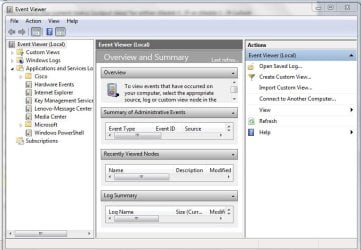
Hi! On my Lenovo Thinkpad laptop computer (not this one) - I always get the error message, telling me that I am not connected to the internet, whenever I try to get online. So I always fix it by running the network troubleshooting program. But I wonder if there is a way how I can get it so I don't have to always go through this process every time, in order to get the internet turned on every time. I don't have this problem with my HP laptop computer. Our network provider is "Chain o' Lakes". We have a wireless internet connection, and use a router for that.
I recently restored the Lenovo Thinkpad laptop computer, so it is new and fresh. But this problem of internet connection difficulty is something that remained the same as before.
I recently restored the Lenovo Thinkpad laptop computer, so it is new and fresh. But this problem of internet connection difficulty is something that remained the same as before.
Last edited:
My Computer
At a glance
Windows 7Intel(R) Core(TM)2 Duo CPU T5870 @ 2.00GHzIntel(R) Core(TM)2 Duo CPU T5870 @ 2.00GHzIntel(R) Core(TM)2 Duo CPU T5870 @ 2.00GHz
- Computer type
- Laptop
- Computer Manufacturer/Model Number
- HP
- OS
- Windows 7
- CPU
- Intel(R) Core(TM)2 Duo CPU T5870 @ 2.00GHz
- Motherboard
- Intel(R) Core(TM)2 Duo CPU T5870 @ 2.00GHz
- Memory
- Intel(R) Core(TM)2 Duo CPU T5870 @ 2.00GHz
- Graphics Card(s)
- Intel(R) Core(TM)2 Duo CPU T5870 @ 2.00GHz
- Sound Card
- Intel(R) Core(TM)2 Duo CPU T5870 @ 2.00GHz
- Monitor(s) Displays
- Intel(R) Core(TM)2 Duo CPU T5870 @ 2.00GHz
- Screen Resolution
- Intel(R) Core(TM)2 Duo CPU T5870 @ 2.00GHz
- Hard Drives
- Intel(R) Core(TM)2 Duo CPU T5870 @ 2.00GHz
- PSU
- Intel(R) Core(TM)2 Duo CPU T5870 @ 2.00GHz
- Case
- Intel(R) Core(TM)2 Duo CPU T5870 @ 2.00GHz
- Cooling
- Intel(R) Core(TM)2 Duo CPU T5870 @ 2.00GHz
- Keyboard
- Intel(R) Core(TM)2 Duo CPU T5870 @ 2.00GHz
- Mouse
- Intel(R) Core(TM)2 Duo CPU T5870 @ 2.00GHz
- Internet Speed
- Intel(R) Core(TM)2 Duo CPU T5870 @ 2.00GHz
- Antivirus
- Windows Defender
- Browser
- Google Chrome
- Other Info
- Intel(R) Core(TM)2 Duo CPU T5870 @ 2.00GHz