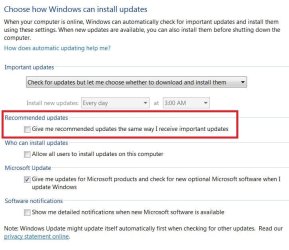
Clean installed W7 Pro 32 bit thrice, and each time after install and updating till SP1 windows update is fine, after SP1 install and check for updates get an the same error 800700E.
MS remote access has been able to fix it through tweaking services etc, all 3 times.
But I clean install again to see why cant I fix it or why get the error after downloading installing SP1........
Answer probably is the that WiFi device IP/DNS has a conflict with MS/Windows updates IP??
Hoping to hear from you,
Thanks!
PS: The reason for 3 clean installs also is that MS remote access leaves a lot of junk.....
MS remote access has been able to fix it through tweaking services etc, all 3 times.
But I clean install again to see why cant I fix it or why get the error after downloading installing SP1........
Answer probably is the that WiFi device IP/DNS has a conflict with MS/Windows updates IP??
Hoping to hear from you,
Thanks!
PS: The reason for 3 clean installs also is that MS remote access leaves a lot of junk.....
My Computers
-
At a glance
W7 Pro 32bitIntel(R) Core(TM)2 CPU T7200 @ 2.00GHz4.00 GBNVIDIA GTX 7980 512 MB- Computer type
- Laptop
- Computer Manufacturer/Model Number
- Dell
- OS
- W7 Pro 32bit
- CPU
- Intel(R) Core(TM)2 CPU T7200 @ 2.00GHz
- Motherboard
- Dell Inc. 0CF456
- Memory
- 4.00 GB
- Graphics Card(s)
- NVIDIA GTX 7980 512 MB
- Sound Card
- (1) HD Pro Webcam C910 (2) Bluetooth Stereo Audio (3) Si
- Hard Drives
- SSD
- Browser
- Brave
-
At a glance
W10 Procore i7 11th gen, 11700, 2.5-4.9 GHZ32 GBB, 2 X16 GB @2933 MHz.NVIDIA GeForce RTX 3070 8GB GDDR6- Computer type
- PC/Desktop
- System Manufacturer/Model Number
- Dell XPS Special Edition 8940
- OS
- W10 Pro
- CPU
- core i7 11th gen, 11700, 2.5-4.9 GHZ
- Memory
- 32 GBB, 2 X16 GB @2933 MHz.
- Graphics Card(s)
- NVIDIA GeForce RTX 3070 8GB GDDR6
- Monitor(s) Displays
- Dell UltraSharp 32 4K monitor.
- Hard Drives
- 1. 1TB M.2 PCIe NVMe SSD.
2. 1TB 7200 rpm 3.5" SATA Hard Drive.
- PSU
- 500W.
- Case
- Mineral White Bezel Chassis.