I am not saying that one should shun all paid software.( I have a long list of licenced software in my kitty. But no Video editing

) If OP's requirement is the same as yours by all means he should get a Video editing software.
Back on track, I think I missed one important step which was implied by Wishmaster - that the .ts file should be demuxed first and then should be added to MKVmerge GUI i.e., the video stream and audio stream and then remuxed.
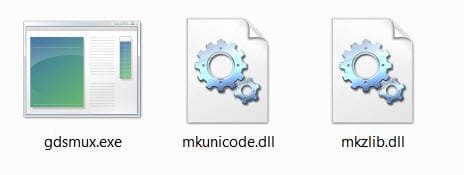
I shall leave it at it. Continuing my search for an easy way to TS2MKV, I came across this little bit of info. on the net - that gdsmux.exe in the Haali Matroska splitter can be used. It is only four clicks when you have everything ready.
1. Installed Haali Matroska Splitter, taking care during installation that it keeps away from anything other than ts files.( I do not know whether gdsmux.exe can be installed seperately.)
2. Ran gdsmux.exe from within the Program folder.
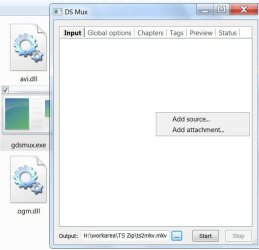
3. In the Output field gave a name to the mkv file, right clicked on the empty space under the input tab, added the .ts file and clicked on start. In about 15 seconds the mkv file was ready.
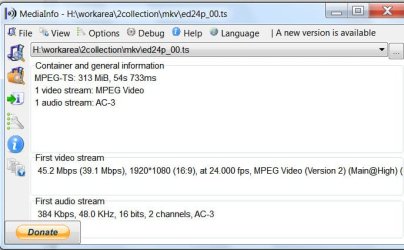
Media info of the TS file:
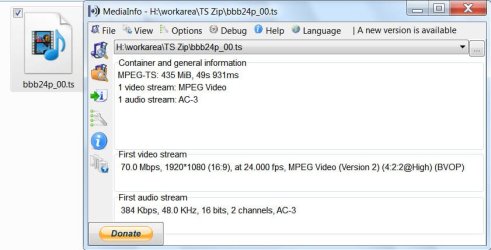
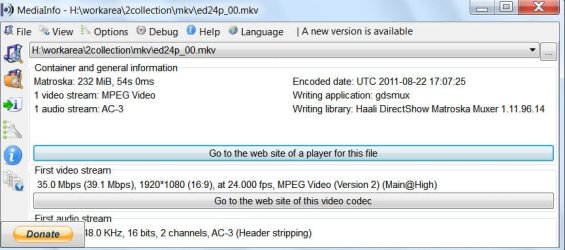
Media info of the MKV file

The MKV playing on Nero Kwik Media:

For reasons not known to me both the TS file and mkv file played properly only on Nero Kwik Media.
With WMP, Power DVD10 and MPC- Home cinema while the audio played the video was only black or some gibberish. Since it is so both for the TS and mkv , I can safely say they have the same attributes and character
.
I now leave it to Wishmaster, dsperber and other experts to check on this and say whether this is OK.
It is my belief that once you put the unadulterated stuff into the mkv container, it can further be manipulated the way one wants it to be. The fact that the TS file and the mkv play true on Nero Kwik media makes me believe that the source and the derivative are OK.



 Apologies.