
Re: "The action cannot be completed because the folder is open in another program.
Close the folder or file and try again."
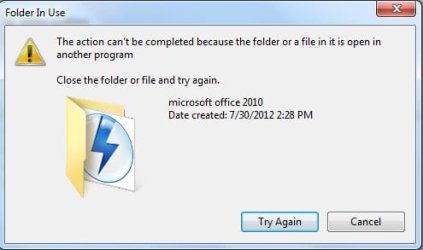
I am trying to delete a folder and the above error message appears, preventing the folder from deleting. I have tried to reboot Windows 7, but even after the reboot, the error message contines to prevent the deletion of this folder. I have included a screenshot of the error message with this forum posting. The folder in question contains Microsoft Office 2010 installation files. I have deleted MS Office 2010 with Add/Remove Programs, but this folder still does not allow itself to be deleted. Even after a computer re-start.
Thanks for any tips on how to permanently delete this folder.
Close the folder or file and try again."
I am trying to delete a folder and the above error message appears, preventing the folder from deleting. I have tried to reboot Windows 7, but even after the reboot, the error message contines to prevent the deletion of this folder. I have included a screenshot of the error message with this forum posting. The folder in question contains Microsoft Office 2010 installation files. I have deleted MS Office 2010 with Add/Remove Programs, but this folder still does not allow itself to be deleted. Even after a computer re-start.
Thanks for any tips on how to permanently delete this folder.
Attachments
My Computer
- OS
- Windows 7


