Folder Size in Windows Explorer

FreeCommander

FreeCommander has some other nifty features too:

  • Mass File Renamer
  • Customisable layout
  • Basic file/folder compare tools
  • MD5 tool
http://freecommander.com/

The Folder size function is activated by a button (Click picture for animation).
166146d1311252724-folder-size-windows-explorer-fc-folder-size-01.gif
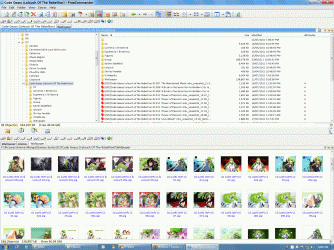
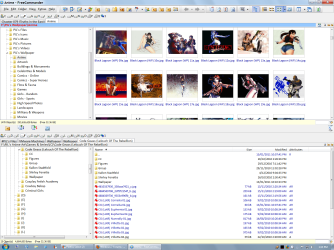
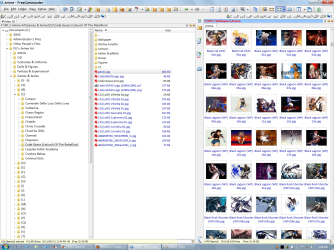
Some example layouts (Click picture to enlarge - you may need to click several times to get the full size).
132946d1295408464-what-happened-ctrl-click-win7-freecommander-01.png 132947d1295408464-what-happened-ctrl-click-win7-freecommander-02.png
 
Last edited:

My Computer

Computer type
PC/Desktop
Computer Manufacturer/Model Number
n/a
OS
W7 Ultimate SP1, LM19.2 MATE, W10 Home 1703, W10 Pro 1703 VM, #All 64 bit
CPU
AMD Phenom II x6 1100T, 3.3 GHz
Motherboard
ASUS M4A88T-M/USB3 (AM3)
Memory
12GB DDR3 1333 G-Skill (4GB x 2), G-Skill (2GB x 2)
Graphics Card(s)
NVIDIA GeForce GTX 660
Sound Card
Realtek?
Monitor(s) Displays
Samsung S23B350
Screen Resolution
1920x1080
Hard Drives
WD Green 2TB (SATA), WD Green 3TB (SATA), WD Blue 4TB (SATA), WD Blue 6TB (SATA)
PSU
Cooler Master
Case
Antec GX300 Tower
Cooling
3x Antec TRICOOL 120mm Fans
Mouse
Wired Optical
Internet Speed
DSL
Antivirus
Avast
Browser
Pale Moon (64 bit)
Other Info
2018-12-27 Upgraded HDDs
2015-12-10 Upgraded case, graphics card, storage
2015-08-15 Upgraded motherboard & RAM
2015-07-15 Upgraded LM17.1 to LM17.2
Thanks mate. Boy you are fast :-)

I know but do little usage with total commander so I know the principle of these apps.

For batch rename I used few times AcdSee.

To display 2 folders side by side I use the the show windows side by side feature of windows but obviuosly these apps does it better.

I went through some features of FreeCommander - as I said, it's great.

Again. Thanks a lot.
 

My Computer

OS
Windows 7 Home Premium 64bit SP1
No problems

I happened to login just after you posted. :)

I had the pictures in my user attachments.
I had posted them previously (one of them is from earlier in this very thread).
 

My Computer

Computer type
PC/Desktop
Computer Manufacturer/Model Number
n/a
OS
W7 Ultimate SP1, LM19.2 MATE, W10 Home 1703, W10 Pro 1703 VM, #All 64 bit
CPU
AMD Phenom II x6 1100T, 3.3 GHz
Motherboard
ASUS M4A88T-M/USB3 (AM3)
Memory
12GB DDR3 1333 G-Skill (4GB x 2), G-Skill (2GB x 2)
Graphics Card(s)
NVIDIA GeForce GTX 660
Sound Card
Realtek?
Monitor(s) Displays
Samsung S23B350
Screen Resolution
1920x1080
Hard Drives
WD Green 2TB (SATA), WD Green 3TB (SATA), WD Blue 4TB (SATA), WD Blue 6TB (SATA)
PSU
Cooler Master
Case
Antec GX300 Tower
Cooling
3x Antec TRICOOL 120mm Fans
Mouse
Wired Optical
Internet Speed
DSL
Antivirus
Avast
Browser
Pale Moon (64 bit)
Other Info
2018-12-27 Upgraded HDDs
2015-12-10 Upgraded case, graphics card, storage
2015-08-15 Upgraded motherboard & RAM
2015-07-15 Upgraded LM17.1 to LM17.2
Workaround for a specific task completion

OK, this doesn't solve the exact problem that was asked, but this is how I accomplished the task I set out to complete when looking for this answer. I hope this helps others...

Scenario:
I was moving large amounts of files/folders to a new computer and wanted to avoid moving large unnecessary files. I landed on this page because I just wanted to open a folder and see the sizes of all the subfolders so that I could go into the large ones and delete unnecessary files.

Maybe this is what you're trying to do too. This may seem obvious, but here was my workaround:

Solution:
Just open the folder that you want to investigate and in the upper-right you'll see the "Search ..." box. Just type * (asterisk) in there, hit <Enter> and you'll be shown all files in all subfolders. Just below the search box change the view to "Details" so you can see the file sizes and sort by the "Size" column.

This is how I identified the large files I didn't want across many subfolders. I didn't really care about the folder sizes, but I thought that's what I needed to solve my problem.

You can do this at any folder level of course, it just takes longer the more folders you're trying to process at once.

Again, doesn't answer the specific question, but might answer the root question of someone who lands on this page.

 

My Computer

Computer type
PC/Desktop
Computer Manufacturer/Model Number
ThinkPad
OS
Win7 Pro 64-bit
Back
Top