Format of a disk issue code

Format of a disk issue

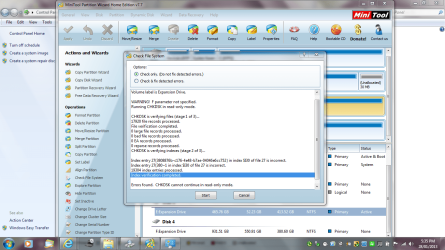
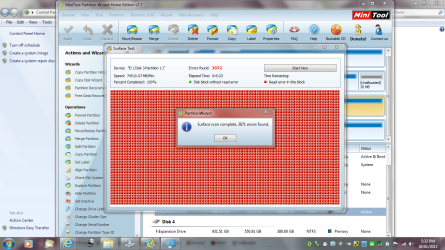
I have used two of the functions of the Partition Wizard.

Does not look good.

I also do not know how to back it up as it is unstable.

I will be posting that in another forum.

Anyone have any ideas on the results - I would not know what to do
 

Attachments

  • E DRIVE FROM PARTION WIZARD SECOND SCAN.PNG
    E DRIVE FROM PARTION WIZARD SECOND SCAN.PNG
    129 KB · Views: 8
  • E DRIVE FROM PARTION WIZARD.PNG
    E DRIVE FROM PARTION WIZARD.PNG
    130.4 KB · Views: 13

My Computer

Computer type
Laptop
Computer Manufacturer/Model Number
Sony VAIO / E Series VPCEB46FG
OS
Windows 7 Home Premium 64bit
CPU
Windows 7 Service Pack 1 x86 NTFS
Motherboard
AMD E-350 Processor
Memory
4 GB
Hard Drives
500GB
Other Info
1.6GHz
The drive looks shot. But the Disk Check needs to be run in Repair Mode with both boxes checked to know you've done everything.
 
Yes I think the same. I am trying to get the back up of the data.

I am not too sure how to do that - I am pretty unhappy.

I gather that external hard drives are not designed to last that long - especially a Seagate 500 GB one. It lasted well over warranty.

I have one last back up before the disk actually would not work at all - I think the connection between the computer and the cable was an issue too.

I wish to thank you for all the information - now to work through how to grasp how to transfer the Antivirus and everything else to somewhere it was backed up to.

I am not that computer literate - but I require that data as soon as possible.

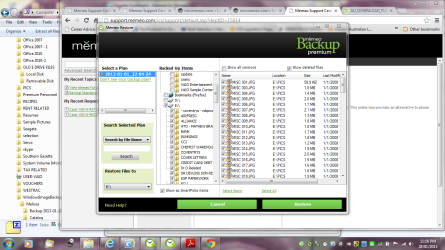
I do not know how to read the date of the back up or restore it - I am pretty sure that there may be double up of files in some locations
 

Attachments

  • back up from memeo - date enquiry.PNG
    back up from memeo - date enquiry.PNG
    87.5 KB · Views: 6
  • back up from memeo - enquiry.PNG
    back up from memeo - enquiry.PNG
    109.5 KB · Views: 6

My Computer

Computer type
Laptop
Computer Manufacturer/Model Number
Sony VAIO / E Series VPCEB46FG
OS
Windows 7 Home Premium 64bit
CPU
Windows 7 Service Pack 1 x86 NTFS
Motherboard
AMD E-350 Processor
Memory
4 GB
Hard Drives
500GB
Other Info
1.6GHz
As soon as your drive started not showing up on certain PC's, you needed to back up the data. When in doubt, back up. Do not use some intermediary program. Drag the data you need to another drive now.

If that fails I would remove the drive from the case and connect it using a SATA cable. It may have a SATA port on it or you may need to use a laptop to SATA/IDE converter cable which are available for cheap online from Amazon, New Egg, etc.

This will allow you to run Downloads | Seagate drive repair software on it from bootable CD or another OS. You might even be able to rescue data using a program like Recuva - Features

In the future I'd consider the modern method of backing up to, or working from a file set in the cloud as demonstrated here: http://www.sevenforums.com/backup-restore/275667-sync-backup-store-your-files-cloud-skydrive.html
 
Thank you so much for your assistance. I am getting nowhere with the manufacturer -

they gave me this link - How to use an external drive without any special software
Have you used the drive only with Windows or did you at any point connect it to a Mac system?
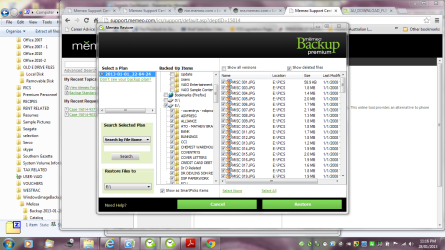
I also have found the back up information and noticed that if I try and recover the information - some files are doubled up or encrypted. The Seagate came with Memeo - which I am talking with - I can included screen shots if required.
I just want my data back
I will try and do some training and do basics before trying to back up online.
 

Attachments

  • view - seagate.PNG
    view - seagate.PNG
    87 KB · Views: 2
  • memeo - e drive.doc
    memeo - e drive.doc
    847.5 KB · Views: 0
  • DOUBLE UP.PNG
    DOUBLE UP.PNG
    82.7 KB · Views: 3
  • back up from memeo - enquiry.PNG
    back up from memeo - enquiry.PNG
    109.5 KB · Views: 4

My Computer

Computer type
Laptop
Computer Manufacturer/Model Number
Sony VAIO / E Series VPCEB46FG
OS
Windows 7 Home Premium 64bit
CPU
Windows 7 Service Pack 1 x86 NTFS
Motherboard
AMD E-350 Processor
Memory
4 GB
Hard Drives
500GB
Other Info
1.6GHz
I never mess with the backup crapware which comes preinstalled on an external drive because we see too many cases here where it causes data loss. Nor do I recommend the Win7 automated file backup or EasyTransfer which easily loses data.

The rule of thumb that always works and never lets you down is to sort your data into the User folders, keep them thinned out regularly, then drag them periodically to another HD, another PC on the network, an external, DVD, or use a cloud backup method such as the simple free one I linked earlier that I use. My files live on Skydrive with a sync'd copy on each of my PC's. I can also visit them from any PC or device.

You'd have to dig into google to research how to get your data out of Memeo if you can't retrieve it now from backup to copy it to another drive. The idea that this data would not be out in the open and available to copy or drag out is senseless.
 
Yes I am finding that I am trying to extract some of the information out of the back up that I have found as per there instructions.

It is proving to be quite a process. I would not personally pay for it.

Following are patches of the conversation that I have been having with Memeo.

Memeo Backup PremiumWhere did you obtain your software?: SeagateOperating System: Windows 7Issue/Problem Type: OtherWhich hardware did you purchase?: ExpansionVersion Number: 4.60.0.7359Additional Comments: I am just enquiring that if I have backed up to a USB external hard drive does your software make the device write protected.

After doing a backup from your product directed after setting up a plan. I can not erase any data from the device.

Can I delete the folder or do I uninstall the product.Attachment
iFile.png
back up.PNG
iFile.png
write1.PNG
iFile.png
write.PNG
iFile.png
disk.PNG

SolutionSolved:
(1/28/2013 12:47 PM PDT) Hello,

The DO NOT MODIFY!!.txt simply a warning that states that you should not change or modify your backup files created by our software. You will always have the option to delete or modify other files on the device. Memeo Instant Backup or Memeo Backup Premium doesn't offer the feature to make external hard drives protected. As for the error message you are encountering, "The disk is write protected" is a Windows error message, not a Memeo software issue.

We suggest that you contact the drive manufacturer for assistance on this error or performing an Internet search for a solution.

Regards,
Jayson

Actions

Case Details
iBack.gif
BackCase SummaryCase #: 15014-92739Email Notification: YesStatus: ClosedDate Created: 1/28/2013 8:45 AM PDTLast Updated: 1/28/2013 10:17 AM PDT
Case DescriptionMemeo Product: Memeo Backup PremiumWhere did you obtain your software?: SeagateOperating System: Windows 7Issue/Problem Type: Backup ProcessIssue/Problem Specifics: How do I view the files that I've backed up?Which hardware did you purchase?: ExpansionVersion Number: 4.60.0.7359Additional Comments: I am enquirying as to whether you would be able to assist me.

I did a back up the other day and the drive that it was backing up from is now with the manufacturer.

I am wishing to restore the files from the E: drive - or the whole lot so I know that I have everything.
I am so devastated as I do not know how to copy from USB Hard Drives and I did not expect to forget what I named the back up set.
I am not computer savvy and tried looking through the forums - but I do not wish to stuff it up.
I am going through chemo and not that great at computers.
Could you please assist me in easy to follow instructions on how to access the folders - I am gathering they should be at another location or I could specify another location
I appreciate your assistance and great product that has saved me this time - as I never backed up an external ever.
If you require any further information - please let me knowAttachment
iFile.png
back up from memeo - enquiry.PNG

Actions
You are not authorized to perform any actions at this time.

HistoryDate CreatedActionsContact NameComment1/28/2013 8:45 AM PDTRouted
to Queue SystemRouted by System using rule AutoBackup Premium.

Customer Email body: Thank you for contacting Memeo Customer Service. This e-mail is to acknowledge receipt of your message. We make every effort to respond to your e-mail within 1 business day for inquiries received weekdays, Monday through Friday, between 9:00 AM to 6:00 PM PST. Please also take a look into our knowledge base while you wait for a reply from one of our representatives. You may find the answer you are looking for by going to the following link: http://support.memeo.com/ics/support/KBList.asp?folderID=6
Assigned to Queue: Backup Premium
Ticket Origin set to Web Site.1/28/2013 10:13 AM PDTRequested Info
iUser.png
n4cerHello,

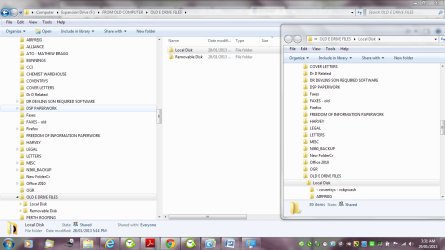
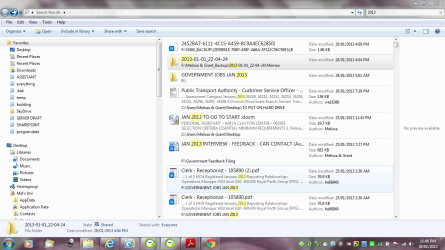
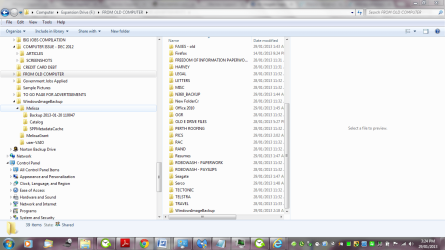
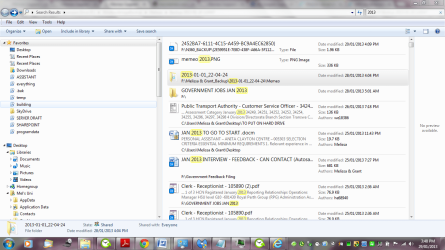
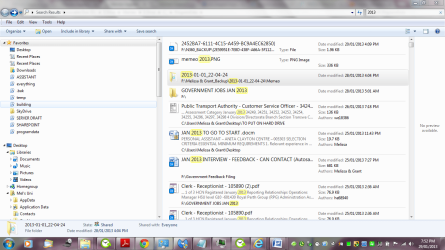
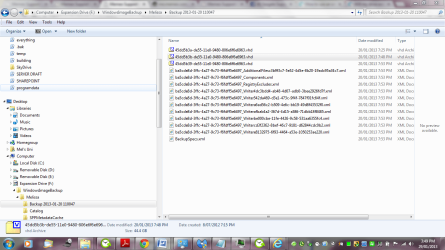
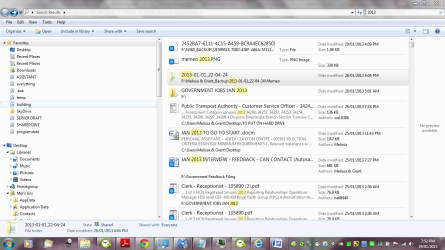
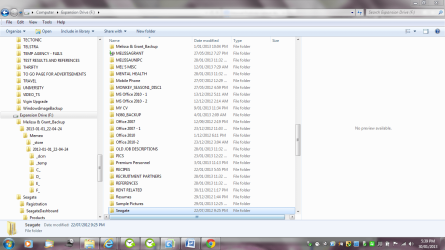
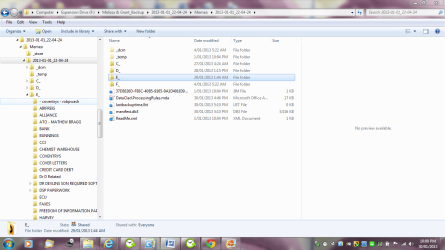
Thank you for contacting Memeo Technical Support. Your original backup was created by Memeo Instant Backup. The backup cannot be restored with Memeo Backup Premium. You should be able to find your backup files through Windows Explorer, by accessing your Seagate drive directly. Your backup folder should be titled as <YOUR USERNAME_Backup>. If you navigate through the various folders, you should be able to locate your data.

Regards,
Jayson
1/28/2013 9:17 AM PDTRouted
to Queue SystemRouted by System using rule AutoBackup Premium.

Customer Email body: Thank you for contacting Memeo Customer Service. This e-mail is to acknowledge receipt of your message. We make every effort to respond to your e-mail within 1 business day for inquiries received weekdays, Monday through Friday, between 9:00 AM to 6:00 PM PST. Please also take a look into our knowledge base while you wait for a reply from one of our representatives. You may find the answer you are looking for by going to the following link: http://support.memeo.com/ics/support/KBList.asp?folderID=6
Assigned to Queue: Backup Premium
Ticket Origin set to Web Site.Case DescriptionMemeo Product: Memeo Backup StandardWhere did you obtain your software?: SeagateOperating System: Windows 7Issue/Problem Type: OtherIssue/Problem Specifics: I can't see the destination I am trying to back up toWhich hardware did you purchase?: ExpansionVersion Number: 4.6.0.7359Additional Comments: I am not understanding the option that comes with the product - Memeo LifeAgent and Memeo Sync.

I am now do not know what is being backed up - hopefully everything and when it is being backed up.

I am also not computer literateAttachment
iFile.png
memeo life agent.png

SolutionSolved:
(1/28/2013 12:13 PM PDT) Hello,

You cannot view your backup files with the explorer extension.
There are two ways you can check to see if your files were backed up:
View and Restore List (Recommended)
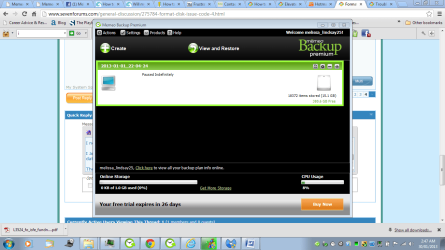
In the main screen of Backup, click on the View and Restore button. Click on a directory or a SmartPick under the Backed Up Items window. The files that were backed up will then be displayed in the box to the very right. This is our recommended method of checking your backed up files and the only method of viewing files that were backed up using our encryption.
Backup Destination
Go into the backup destination and check the files in your backup folder. Please note, that you will not be able to see your files if your plan was encrypted. Encrypted backup plans will need to view their files through the View and Restore method. In addition, please DO NOT tamper with any files in your backup folder.

As for ActiveSync, please contact ActiveSync support for questions or issues on this program.

Regards,
Jayson

Actions

HistoryDate CreatedActionsContact NameComment1/28/2013 12:13 PM PDTSolution Suggested
iUser.png
n4cer(see solution)1/28/2013 12:10 PM PDTSolution Rejected
iCustomer.png
Melissa LindsayDear Andrew,

How do you see what items you are backing up and what Memeo LifeAgent - can you just keep on adding files - or do you have to really go through manage backup sets?

With ActiveSync - with it syncing two folders together - does that mean the old with the new folder?1/28/2013 11:04 AM PDTSolution Suggested
iUser.png
AndrewHello,
Thank you for contacting Memeo. Memeo LifeAgent is part of the Memeo Backup Premium software. After you've created a backup plan with Memeo Backup Premium you can use the LifeAgent to added specific folders to the backup plan through Windows Explorer. This is an easier way for you to choose items to have backed up, that way you don't need to open up the software and go through the program of adding the item. As for Memeo AutoSync it is a two way syncing program. It syncs two folders together. Anything you do in one folder will get reflected in the other and vice versa. Let us know if you have any further questions or comments.
Regards,
Andrew
1/28/2013 10:16 AM PDTRouted
to Queue SystemRouted by System using rule AutoBackup Standard.

Customer Email body: Thank you for contacting Memeo Customer Service. This e-mail is to acknowledge receipt of your message. We make every effort to respond to your e-mail within 1 business day for inquiries received weekdays, Monday through Friday, between 9:00 AM to 6:00 PM PST. Please also take a look into our knowledge base while you wait for a reply from one of our representatives. You may find the answer you are looking for by going to the following link: http://support.memeo.com/ics/support/KBList.asp?folderID=6
Assigned to Queue: Backup Standard
Ticket Origin set to Web Site.HistoryDate CreatedActionsContact NameComment1/28/2013 12:47 PM PDTSolution Suggested
iUser.png
n4cer(see solution)1/28/2013 12:42 PM PDTSolution Rejected
iCustomer.png
Melissa LindsayI used your software to transfer the back up - it then made the disk write protected.

Are you saying that it may be the software of Seagate that created the issue?

I am very confused

D drive is the location for the backup of E drive - hence the screen shot.

They say it is your issue - I do not know how it became write protected1/28/2013 9:28 AM PDTSolution Suggested
iUser.png
n4cerHello,

Thank you for contacting Memeo Technical Support. Our software does not make your Seagate Expansion write protected. From your screen shots, you are attempting to disconnect the D drive, which isn't your Seagate device. For any hardware issues, please contact Seagate Support. You should be able to delete any files from the Seagate device, your E drive.

Please let us know if you still need assistance.

Regards,
Jayson
1/27/2013 10:31 PM PDTRouted
to Queue SystemRouted by System using rule AutoBackup Premium.

Customer Email body: Thank you for contacting Memeo Customer Service. This e-mail is to acknowledge receipt of your message. We make every effort to respond to your e-mail within 1 business day for inquiries received weekdays, Monday through Friday, between 9:00 AM to 6:00 PM PST. Please also take a look into our knowledge base while you wait for a reply from one of our representatives. You may find the answer you are looking for by going to the following link: http://support.memeo.com/ics/support/KBList.asp?folderID=6
Assigned to Queue: Backup Premium
Ticket Origin set to Web Site.
Can you possibly assist me in what the best way would be to gain access the data - the Windows Image Backup - I can not access.

Thank you for your help.

Melissa

Seagate

-----

Seagate Support

Are you able to manually move data to the external drive? Here are the instructions for the process:
http://knowledge.seagate.com/articles/en_US/FAQ/206419en
Running SeaTools on the drive is fine and won't cause any problems.


Thanks for doing some research
 

Attachments

  • windows back up - image2.PNG
    windows back up - image2.PNG
    76.8 KB · Views: 4
  • windows back up - image1.PNG
    windows back up - image1.PNG
    93.9 KB · Views: 4
  • windows back up - image.PNG
    windows back up - image.PNG
    75.3 KB · Views: 3
  • memeo back up screen shot.PNG
    memeo back up screen shot.PNG
    94.8 KB · Views: 4
  • Case Details - History.docx
    Case Details - History.docx
    55.5 KB · Views: 0
  • memeo - e drive.doc
    memeo - e drive.doc
    847.5 KB · Views: 0
  • memeo 2013.PNG
    memeo 2013.PNG
    98.5 KB · Views: 5

My Computer

Computer type
Laptop
Computer Manufacturer/Model Number
Sony VAIO / E Series VPCEB46FG
OS
Windows 7 Home Premium 64bit
CPU
Windows 7 Service Pack 1 x86 NTFS
Motherboard
AMD E-350 Processor
Memory
4 GB
Hard Drives
500GB
Other Info
1.6GHz
Melissa, try now accessing the data as suggested in the first email above. What happens when you try to copy a sample file or sub-folder to another HD?

If it errors try right clicking on the folder and/or file with Take Ownership Shortcut
 
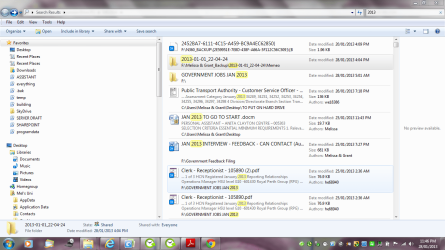
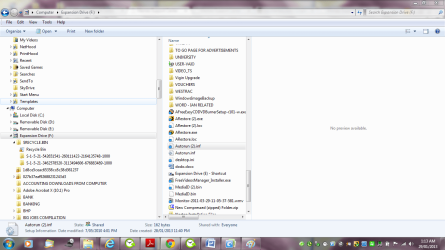
I have found that some encrypted folders that I do not have the data for a the back ups that I did from the other day - some thirty pages have disappeared.

I guess I will have to wait until I can see if I can get a SATA drive and rectify the situation or just mess with the Memeo back up data in the back ground.

They basically have said that if I do that then I am tempting fate and will loose all my data.

Thanks and I will keep you posted -

Can you please try and assist me also with the data not colour not coming up in my Word Documents - or would that stem back to having the Memeo agent lingering in the background - deciding if I back up to somewhere else. I can not figure it out.

Thank you very much for looking at it.

I require my rest and will check back in the morning
 

Attachments

  • memeo - e drive.doc
    memeo - e drive.doc
    847.5 KB · Views: 0
  • windows back up - image.PNG
    windows back up - image.PNG
    75.3 KB · Views: 1
  • memeo back up screen shot.PNG
    memeo back up screen shot.PNG
    94.8 KB · Views: 0
  • memeo search shot - location.PNG
    memeo search shot - location.PNG
    94.5 KB · Views: 1
  • windows back up - image2.PNG
    windows back up - image2.PNG
    76.8 KB · Views: 2

My Computer

Computer type
Laptop
Computer Manufacturer/Model Number
Sony VAIO / E Series VPCEB46FG
OS
Windows 7 Home Premium 64bit
CPU
Windows 7 Service Pack 1 x86 NTFS
Motherboard
AMD E-350 Processor
Memory
4 GB
Hard Drives
500GB
Other Info
1.6GHz
Thank you so much for all your forum assistance.

I am greatly appreciative of some experts assisting the people that seem a bit silly. I think that this Memeo software is hard to navigate.

I have lost a lot of data.

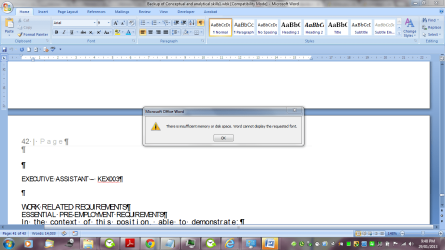
I am also having issues with My MS Word with memory usage.

Running defrag and malware.

Could my remote assistance be being intefered with - one user said that I never should have that ticked in the User Control / Control Panel?

My system seems to be running very slow.

Thanks forum.
 

Attachments

My Computer

Computer type
Laptop
Computer Manufacturer/Model Number
Sony VAIO / E Series VPCEB46FG
OS
Windows 7 Home Premium 64bit
CPU
Windows 7 Service Pack 1 x86 NTFS
Motherboard
AMD E-350 Processor
Memory
4 GB
Hard Drives
500GB
Other Info
1.6GHz
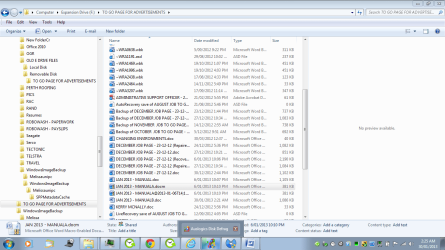
Just before I signed out for the night I noted that some folders have an extra property that may make it no so great to get out of the system like my JAN2013A which has some new property at the end of it which is the newer updated back up - looks like the date and time it was also synced.

I guess I can be thankful for a back up being done - just not the way it was done.

Lets hope that I can get the USB Hard Drive tomorrow. I will post regularly as I am thankful for all the assistance.
 

Attachments

  • REMOVABLE DISK HELL.PNG
    REMOVABLE DISK HELL.PNG
    63.9 KB · Views: 2
  • INSUFFICIENT MEMORY OR SPACE IN WORD.PNG
    INSUFFICIENT MEMORY OR SPACE IN WORD.PNG
    77.1 KB · Views: 0

My Computer

Computer type
Laptop
Computer Manufacturer/Model Number
Sony VAIO / E Series VPCEB46FG
OS
Windows 7 Home Premium 64bit
CPU
Windows 7 Service Pack 1 x86 NTFS
Motherboard
AMD E-350 Processor
Memory
4 GB
Hard Drives
500GB
Other Info
1.6GHz
Are you able to copy out the data you need via explorer?

I would put it anywhere you can find space since the drive may not last longer.

You can upload 7gb to Skydrive with each Windows Live ID without using the Skydrive app that keeps a copy on your HD.

Later you can install the Skydrive app and have it sync those files back down to your HD, even add them to the related Library as a very efficient and safe way to Sync, Backup and Store your Files to the Cloud with Skydrive - Windows 7 Forums
 
Good idea - I have a 1TB Hard Drive - just having trouble with the people at Memeo on how to transfer the items over.

From the tickets that I raised with them - they are not sounding confident or tell me I can back up - then next sentence say I cant hence me including the document that I put in post.

I am keeping the software open until I get a hardware side a definate. Otherwise I am going to have to count my losses.

I had moved partial of some folders that I did from a random search to the 1TB portable HD.
I had no idea that data loss hurts.

I never thought of doing what you suggested. Thank you - you are a lifesaver.

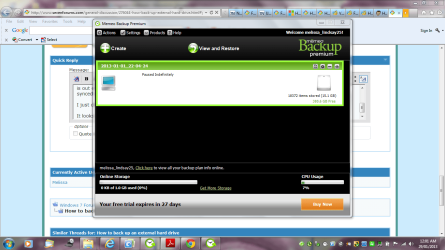
I am so silly for starting a defrag and a malware scan - just in case. Guess I made things worse. Hope I do not wipe any data.

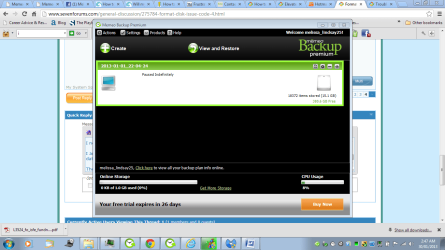
The scan is paused indefinately until I figure it out. I feel so silly.

Thanks again for making me think before panicking.

I will just leave it as I am tired and may make it worse.

Thank you for your prompt attention - with things I never thought about
 

Attachments

  • Case Details - History.docx
    Case Details - History.docx
    55.5 KB · Views: 0
  • memeo 2013.PNG
    memeo 2013.PNG
    98.5 KB · Views: 1
  • memeo search shot - location.PNG
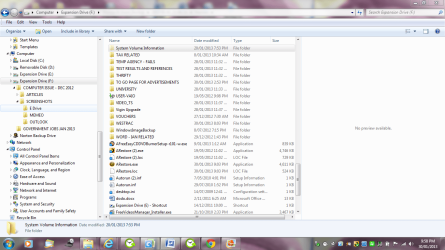
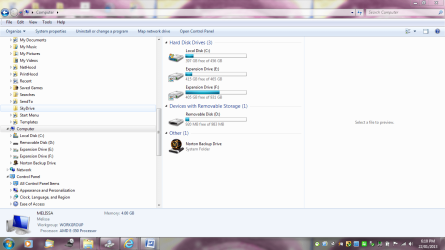
    memeo search shot - location.PNG
    94.5 KB · Views: 1
  • scan paused.PNG
    scan paused.PNG
    52.1 KB · Views: 1

My Computer

Computer type
Laptop
Computer Manufacturer/Model Number
Sony VAIO / E Series VPCEB46FG
OS
Windows 7 Home Premium 64bit
CPU
Windows 7 Service Pack 1 x86 NTFS
Motherboard
AMD E-350 Processor
Memory
4 GB
Hard Drives
500GB
Other Info
1.6GHz
It's always good to check for Malware anyway.

If you have a large HD then access the data and copy it out. They told you how to do this. Just do it.
 
Do you mean by physically going into the Back up section as they mentioned?

They have now escalated my ticket to physical contact so they can establish what is wrong.

Should I just go ahead.
 

My Computer

Computer type
Laptop
Computer Manufacturer/Model Number
Sony VAIO / E Series VPCEB46FG
OS
Windows 7 Home Premium 64bit
CPU
Windows 7 Service Pack 1 x86 NTFS
Motherboard
AMD E-350 Processor
Memory
4 GB
Hard Drives
500GB
Other Info
1.6GHz
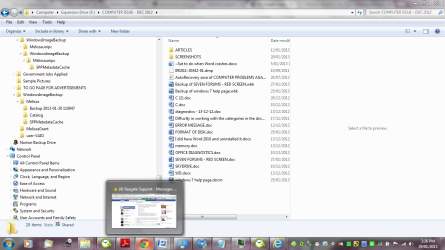
I was referring to this approach. Did you go there and try to drag out your files to the other HD?

Thank you for contacting Memeo Technical Support. Your original backup was created by Memeo Instant Backup. The backup cannot be restored with Memeo Backup Premium. You should be able to find your backup files through Windows Explorer, by accessing your Seagate drive directly. Your backup folder should be titled as <YOUR USERNAME_Backup>. If you navigate through the various folders, you should be able to locate your data.

Regards,
Jayson
1/28/2013 9:17 AM PDTRouted h
 
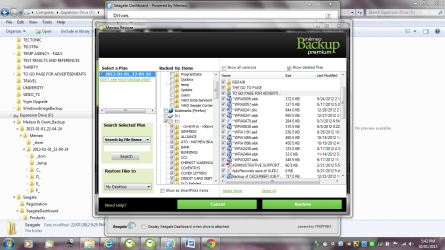
Can you please assist me where I should go to with the location of the back up - I do not understand their messages
of the location?

Thank you for answering.
 

My Computer

Computer type
Laptop
Computer Manufacturer/Model Number
Sony VAIO / E Series VPCEB46FG
OS
Windows 7 Home Premium 64bit
CPU
Windows 7 Service Pack 1 x86 NTFS
Motherboard
AMD E-350 Processor
Memory
4 GB
Hard Drives
500GB
Other Info
1.6GHz
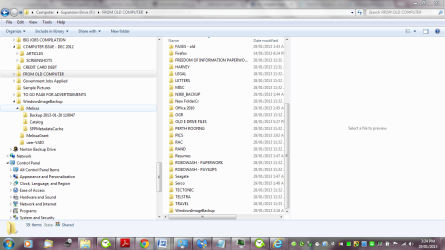
Look for a Melissa_Backup folder and your data should be in there.

But from the screenshots you've posted it looks like you have a lot of your data located. What is missing?
 
I am missing a lot of information.

May not be much for some people. But it is a lot.

I had to disconnect one of the cables to my plugged in operated 1TB Seagate Hard Drive.
That was a bad idea. I needed to do that an I received an error and the Memeo product commenced to want to sync.

Do not worry I will be doing what you suggested in the future - I have learnt my lesson -- the hard way.

Dodgy cables and other things can happen and can be costly.

I am attaching some screen shots of what I have done so far and updated the support communication between the company - Memeo and myself - will not be continuing my subscription.

I am in the process of seeing if I can retrieve one of my largest folders - I usually do a back up of my Word documents so .wbk and .tmp and .asd.

I know that I am not the only one that feels the pain of such things happening - so I guess I will have to get with the times and store my stuff another way.

I have printed every notification for future reference - great links and how to sections - but I am mindful some sections I will not go into.

Will keep you updated.

Defrag cam back fine and same with the Malware scan.
 

Attachments

  • memeo version.PNG
    memeo version.PNG
    115.6 KB · Views: 0
  • memeo other view.PNG
    memeo other view.PNG
    72.5 KB · Views: 0
  • memeo computer capture.PNG
    memeo computer capture.PNG
    104.9 KB · Views: 0
  • memeo back up.PNG
    memeo back up.PNG
    73.3 KB · Views: 0
  • memeo back up date again.PNG
    memeo back up date again.PNG
    78.4 KB · Views: 1
  • memeo what I want to restore.PNG
    memeo what I want to restore.PNG
    106 KB · Views: 0
  • scan paused.PNG
    scan paused.PNG
    52.1 KB · Views: 0
  • seagate dashboard issue.PNG
    seagate dashboard issue.PNG
    270.1 KB · Views: 0
  • system volume enquiry.PNG
    system volume enquiry.PNG
    91.4 KB · Views: 1
  • Case Details - History.docx
    Case Details - History.docx
    70.1 KB · Views: 0
  • format.PNG
    format.PNG
    82.7 KB · Views: 0

My Computer

Computer type
Laptop
Computer Manufacturer/Model Number
Sony VAIO / E Series VPCEB46FG
OS
Windows 7 Home Premium 64bit
CPU
Windows 7 Service Pack 1 x86 NTFS
Motherboard
AMD E-350 Processor
Memory
4 GB
Hard Drives
500GB
Other Info
1.6GHz
Back
Top