Hi all,
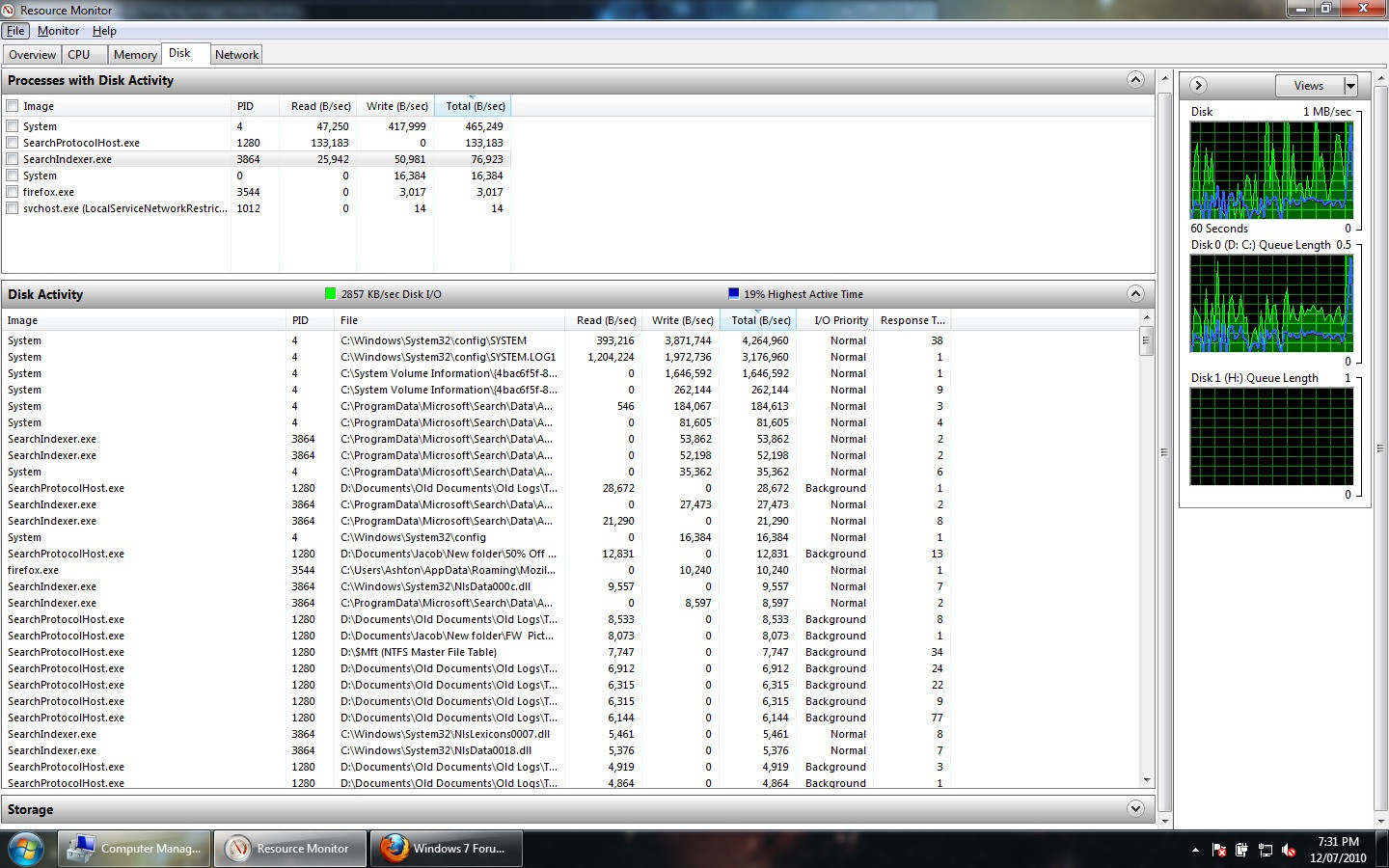
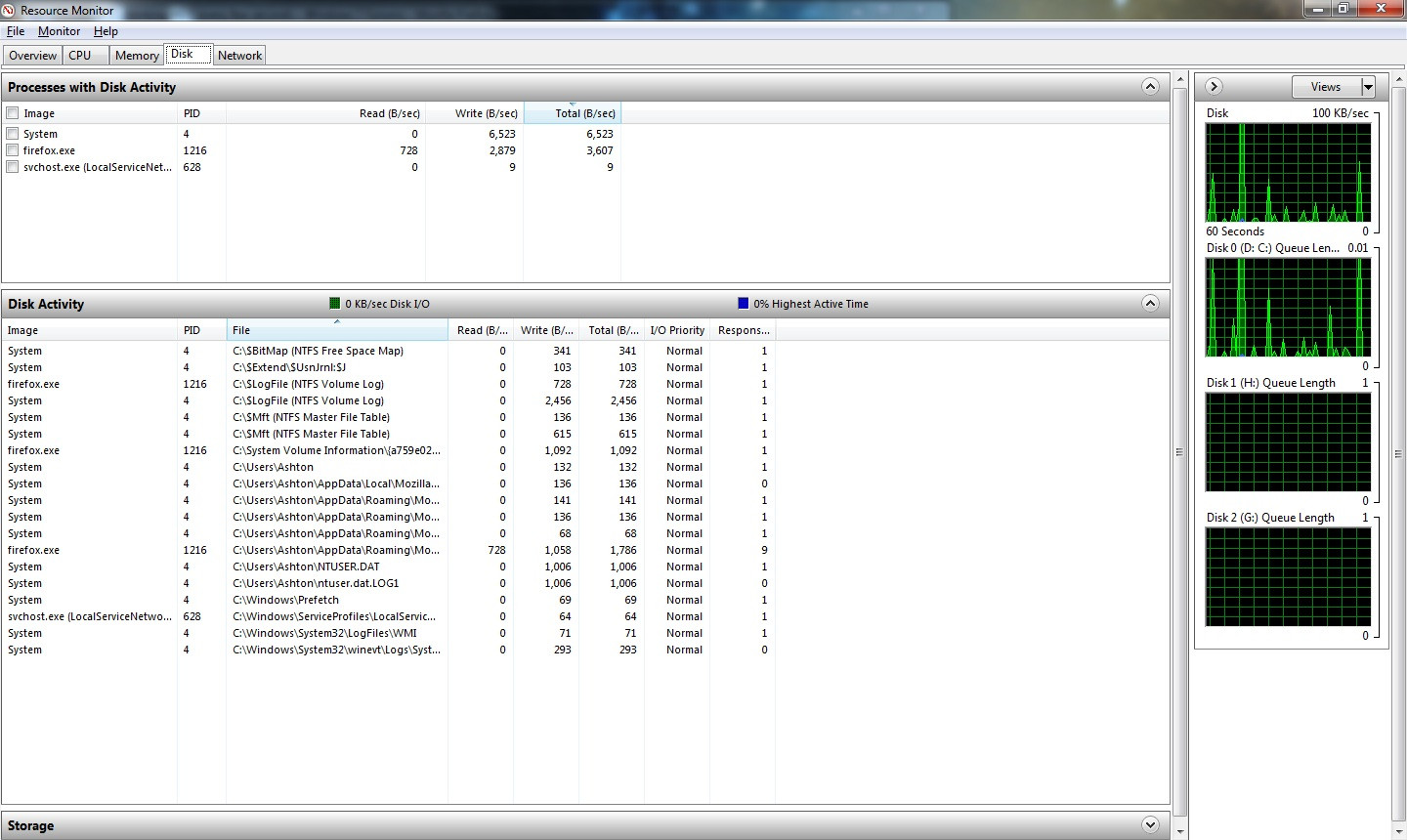
I recently (about 3 days ago) did a fresh install of 7 on my Dell Latitude E6410. All drivers are up to date, and this problem does not occur when I boot to my Linux partition. When I'm in 7, my hard disk sits there blinking constantly, whether the machine is idle or not. It's a bit annoying. I've tried turning of the paging file, system restore, superfetching and search indexing, but it still doesn't seem to make any difference. I initially thought it was my AV software (freeware version of Avira), so I uninstalled that just to see if it made any difference, which it doesn't either. Task manager seems to report csrss.exe is making all the I/O reads. Is there anyway I can stop this, it's very annoying. The only other thing I can think of which this could be is Prefetching - but does it usually take this long for it sort itself out?
Thanks.
Post script edit - Another tidbit of info, the drive is definitely *not* doing load-unload cycles. That's the first thing I checked since my previous laptop had this problem and that's certainly not it. I even forced the power settings on the drive using QuietHDD (since this corrected the problem on my previous laptop) just to be sure and it makes no difference.
I recently (about 3 days ago) did a fresh install of 7 on my Dell Latitude E6410. All drivers are up to date, and this problem does not occur when I boot to my Linux partition. When I'm in 7, my hard disk sits there blinking constantly, whether the machine is idle or not. It's a bit annoying. I've tried turning of the paging file, system restore, superfetching and search indexing, but it still doesn't seem to make any difference. I initially thought it was my AV software (freeware version of Avira), so I uninstalled that just to see if it made any difference, which it doesn't either. Task manager seems to report csrss.exe is making all the I/O reads. Is there anyway I can stop this, it's very annoying. The only other thing I can think of which this could be is Prefetching - but does it usually take this long for it sort itself out?
Thanks.
Post script edit - Another tidbit of info, the drive is definitely *not* doing load-unload cycles. That's the first thing I checked since my previous laptop had this problem and that's certainly not it. I even forced the power settings on the drive using QuietHDD (since this corrected the problem on my previous laptop) just to be sure and it makes no difference.
My Computer
At a glance
Windows 7 Ultimate x64 + Linux Mint 9Intel Core i5 520M8gb DDR3nVidia NVS 3100M
- Computer Manufacturer/Model Number
- Dell Latitude E6410
- OS
- Windows 7 Ultimate x64 + Linux Mint 9
- CPU
- Intel Core i5 520M
- Memory
- 8gb DDR3
- Graphics Card(s)
- nVidia NVS 3100M
- Monitor(s) Displays
- 14.1" WLEC LCD + 22" Dell LCD
- Screen Resolution
- 1440 x 900 + 1680 x 1050
- Hard Drives
- 1 x 500gb 7200RPM (Internal)
Various external drives (about 2.5tb in total)
- PSU
- Dell power brick, lol.
- Keyboard
- Dell Multimedia keyboard (external) when docked
- Mouse
- Logitech TrackMan Wheel