You might want to get an idea on what this thread is about before posting alternatives. In short, please read the first post first.
Thank you.
You're welcome. This is how I was able to work around the WIA issue by using TWAIN instead which IMHO is what the OP was challenged with. Using VueScan as a "bridge" between the scanner and PS is a small price to pay to enable the process. I too was never able to get WIA to work.
That would be true if that were the only option, but it's not. The instructions I wrote here definitely works with the 9000. All you have to do is look at the myriad of posts telling me so. Additionally I have a Coolscan 4000, which these instructions are based on, and they work very well with the need for Vuescan.
You might also be aware that I have Vuescan, keep it up to date (though I don't use it), and have had it since early 2000. It's simply not needed, unless you wish to use it instead of the Nikon Scan software.
So yeah, you can spend $40 (basic) or $80 (pro - which I have) on it, or you can use the free scan software that comes with the scanner by following these procedures.
The sole point of the post/thread is to provide procedures on getting the Nikon scan software working since Nikon failed to provide a Win 7 driver themselves. The procedures work if you follow the instructions.
Also...
You're welcome. This is how I was able to work around the WIA issue by using TWAIN instead which IMHO is what the OP was challenged with. Using VueScan as a "bridge" between the scanner and PS is a small price to pay to enable the process. I too was never able to get WIA to work.
These procedures aren't going to provide a WIA driver, that's what Nikon was supposed to do, but didn't, thus the hacked drivers I provide. This is discussed throughout this thread.
And you might re-read the post you're referencing...
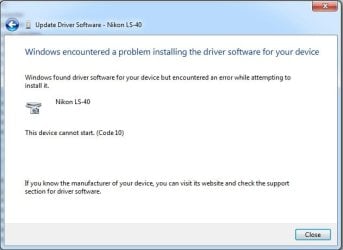
Hello, I have a Nikon Super Coolscan 9000 ED and am operating with Windows 7. I have tried your fix several times with no results. In the device manager, it says I need a WIA driver for the scanner. Is there something I'm missing? Any help would be appreciated.
He's saying he can't get the procedures to work, and figure it's because the WIA drivers are missing, which isn't the case. You don't need them for these to work!
But yes, if you want to access the scanner through Photoshop, than yes, Vuescan is the better way to go. I personally don't find that procedure anymore efficient than using Nikons software in standalone. And it's certainly not worth at least 40 bucks!!! I have it, and I don't even use it.
Peace