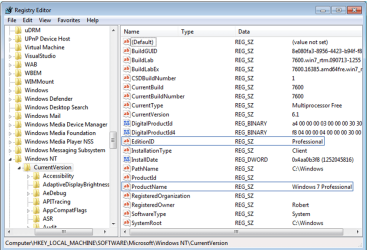
I am using a 90 trial of W7 Enterprise edition. I am going to installing the Professional edition soon and want to know what type of installation I should do.
I've only been using Enterprise for less than a week now and was wondering if I should do a clean install of Professional when I get it.
If I do a clean install, it will format the drive and everything. Is there a way where I can just convert it to Professional and keep all of my programs and files in tack? Is there any advantage to do a clean install instead?
I've only been using Enterprise for less than a week now and was wondering if I should do a clean install of Professional when I get it.
If I do a clean install, it will format the drive and everything. Is there a way where I can just convert it to Professional and keep all of my programs and files in tack? Is there any advantage to do a clean install instead?
My Computer
- Computer Manufacturer/Model Number
- Self-built
- OS
- Windows 7
- CPU
- i7 920 @ 3.8ghz
- Motherboard
- MSI X58 Pro-E
- Memory
- 6GB Corsair Dominator
- Graphics Card(s)
- ATI Radeon HD5850
- Sound Card
- Musiland Monitor 02 US
- Monitor(s) Displays
- Dell 24"
- Screen Resolution
- 1920x1200
- Hard Drives
- Intel X25-M 80GB SSD & Samsung Spinpoint F3 1TB
- PSU
- Antec EA650
- Case
- Antec 900
- Cooling
- Corsair H50
- Keyboard
- Logitech G11
- Mouse
- Logitech G9x
- Internet Speed
- 23 mb/s