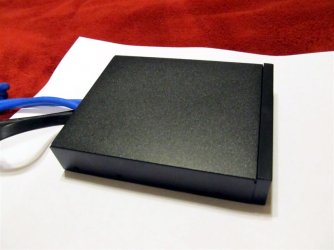
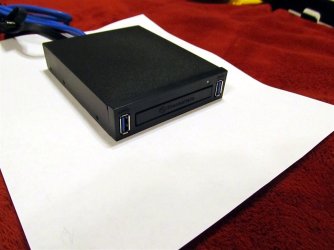
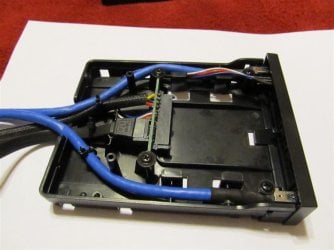
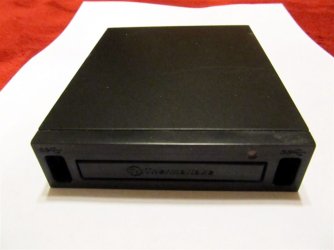
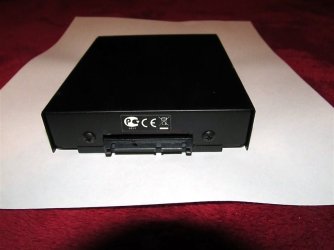
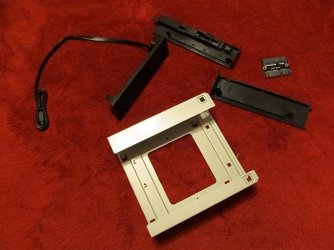
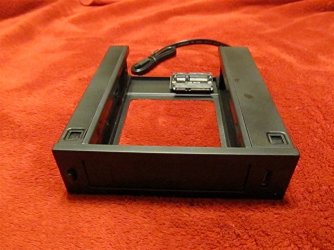
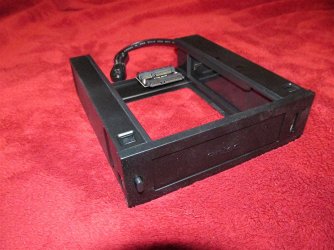
I tried printing a couple of labels for the shroud today but I kept getting slightly faded areas on the black field, just enough to annoy an anal old bi...broad like me. Since the trial "labels" I printed on regular paper worked so well, I printed a fresh one, attached strips of double sided cellophane tape on the back, then cut it out. When I applied the "label", I found out any slight overlap of the tape strips showed through the paper. Back to the "drawing board".
I printed another one and was more careful applying the double sided tape, leaving a small gap to make sure I didn't overlap the strips any. I got a few tiny lumps but decided to see what would happen if I put furniture polish on the entire shroud. It worked great on the paint but the moisture in the polish didn't do the paper of the label any good. Back to square one.
I removed the "label", again, used a couple of alcohol wipes to clean the polish of the front of the shroud, then made another "label". This one was best of all. After smoothing out the bubbles, I ran a felt pen around the edge to blacken the slight bit of white that showed from the thickness of the paper (yes, I am that anal). The camera picks up the felt pen marks but, in regular lighting, it doesn't show up (bad camera slap slap!)
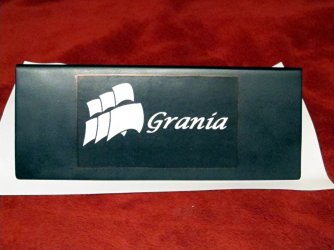
I'm declaring the shroud done.
I printed another one and was more careful applying the double sided tape, leaving a small gap to make sure I didn't overlap the strips any. I got a few tiny lumps but decided to see what would happen if I put furniture polish on the entire shroud. It worked great on the paint but the moisture in the polish didn't do the paper of the label any good. Back to square one.
I removed the "label", again, used a couple of alcohol wipes to clean the polish of the front of the shroud, then made another "label". This one was best of all. After smoothing out the bubbles, I ran a felt pen around the edge to blacken the slight bit of white that showed from the thickness of the paper (yes, I am that anal). The camera picks up the felt pen marks but, in regular lighting, it doesn't show up (bad camera slap slap!)
I'm declaring the shroud done.
My Computer
- Computer type
- PC/Desktop
- Computer Manufacturer/Model Number
- Custom Build
- OS
- Win 7 Ultimate 64 bit
- CPU
- Intel i7-3930K
- Motherboard
- ASUS P9X79 WS
- Memory
- Kingston HyperX Genesis 32GB Kit (8x4GB Modules) 1600MHz DDR
- Graphics Card(s)
- MSI R7850 Twin Frozr 2GD5/OC Radeon HD 7850 2GB 256-bit GDDR
- Sound Card
- Asus Xonar Essence STX
- Monitor(s) Displays
- 3x Asus VG248QE 24", Vizio 32" TV
- Screen Resolution
- 1920 x 1080, ?
- Hard Drives
- Samsung 128GB 840 Pro SSD (1),
Samsung 4TB 850 EVO SSDs (4)
Samsung 4TB 850 EVO SSDs (16) external backup drives used in 2.5" hot swap bays in the computer.
- PSU
- Corsair HX750w
- Case
- Antec Two Hundred v2 (modified)
- Cooling
- Cooler Master GeminII S524 120mm (fan replaced with a 140mm)
- Keyboard
- Logitech G510s
- Mouse
- Logitech M525 (two in use)
- Internet Speed
- =< 32Mbps down, 8Mbps up
- Antivirus
- AVAST!, MBAM, SAS, Spybot S&D (all but MBAM free) Glary Util
- Browser
- IE11
- Other Info
- LSI 9211-8i HBA card (8 SATA III ports), 2.5" & 3.5" Hot Swap Bays, HooToo HT-CR001 PCI-E to USB 3.0 Internal Hub + 6 Slot Card Reader, and LG Model CH12LS28 BD-ROM Optical Drive. Also, ScanSnap S1500 ADF duplexing scanner, Canon 9000F flat bed scanner, Corsair SP2500 2.1 speakers, Samsung CLP 415nw laser color printer, Cyberpower PP2200SW UPS