

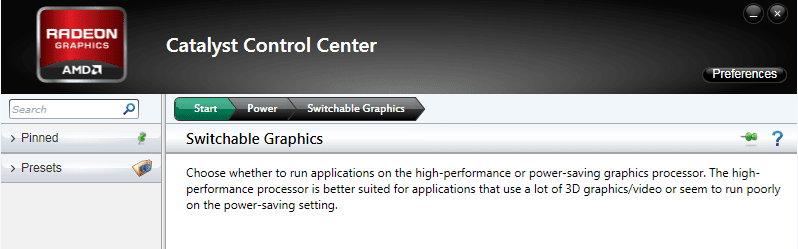
After assigning a particular game to Radeon switchable graphics(whether high performance or power saving),
how to remove a game game totally from GPU??
There is no option of removal of game in Switchable graphics menu,rather than H Per.. or Power saving.
The main problem is after assigning a game to GPU,some games are not working in either H per.. or Power saving mode.
I had tried uninstallation but after reinstalling a particular game,Gpu is storing its memory with game as high per.. or power saving.
Is there any way to remove the game totally from GPU??
how to remove a game game totally from GPU??
There is no option of removal of game in Switchable graphics menu,rather than H Per.. or Power saving.
The main problem is after assigning a game to GPU,some games are not working in either H per.. or Power saving mode.
I had tried uninstallation but after reinstalling a particular game,Gpu is storing its memory with game as high per.. or power saving.
Is there any way to remove the game totally from GPU??
Attachments
My Computer
- Computer type
- Laptop
- Computer Manufacturer/Model Number
- LENOVO G570
- OS
- windows 7 ultimate 64 bit
- CPU
- Intel core i3-2350M cpu@!2.30 Ghz
- Motherboard
- Lenovo
- Memory
- 4.00 GB
- Graphics Card(s)
- AMD RADEON HD 6370M(1GB)
- Monitor(s) Displays
- Generic pnp Monitor
- Screen Resolution
- 1366*768
- Hard Drives
- ST9500325AS ATA device(500GB) NTFS
- Keyboard
- Standard ps/2 keyboard
- Mouse
- synaptics ps/2 port Touchpad
- Internet Speed
- 921.6 kbps(Dial up Connection)
- Antivirus
- Quick Heal,MSE
- Browser
- Opera,Chrome
