Solved High idle ram usage right from start. fresh windows installation

Zakaln

New member
Local time
5:01 PM
Messages
24
Hello

Ive upgraded my system with new motherboard, cpu, ssd, ddr4 and psu. installed windows again but it seems to use fairly high amount of ram even if everything is disabled from msconfig (except the avast antivirus) as it didnt get disabled even if marked.

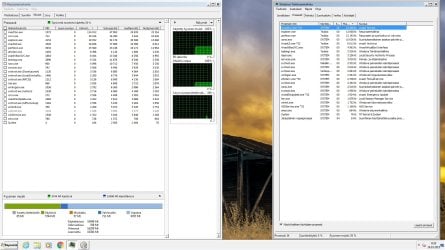
with all currently installed programs are enabled the ram usage is 6.8gb/16gb and with all disabled is shown on the picture that ive attached.

If i remember right, when the windows was just first time started the ram usage was much lower. but after installing the programs that i had before and will need, it raised quite alot. But i cant seem to add up where all those gb's are used.
 

Attachments
  • rammi.jpg
    rammi.jpg
    246.6 KB · Views: 9

My Computer My Computer

At a glance

Windows 7 Ultimate 64bitIntel Core i7 6700kCorsair 2x8gb DDRAMD Radeon 6990
Computer type
PC/Desktop
OS
Windows 7 Ultimate 64bit
CPU
Intel Core i7 6700k
Motherboard
Asus z170 Deluxe
Memory
Corsair 2x8gb DDR
Graphics Card(s)
AMD Radeon 6990
Sound Card
Soundblaster X-FI Titanium/Realtek motherboard
PSU
Corsair RM1000i
Case
Antec 1200
Cooling
Noctua D15
Hi,
Show processes for all users usually on the bottom left but we have a translation problem :)
 

My Computer My Computer

At a glance

Win-7-Pro64bit 7-H-Prem-64biti7-5930K 2nd i9-9940x both water blocked VRM'...Trident-z 3200C14 2nd Trident-z 3600C16EVGA 1080ti ftw3 2nd Titan Xp both water blocked
Computer type
PC/Desktop
Computer Manufacturer/Model Number
Custom assembled by me :}
OS
Win-7-Pro64bit 7-H-Prem-64bit
CPU
i7-5930K 2nd i9-9940x both water blocked VRM's too
Motherboard
ASUS SABERTOOTH X99 2nd ASUS x299 Apex
Memory
Trident-z 3200C14 2nd Trident-z 3600C16
Graphics Card(s)
EVGA 1080ti ftw3 2nd Titan Xp both water blocked
Sound Card
Built-in Realtek
Monitor(s) Displays
1-AOC G2460PG 24"G-Sync 144Hz/ 2nd 1-ASUS VG248QE 24" 144Hz
Screen Resolution
1920 x 1080 144Hz
Hard Drives
2-Samsung M.2 Evo & Evo Plus
2-Samsung 850 EVO 500GB SSD's/ 3-2.5 W.D. Black 1tb-&3-1tb/3-3.5 WD Black 1tb hdd's
PSU
EVGA SuperNOVA 1000-P2 2nd 1200-P2
Case
2-Corsair Obsidian Series 450D Black ATX Mid Tower
Cooling
Custom water loops
Keyboard
Logitech G710+/ 2nd Logitech G910
Mouse
2-RedDragon M901 Perdition 16400 dpi Gaming mouse = wired
Internet Speed
Comcast Ping 19ms 89.31mbps download speed 6.12mbps upload
Antivirus
Malwarebytes Pro/ Superantispyware Pro
Browser
FireFox & Pale moon
Other Info
2nd ASUS X299 Apex/Intel i9-9940x with Custom water loop/7H-Prem-x64/Corsair 450D case/Ram Trident-z 3600C16 4x8gb / Samsung970Evo plus 500gb SSD/Dual ssd EZ swap evo/PSU EVGA SuperNova 1200w-P2 80+Platinum/GPU Titan Xp /8-ML-140 on push-pull on 2-280GTX rads
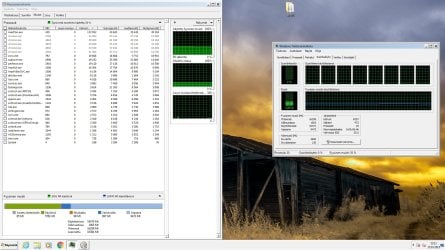
heres picture with all disabled in msconfig startup programs. i also had the onboard soundcard disabled for testing, no effect. still was 6gb/§6gb used

But now as i had to restart second time to turn all programs on again (only makes 1.5gb difference to usage) the ram seems to be at fine level now 2.66gb/16gb. all i did was the same as i was doing yesterday, disable and enable all, disable / enable onboard soundcard.

I bet this didnt yet disappear, so if u guys can find anything or explain whats happening i would appreciate it alot :)

Yeh the Finnish windows language is bit a problem, but all shud be in same place as in english version. I can understand all the help whats in english, no need to translate :P
 

Attachments

  • ram2.jpg
    ram2.jpg
    218.5 KB · Views: 2

My Computer My Computer

At a glance

Windows 7 Ultimate 64bitIntel Core i7 6700kCorsair 2x8gb DDRAMD Radeon 6990
Computer type
PC/Desktop
OS
Windows 7 Ultimate 64bit
CPU
Intel Core i7 6700k
Motherboard
Asus z170 Deluxe
Memory
Corsair 2x8gb DDR
Graphics Card(s)
AMD Radeon 6990
Sound Card
Soundblaster X-FI Titanium/Realtek motherboard
PSU
Corsair RM1000i
Case
Antec 1200
Cooling
Noctua D15
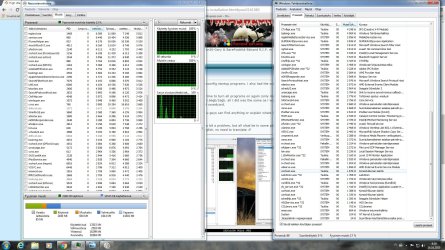
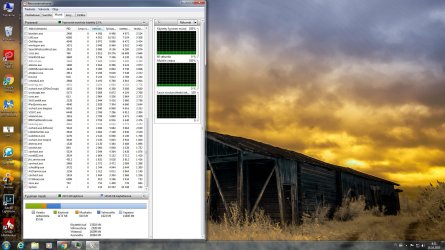
Heres pictures of the processes running now that all is working as intended (i assume.) if it helps to find whats rampaging on the pc
 

Attachments

  • allram1.jpg
    allram1.jpg
    353.4 KB · Views: 1
  • allram2.jpg
    allram2.jpg
    349.6 KB · Views: 1
  • allram3.jpg
    allram3.jpg
    256.6 KB · Views: 2

My Computer My Computer

At a glance

Windows 7 Ultimate 64bitIntel Core i7 6700kCorsair 2x8gb DDRAMD Radeon 6990
Computer type
PC/Desktop
OS
Windows 7 Ultimate 64bit
CPU
Intel Core i7 6700k
Motherboard
Asus z170 Deluxe
Memory
Corsair 2x8gb DDR
Graphics Card(s)
AMD Radeon 6990
Sound Card
Soundblaster X-FI Titanium/Realtek motherboard
PSU
Corsair RM1000i
Case
Antec 1200
Cooling
Noctua D15

My Computer My Computer

At a glance

Win-7-Pro64bit 7-H-Prem-64biti7-5930K 2nd i9-9940x both water blocked VRM'...Trident-z 3200C14 2nd Trident-z 3600C16EVGA 1080ti ftw3 2nd Titan Xp both water blocked
Computer type
PC/Desktop
Computer Manufacturer/Model Number
Custom assembled by me :}
OS
Win-7-Pro64bit 7-H-Prem-64bit
CPU
i7-5930K 2nd i9-9940x both water blocked VRM's too
Motherboard
ASUS SABERTOOTH X99 2nd ASUS x299 Apex
Memory
Trident-z 3200C14 2nd Trident-z 3600C16
Graphics Card(s)
EVGA 1080ti ftw3 2nd Titan Xp both water blocked
Sound Card
Built-in Realtek
Monitor(s) Displays
1-AOC G2460PG 24"G-Sync 144Hz/ 2nd 1-ASUS VG248QE 24" 144Hz
Screen Resolution
1920 x 1080 144Hz
Hard Drives
2-Samsung M.2 Evo & Evo Plus
2-Samsung 850 EVO 500GB SSD's/ 3-2.5 W.D. Black 1tb-&3-1tb/3-3.5 WD Black 1tb hdd's
PSU
EVGA SuperNOVA 1000-P2 2nd 1200-P2
Case
2-Corsair Obsidian Series 450D Black ATX Mid Tower
Cooling
Custom water loops
Keyboard
Logitech G710+/ 2nd Logitech G910
Mouse
2-RedDragon M901 Perdition 16400 dpi Gaming mouse = wired
Internet Speed
Comcast Ping 19ms 89.31mbps download speed 6.12mbps upload
Antivirus
Malwarebytes Pro/ Superantispyware Pro
Browser
FireFox & Pale moon
Other Info
2nd ASUS X299 Apex/Intel i9-9940x with Custom water loop/7H-Prem-x64/Corsair 450D case/Ram Trident-z 3600C16 4x8gb / Samsung970Evo plus 500gb SSD/Dual ssd EZ swap evo/PSU EVGA SuperNova 1200w-P2 80+Platinum/GPU Titan Xp /8-ML-140 on push-pull on 2-280GTX rads
checked the listed updates

KB3068708
KB2952664
KB3035583
KB971033
KB3021917
KB3075249
KB3080149

are installed.

The pc still seem to run just fine after several reboots. But if the high RAM usage start again i should remove these updates listed?
Does this effect to future win10 installation in any way?
 

My Computer My Computer

At a glance

Windows 7 Ultimate 64bitIntel Core i7 6700kCorsair 2x8gb DDRAMD Radeon 6990
Computer type
PC/Desktop
OS
Windows 7 Ultimate 64bit
CPU
Intel Core i7 6700k
Motherboard
Asus z170 Deluxe
Memory
Corsair 2x8gb DDR
Graphics Card(s)
AMD Radeon 6990
Sound Card
Soundblaster X-FI Titanium/Realtek motherboard
PSU
Corsair RM1000i
Case
Antec 1200
Cooling
Noctua D15
Back
Top