Where are you looking to see the desktop as part of the Homegroup?
I am looking through Windows Explorer, from both computers, but cant see the desktop on either.
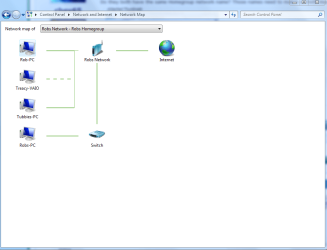
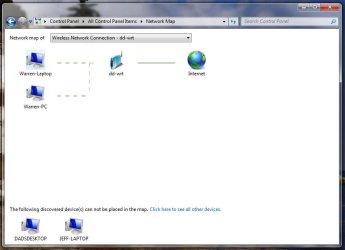
The Network name is identical. Here is a pic of the network map.
Everything looks good to me tanger.
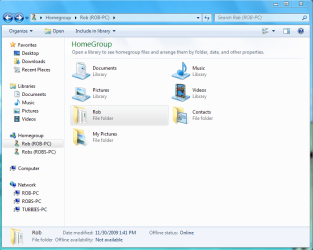
Desktop sharing isn't a part of Homegroups so you need to add either the desktop folder or the "user" folder to the Homegroup like in the
1st picture below. Notice how I added the entire "Rob" user folder to the Homegroup.
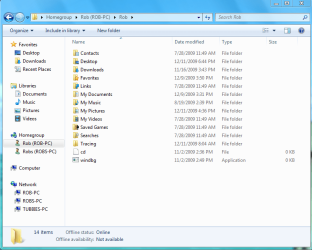
The
2nd picture is all the folders being shared with the Homegroup inside of the "Rob" user folder. That is just to give you an idea of what's inside the User folder.
You have access to pretty much everything this way unless you set permissions for individual folders or users.
In order to share the entire User folder you just need to navigate to the User folder on the machine you want to share the desktop
from, like in the
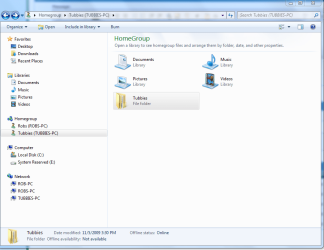
3rd picture "Tubbies" user folder.
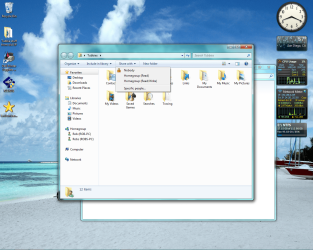
After that just click on the "Share With" button at the top of the page
3rd picture, then choose "Homegroup read/write" or you can choose individual users to share that folder with. This setting is also known to fix Homegroup sharing problems with other folders as well.
The second I clicked on the "Share with" Homegroup read/write tab the user file appeared on my other monitor in Rob Homegroup.
"Tubbies" User files will now be shared with the Homegroup,
4th picture. Easy as pie.
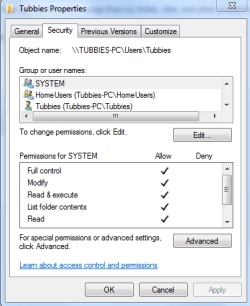
You might also need to give permissions to other users in order for them to change and work with the files like in the
5th picture below.
Edit: When I have both machines hard wired, it works flawlessly. The second I go wireless, the homegroup is lost.
If you joined the Homegroup when those machines were hardwired into the network it could create problems when you reconnect with the wireless.
You should leave the Homegroup with the wireless computers while they are hard-wired into the network and then attempt to rejoin the Homegroup after you are connected to the wireless LAN. You may need to flush the old IP's in the router control panel. Or perform an IP flush IP renew on the wireless machines. ipconfig /release ipconfig /renew