ernesto giorgi
New member
- Local time
- 3:29 AM
- Messages
- 1
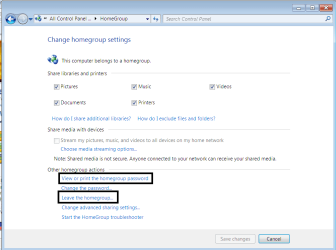
I have 3 windows 7, and only one can go in homegroup. The remaining 2, when i ask for homegroup, reply: "This computer can't connect to a homegroup. To create or join a homegroup, your computer's network location must be set to Home." But this is just what I tried: the machines have (all three) created a workgroup named WORKGROUP.
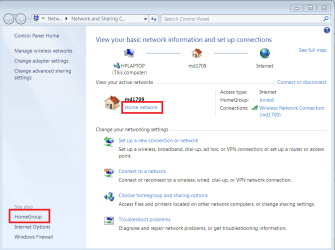
The one that accepts the homegroup has apparently the same comfiguration. The difference is that in Network and Sharing center, the one that accepts homegroup says: Homegroup joined.
I have tried to remove all the pieces of networking to reinstall, but without results.
Thank you in advance for the help.
The one that accepts the homegroup has apparently the same comfiguration. The difference is that in Network and Sharing center, the one that accepts homegroup says: Homegroup joined.
I have tried to remove all the pieces of networking to reinstall, but without results.
Thank you in advance for the help.
My Computer
- OS
- windows 7 64 bit Ultimate and windows 7 32 bit Professional