How can I make my W7 disk bootable?

brinkerz

New member
Local time
5:54 AM
Messages
2
Fellow WinSevians,
I come with cap in hand and head bowed in shame at this, my first post - after so many months reading the knowledge that so many of you seem to have.

I seek your help if you would please. After downloading at 45k all day what I believed (and still believe to be!) was the iso image of the RC, I (merely?) have the RC content that I need to create a bootable disc.

I have used Bart's BBIE to extract a boot image file from my previous W7_7068 disc and I now have 'image1.bin' at 2k.
But from here? - How and where do I merge this bin file with my W7_RC content? (I'm using 'CDBurnerXP').

Call me a 'noob'or call me a 'knob', either way I'll cop it sweet. :)
Thanks in anticipation.
Brinkerz.
 

My Computer

OS
W7
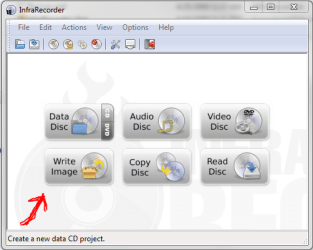
Well, I'm probably just an idiot, but why don't you use one of the free image burning apps (I like InfraRecorder portable version myself) to write your RC iso to a DVD and boot from that?
 

Attachments

  • Capture.PNG
    Capture.PNG
    27.5 KB · Views: 104

My Computer

Computer Manufacturer/Model Number
Dell E520
OS
Windows 7 Enterprise x64 SP1, Ubuntu 11.04 x64
CPU
Core2Quad Q6700 - 2.66 GHz
Motherboard
Whatever the heck Dell put in there...
Memory
8 Gig Mushkin DDR2 800 MHz
Graphics Card(s)
EVGA NVIDIA 9800GT - 512MB DDR3
Monitor(s) Displays
2 x 19" ViewSonic LCD
Screen Resolution
2560x1024
Hard Drives
1 Intel X25-M 120G SSD, 1 300G VelociRaptor, 1 WD Caviar Black 1TB
PSU
PCPower & Cooling Silencer 500 Watt
Internet Speed
15/2 Roadrunner Cable
Other Info
NOD32 AV - Malwarebytes
Thanks for the suggestion but I've got the iso burning tool - just not the iso itself.
 

My Computer

OS
W7
Fellow WinSevians,
I come with cap in hand and head bowed in shame at this, my first post - after so many months reading the knowledge that so many of you seem to have.

I seek your help if you would please. After downloading at 45k all day what I believed (and still believe to be!) was the iso image of the RC, I (merely?) have the RC content that I need to create a bootable disc.

I have used Bart's BBIE to extract a boot image file from my previous W7_7068 disc and I now have 'image1.bin' at 2k.
But from here? - How and where do I merge this bin file with my W7_RC content? (I'm using 'CDBurnerXP').

Call me a 'noob'or call me a 'knob', either way I'll cop it sweet. :)
Thanks in anticipation.
Brinkerz.
If you are using windows 7_7068 I believe that you can just right click on your ISO file that you downloaded all day at 45k and click on burn iso?
http://www.sevenforums.com/tutorials/548-burn-disc-image-iso-img-file.html?ltr=B
 

My Computer

Computer Manufacturer/Model Number
Gateway GT5692
OS
Windows 7 Ulti. x64
CPU
AMD Phenom 8450 triple-core 2.10 ghz
Memory
4GB
Graphics Card(s)
ATI Radion HD 3200
Monitor(s) Displays
Gateway FPD1775W
Screen Resolution
1280x720
Hard Drives
465.6613 Gibibytes
After downloading at 45k all day what I believed (and still believe to be!) was the iso image of the RC, I (merely?) have the RC content that I need to create a bootable disc.

If I downloaded all day thinking I was getting an ISO image, then an ISO image is what I should have gotten. My first thought here is that you've gotten a hold of something that isn't going to work.

The true RC ISO image is out there and easily downloaded and it will properly burn to disc. Instead of trying workarounds to make something work that SEEMS to have been tampered with, why not just look for the right file?
 

My Computer

Computer Manufacturer/Model Number
Dell B-110
OS
Dual boot WindowsXP/Windows 7
CPU
Intel Pentium 4 3.2GHz HT
Memory
1 GB
Graphics Card(s)
nVidia GeForce FX 5500
Sound Card
Creative Soundblaster Audigy 2 ZS
Screen Resolution
1024 X 768 32bit
Hard Drives
2 WD - 80/160 GB
Other Info
Highly upgraded from Dell stock unit
Back
Top