- Local time
- 11:39 AM
- Messages
- 21
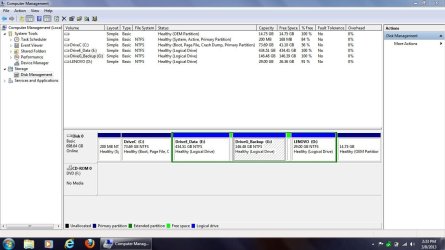
Thanks much, SIW2. And yes, I think what happened the last time I tried this with my older V570 is that I got confused between the logical D drive inside, and the extended partition that was housing it, and that's where things went south. And JUST to be sure, since in your photo examples you were choosing a primary partition on which to work, and not an extended partition -- it won't make any difference in Paragon whether it's an extended partition or a primary partition in order to make the change, AND...it will keep the "D" logical drive intact, correct?With Paragon:
1) Shrink c drive - you will then have unallocated space on the left of the extended partition.
2.) Resize the extended partition to the left to incorportae the unallocated space.
3) You now have free space inside the extended partition. It will be on the left of the lenovo logical drive.
4) Create partitions from that free space.
View attachment 258451
View attachment 258452
NOTE - you need to select the extended partition - NOT the logical drive inside it. You should see it go gold around the edge:
View attachment 258453
View attachment 258454
My Computer
At a glance
Windows 7 Pro 32-bitIntel I-7 2nd gen8GB
- OS
- Windows 7 Pro 32-bit
- CPU
- Intel I-7 2nd gen
- Memory
- 8GB