Hello.
I don't know the name of this, so excuse the bad thread-title.

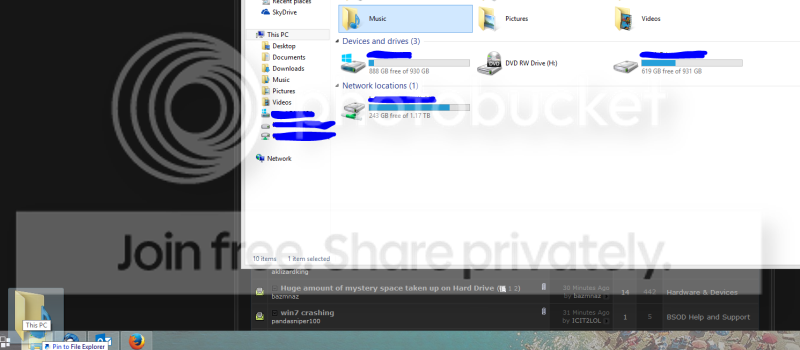
In the screenshot I right-click on the Explorer-icon, and the list pop-up.
If I right-click on any item in the list I can choose "pin to this list".
How can I pin a folder to this list, if the folder is not already in the list? (It seems that this list is populated by folders that are used a lot.)
I don't know the name of this, so excuse the bad thread-title.
In the screenshot I right-click on the Explorer-icon, and the list pop-up.
If I right-click on any item in the list I can choose "pin to this list".
How can I pin a folder to this list, if the folder is not already in the list? (It seems that this list is populated by folders that are used a lot.)
My Computer
At a glance
Windows 7 Professional x64AMD FX 83208GBNvidia Geforce GTX 770
- Computer type
- PC/Desktop
- Computer Manufacturer/Model Number
- Myself
- OS
- Windows 7 Professional x64
- CPU
- AMD FX 8320
- Motherboard
- ASUS M5A97
- Memory
- 8GB
- Graphics Card(s)
- Nvidia Geforce GTX 770
- Monitor(s) Displays
- Acer P223w
- Screen Resolution
- 1680x1050
- Hard Drives
- Samsung SpinPoint 1TB @ 7200rpm
- PSU
- Corsair 620HX - 620W
- Case
- Lian-Li Scandinavian Edition
- Keyboard
- Razer Lycosa
- Mouse
- Razer DeathAdder