
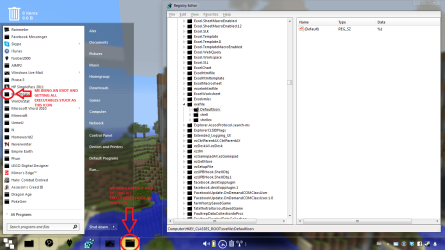
Whilst changing some of the default icons for different file types in registry editor, I changed the default icon for all executable files so now all executables display the same icon, regardless.
I did this by going to Computer\HKEY_CLASSES_ROOT\exefile\DefaultIcon and changing the data in the file (Default) to the location of the icon on my computer, as I have done with everything else.
I now obviously want to change this back to what it was originally - %1 - but when I do that it makes no effect.
Like a complete idiot I didn't export the original file as a back up, simply due to laziness. What am I missing?
I did this by going to Computer\HKEY_CLASSES_ROOT\exefile\DefaultIcon and changing the data in the file (Default) to the location of the icon on my computer, as I have done with everything else.
I now obviously want to change this back to what it was originally - %1 - but when I do that it makes no effect.
Like a complete idiot I didn't export the original file as a back up, simply due to laziness. What am I missing?
Attachments
My Computer
At a glance
London2.2GHz i36GBAMD Radeon
- Computer type
- PC/Desktop
- Computer Manufacturer/Model Number
- HP Pavilion DV6 laptop
- OS
- London
- CPU
- 2.2GHz i3
- Memory
- 6GB
- Graphics Card(s)
- AMD Radeon
- Hard Drives
- 750GB
- Antivirus
- AVG Free, common sense
- Browser
- Chrome (firefox installed)


