I messed up my network. Please help.

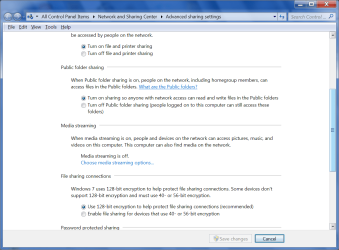
Everything now is on the workgroup. From the desktop, I can see the laptop's document's folder and even add to them. From laptop, I can see desktop's document's folder, but it appears empty. Also, when I accessed the laptop from the desktop, I had to enter a laptop userid & password. When I tried to access desktop from laptop, I wasn't prompted for any credentials. Do I have something on the desktop not set correctly? Everything is set to share everything.
 

My Computer My Computer

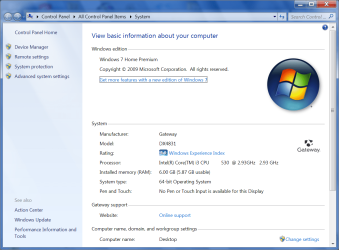
Computer Manufacturer/Model Number
GATEWAY DX4831
OS
Windows 7 Home Premium
Memory
RAM 6.00 GB RAM
Hard Drives
1TB
64-BIT
I last reported I could see the contents of my laptop from my desktop. Yesterday, I took the laptop out of the range of my network. Now that it's back in range, I no longer see the laptop. Do I need to auto-detect it?
 

My Computer My Computer

Computer Manufacturer/Model Number
GATEWAY DX4831
OS
Windows 7 Home Premium
Memory
RAM 6.00 GB RAM
Hard Drives
1TB
64-BIT
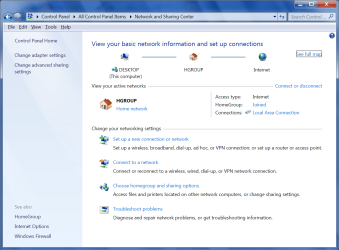
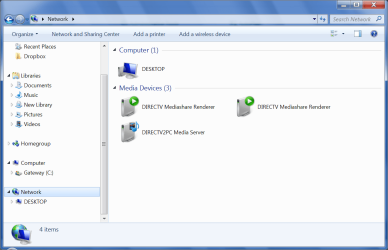
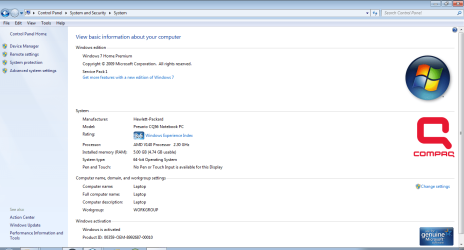
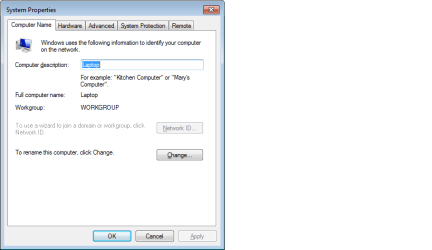
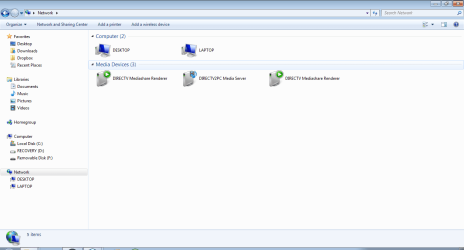
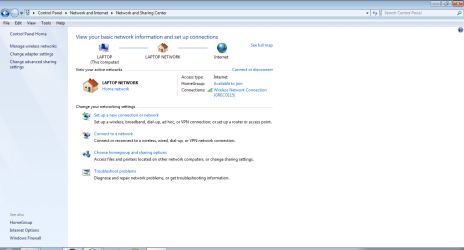
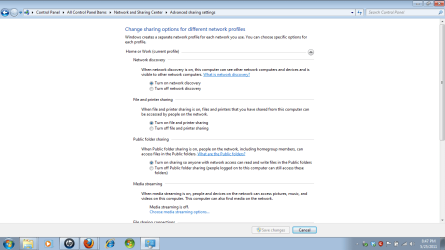
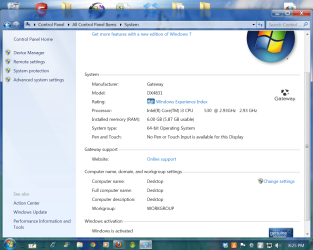
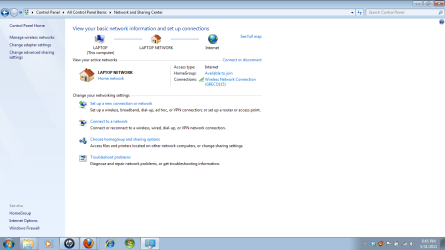
Nothing is working now.Please see all attached screenshots. Let me know if you need to see more.What should I do? I believe I am following all instructions.
 

Attachments

  • desktop - advanced sharing settings.png
    desktop - advanced sharing settings.png
    58.3 KB · Views: 4
  • desktop - network and sharing center.png
    desktop - network and sharing center.png
    83.7 KB · Views: 4
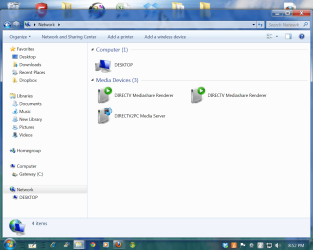
  • desktop - network.png
    desktop - network.png
    55.9 KB · Views: 2
  • desktop - system properties.png
    desktop - system properties.png
    22.2 KB · Views: 3
  • desktop - system.png
    desktop - system.png
    102.5 KB · Views: 3
  • laptop - system.png
    laptop - system.png
    49.2 KB · Views: 2
  • laptop - system properties.png
    laptop - system properties.png
    10 KB · Views: 2
  • laptop - network.png
    laptop - network.png
    22.9 KB · Views: 1
  • laptop - network and sharing center.png
    laptop - network and sharing center.png
    40 KB · Views: 1
  • laptop - advanced sharing settings.png
    laptop - advanced sharing settings.png
    32.3 KB · Views: 1

My Computer My Computer

Computer Manufacturer/Model Number
GATEWAY DX4831
OS
Windows 7 Home Premium
Memory
RAM 6.00 GB RAM
Hard Drives
1TB
64-BIT
Hello again. Still stuck. Under network on the desktop, I just see desktop. Under network on the laptop, it lists desktop & laptop. The laptop doesn't see anything on the desktop however. What should I do?
 

My Computer My Computer

Computer Manufacturer/Model Number
GATEWAY DX4831
OS
Windows 7 Home Premium
Memory
RAM 6.00 GB RAM
Hard Drives
1TB
64-BIT
Hello everyone,
Attached are network screens from desktop & laptop. What do I need to change to get insync? Thanks.
 

Attachments

  • desktop-network and sharing center.png
    desktop-network and sharing center.png
    94.4 KB · Views: 1
  • desktop-workgroup.png
    desktop-workgroup.png
    143.7 KB · Views: 1
  • laptop-network and sharing center.png
    laptop-network and sharing center.png
    44 KB · Views: 1
  • desktop-network.png
    desktop-network.png
    113.5 KB · Views: 1
  • laptop-workgroup.png
    laptop-workgroup.png
    55.8 KB · Views: 0
  • laptop-network.png
    laptop-network.png
    29.7 KB · Views: 0

My Computer My Computer

Computer Manufacturer/Model Number
GATEWAY DX4831
OS
Windows 7 Home Premium
Memory
RAM 6.00 GB RAM
Hard Drives
1TB
64-BIT
Back
Top