- Local time
- 3:35 AM
- Messages
- 58
Am wanting to do fresh install of W7. After placing DVD disc into DVD player and then restarting and pressing Delete key to enter BIOS I get two different choices to boot from DVD. One says DVD and the other says DVD UEFI.
Which one do I pick?
Would both choices ensure I have a bootable OS?
If I install using DVD UEFI choice will that install allow me to clone my OS which I would do with Acronis True Image 2014?
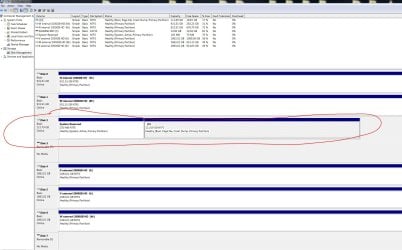
Does my current installation have some way of knowing how my current OS install was done..either DVD or DVD UEFI
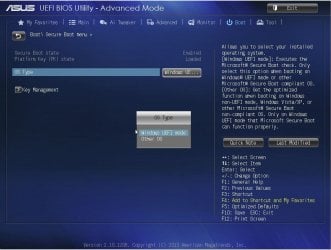
My motherboard is an Asus Z87C and the BIOS screen has the words Asus UEFI in top left corner.
I have never done an install of OS so please help as I do not want to do the wrong type of install. Thanks Gary
Which one do I pick?
Would both choices ensure I have a bootable OS?
If I install using DVD UEFI choice will that install allow me to clone my OS which I would do with Acronis True Image 2014?
Does my current installation have some way of knowing how my current OS install was done..either DVD or DVD UEFI
My motherboard is an Asus Z87C and the BIOS screen has the words Asus UEFI in top left corner.
I have never done an install of OS so please help as I do not want to do the wrong type of install. Thanks Gary
My Computer
- Computer type
- PC/Desktop
- OS
- Microsoft Windows 7 Professional 64-bit 7601 Multiprocessor Free Service Pack 1
- CPU
- Intel(R) Core(TM) i7-4770 CPU @ 3.40GHz
- Motherboard
- ASUSTeK COMPUTER INC. Z87-C
- Memory
- 16.00 GB
- Graphics Card(s)
- NVIDIA GeForce GTX 1060
- Sound Card
- Asus Xonar Essence STX
- Monitor(s) Displays
- 2X Dell U2713H
- Screen Resolution
- 2560 x 1440 x 32 bits (4294967296 colors) @ 59 Hz
- Hard Drives
- (1) INTEL SSDSC2CW120A3 ATA Device (2) WDC WD1001FALS-00J7B0 ATA Device (3) WDC WD10EARS-00MVWB0 ATA Device (4) Generic- SD/MMC/MS/MSPRO USB Device (5) HP Photosmart C6180 USB Device (6) SanDisk Cruzer Switch USB Device (7) ST2000DM 001-1
- Antivirus
- Avast Pro Antivirus