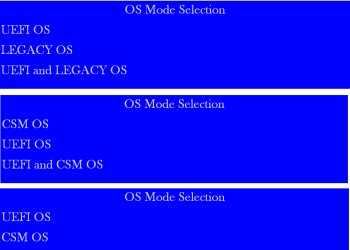
And you cannot get XP HD to boot choosing Legacy HD,
or Win7 HD to boot using Windows Boot Manager?
Are they plugged in exactly as they were when it worked before, and could you then let one boot by default but trigger the other using the Boot Menu key?
If it`s Win7 that won´t boot correctly after repartitioning XP it makes me think there´s a BIOS setting problem since nothing on the XP HD was involved in booting Win7. It could also be a cable.
You don´t need to waste time with Photobucket - just use the paper clip in reply box to attach.
- And you cannot get XP HD to boot choosing Legacy HD
If the xp HD is plugged in it is the only thing that will boot except for the DVD drive, which can be selected from the boot menu.
- or Win7 HD to boot using Windows Boot Manager?
The win 7 hd will not boot from any of the choices shown in any of the screens if the win xp hd is plugged in.
- Are they plugged in exactly as they were when it worked before
Yep, I made a diagram when everything still worked. . . still plugged same way
- and could you then let one boot by default but trigger the other using the Boot Menu key?
Now, if the win xp hd is plugged in, none of the choices on either screen will boot win 7.
Before, I could select either HDD from the boot menu.
- If it`s Win7 that won´t boot correctly after repartitioning XP it makes me think there´s a BIOS setting problem since nothing on the XP HD was involved in booting Win7.
I think so too, but have made no changes to the BIOS settings.
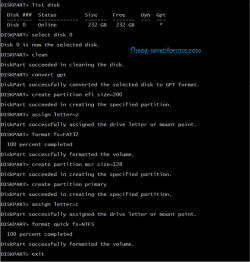
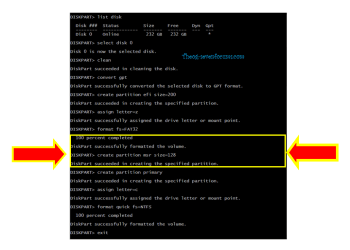
edit: That, I guess, is the essence of my question. How could creating partitions using a different computer have affected the boot procedures on the win 7 computer?
- It could also be a cable.
I checked them, they work. One is not very secure, but if its plugged in it works. I have a new one, have not yet replaced the OEM one.
- OK, no more photobucket, didn't want to slow the page load times.