OK gang - here's a doozy of a question on these NVMe drivers for Win 7 Pro 64-bit -
hold onto your hats -
My Dell Optiplex 7010
(from 2014, not the new "7000"s the last few years since Dell started re-using the "7000" model numbers a little while ago) was
dual-booting Win 7 Pro 64-bit and Win 10 Pro 64-bit when it had a classic HDD. The dual-booting worked perfectly for years, and I updated both the Win 7 and the Win 10 regularly.
Two ± years ago, using the technique in this
amazing article, I was able to install a Samsung SSD NVMe drive and cloned my old HDD to the new NVMe:>>
Just a moment...
With the NVMe in place, I can boot into the Win 10 side nicely, and everything on the old Win 10 side is there (apps and files galore), but the PC no longer boots into the Win 7 side.
NOTE: When I'm running Win 10, I
can access all the files and folders on the Win 7 side by using Explorer and going to D:\.
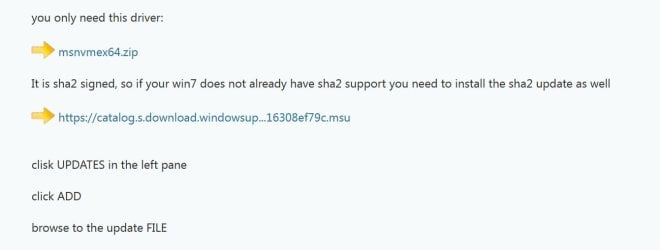
So - my doozy question - while I'm running Win 10, is there a way to extract the Win 7 NVMe driver files mentioned above and simply PASTE THEM into one or more folders on the Win 7 side so that my next attempt to boot into the Win 7 side will work? To clarify - while running Win 10, I will NOT "install" or "run" these two .msu files, but can I open them (using 7-Zip, for example) and copy and paste their files into the Win 7 side so that maybe they will work when I next try to boot into Win 7?
Where would I paste the files on the Win 7 side?
Also, my NVMe is a
Samsung 970 EVO Plus
So, are there any FURTHER driver files I need to get and paste into the Win 7 side?
It probably won't work, but I'd like to try.
Thanks, all.