TheAtomicGoose
New member
- Local time
- 9:35 AM
- Messages
- 39
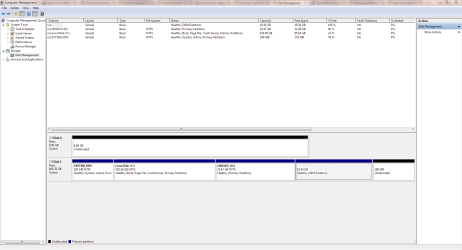
I have read in the past somewhere (I have no idea where) that there is a way to install certain files which are part of the startup sequence to an SSD and installing the rest of the files to an HDD. If that is true, what is the process for doing it? I currently have a 32GB SSD and a 500GB HDD in RAID 0 (I think it's 0, not 100% sure.) I'm planning on doing a clean install of Windows 7 and getting rid of RAID, but I'd like to be able to speed my boot process by the placement of the "boot" files to the SSD? Thanks!
My Computer
- Computer type
- PC/Desktop
- Computer Manufacturer/Model Number
- Lenovo
- OS
- Windows 7 Home Premium x64
- CPU
- i5-3317U
- Memory
- 8GB
- Graphics Card(s)
- Intel HD 4000, Nvidia 610M
- Hard Drives
- 500GB HDD
32GB SSD
- Antivirus
- Avast!, Malwarebytes
- Browser
- Chrome


 Also it would be nice if I could also put program files on the HDD.