
MaxThisPower
New member
- Local time
- 11:21 AM
- Messages
- 2
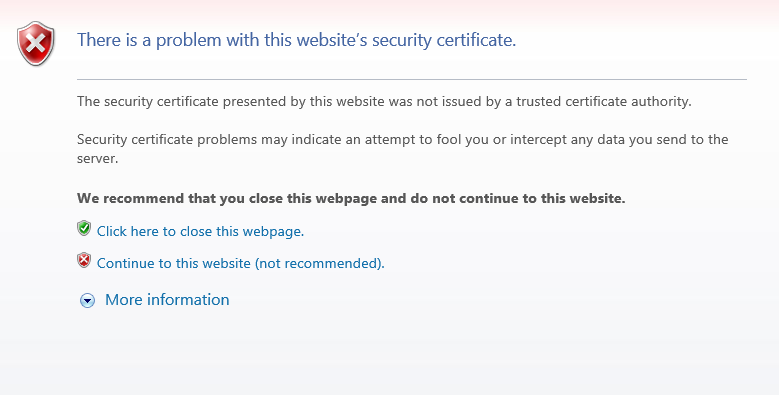
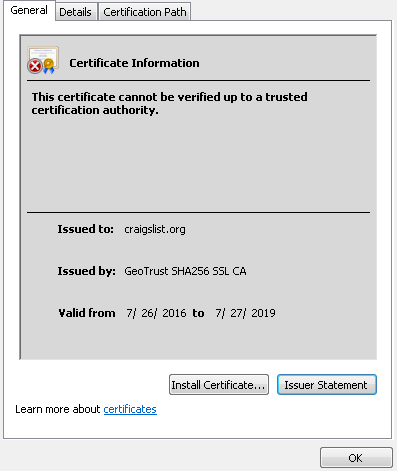
Few days a ago I've started experiencing something weird in IE. I keep getting "There is a problem with this website’s security certificate " when I go to certain encrypted websites. For example I can't go to https://craigslist.com but I can to go https://amazon.com without seeing the error. I can go all the websites using Firefox.
Another side effect is that some Inline Images with Data URLs don't show up in IE.
I've tried uninstalling IE11, reset all the settings in the settings including the advanced section, and checked the time and date on my computer. None of those are it.
The only recent changes I can remember is downloading jdownloader 2 and unregistering some missing dll using RegDllView from RegDllView - Register dll/ocx/exe utility. It's possible I unregistered an important dll but I compared the list of registered dll with two computers and looks like nothing important is missing on my computer. I'm pretty confident its not a virus or spyware.
I'm looking for ideas to try now. Bing and google haven't been much help.

Another side effect is that some Inline Images with Data URLs don't show up in IE.
I've tried uninstalling IE11, reset all the settings in the settings including the advanced section, and checked the time and date on my computer. None of those are it.
The only recent changes I can remember is downloading jdownloader 2 and unregistering some missing dll using RegDllView from RegDllView - Register dll/ocx/exe utility. It's possible I unregistered an important dll but I compared the list of registered dll with two computers and looks like nothing important is missing on my computer. I'm pretty confident its not a virus or spyware.
I'm looking for ideas to try now. Bing and google haven't been much help.
Last edited:
My Computer
At a glance
Windows 7 Ultimate x64
- Computer type
- PC/Desktop
- OS
- Windows 7 Ultimate x64


