Solved Keep Receiving "Windows could not start driver config service" on boot

Footnotes

New member
Local time
1:17 PM
Messages
18
Keep Receiving "Windows could not start driver config service" on boot

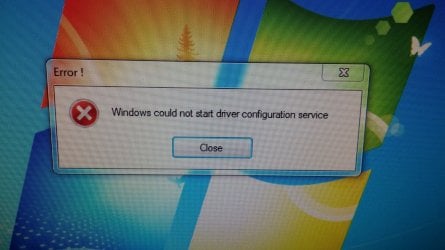
For about a year I have been receiving on boot-up the message "Windows could not start driver configuration service". I may(and stress may) have inadvertently erased that service by accident. I cleaned up a lot of file about a year ago and I think I started getting this message right after that. Now my system is getting unstable and give me the BSOD quite abit. Is there anything I can do like copying the service from my other Window7 box? Any advice is appreciated.
 

My Computer My Computer

At a glance

Windows Home Premium x64
Computer type
PC/Desktop
Computer Manufacturer/Model Number
custom build
OS
Windows Home Premium x64
Gregrocker,
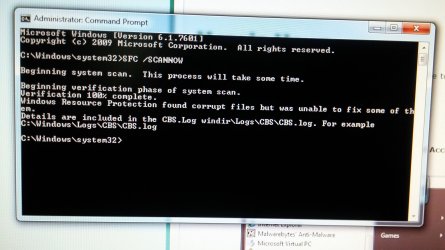
Thank you for the reply. Your suggestion have opened up new troubleshooting techniques for me. Age here is 72 so it take a while to get a synapse to fire. I ran the scan you suggested 3 times and each time I got "Resource protection found corrupt, but was unable to fix some of them" (see attached photo). I have attached the photo of the error that you requested. My wording was verbatim. I have download software to attempt to repair the resource error and hope to get to that later'

Okay, found out my photo size was too big. Now they are attached
 

Attachments

  • 0728151235.jpg
    0728151235.jpg
    529.8 KB · Views: 0
  • 0728151108.jpg
    0728151108.jpg
    356.1 KB · Views: 0
Last edited:

My Computer My Computer

At a glance

Windows Home Premium x64
Computer type
PC/Desktop
Computer Manufacturer/Model Number
custom build
OS
Windows Home Premium x64
Disregard this post. It had to do with my problems trying to attach photos. Found out that the file size was to large.
 
Last edited:

My Computer My Computer

At a glance

Windows Home Premium x64
Computer type
PC/Desktop
Computer Manufacturer/Model Number
custom build
OS
Windows Home Premium x64
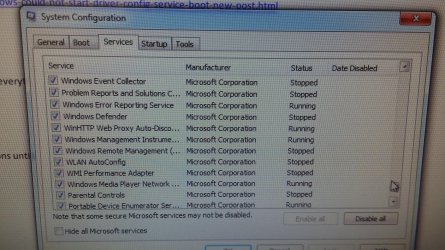
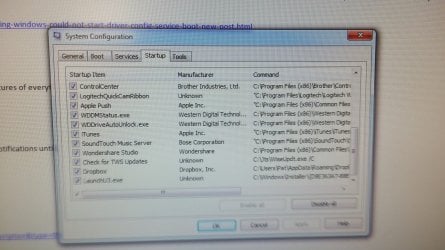
Establish a clean boot with only AV box checked in msconfig Startup and Services tAbs (after Hiding all MS Services).

Check for Windows updates then install all important and optional updates. After reboot check again until all are installed.
 
Your instruction to establish a clean boot with only AV box checked in msconfig startup and services is giving me fits. I may not be the sharpest knife in the drawer, but I am unable to find an AV box in either the startup or services tag. Can't work on it anymore tonight, but will be on it tomorrow morning. Thanks
 

My Computer My Computer

At a glance

Windows Home Premium x64
Computer type
PC/Desktop
Computer Manufacturer/Model Number
custom build
OS
Windows Home Premium x64
What is your AV?

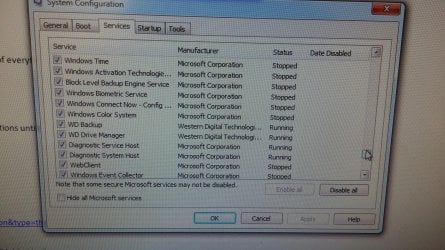
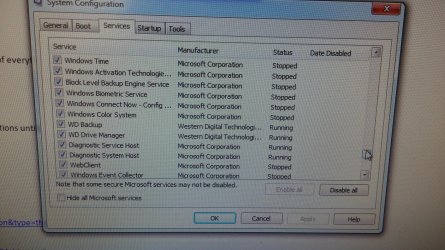
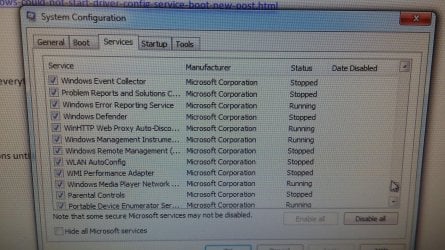
If you can't find it reading the detail for each listing then post back pictures of everything with each column expanded so it's all readable.

In rare cases AV is not in either list.
 
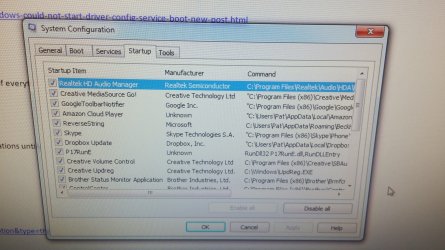
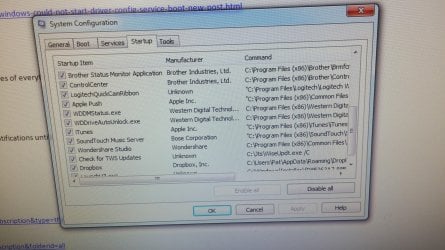
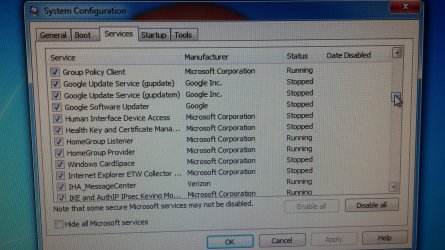
Thank you again for your help. Your request for pictures will take some emails. I expanded the column as much as I could without pushing data off the sides. If it is not adequate, please let me know. Thank you again for the help. Btw, will the clean boot wipe out my data and programs? Should I back all that up?
 

Attachments

  • 0729151740.jpg
    0729151740.jpg
    619.8 KB · Views: 0
  • 0729151741.jpg
    0729151741.jpg
    732.4 KB · Views: 0
  • 0729151741a.jpg
    0729151741a.jpg
    726 KB · Views: 1
  • 0729151742.jpg
    0729151742.jpg
    967.6 KB · Views: 0
  • 0729151742a.jpg
    0729151742a.jpg
    763.3 KB · Views: 0

My Computer My Computer

At a glance

Windows Home Premium x64
Computer type
PC/Desktop
Computer Manufacturer/Model Number
custom build
OS
Windows Home Premium x64
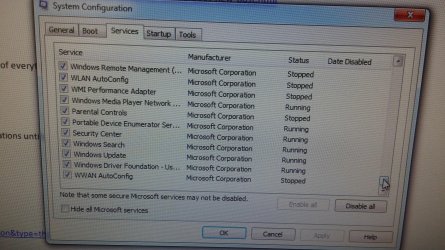
Here are 5 more
 

Attachments

  • 0729151744a.jpg
    0729151744a.jpg
    921.3 KB · Views: 0
  • 0729151744.jpg
    0729151744.jpg
    481.2 KB · Views: 0
  • 0729151743a.jpg
    0729151743a.jpg
    858 KB · Views: 0
  • 0729151743.jpg
    0729151743.jpg
    945.7 KB · Views: 0
  • 0729151742b.jpg
    0729151742b.jpg
    969.2 KB · Views: 0

My Computer My Computer

At a glance

Windows Home Premium x64
Computer type
PC/Desktop
Computer Manufacturer/Model Number
custom build
OS
Windows Home Premium x64
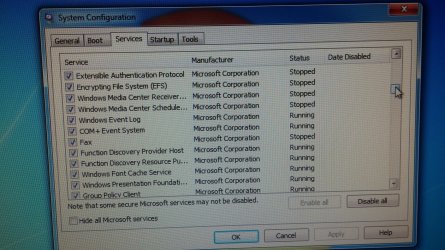
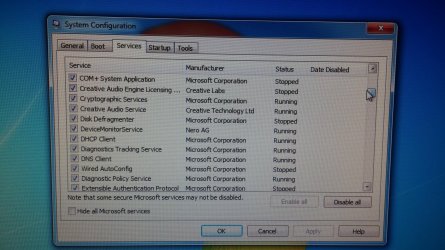
And 5 more. The last 3 are on page 2. I double posted them by mistake.
 

Attachments

  • 0729151745.jpg
    0729151745.jpg
    986.6 KB · Views: 0
  • 0729151745a.jpg
    0729151745a.jpg
    935.6 KB · Views: 0
  • 0729151746.jpg
    0729151746.jpg
    861.5 KB · Views: 0
  • 0729151746a.jpg
    0729151746a.jpg
    747.4 KB · Views: 0
  • 0729151746b.jpg
    0729151746b.jpg
    923.4 KB · Views: 0

My Computer My Computer

At a glance

Windows Home Premium x64
Computer type
PC/Desktop
Computer Manufacturer/Model Number
custom build
OS
Windows Home Premium x64
And the last 3.
 

Attachments

  • 0729151747a.jpg
    0729151747a.jpg
    819.9 KB · Views: 0
  • 0729151747.jpg
    0729151747.jpg
    906 KB · Views: 0
  • 0729151746c.jpg
    0729151746c.jpg
    909.4 KB · Views: 0

My Computer My Computer

At a glance

Windows Home Premium x64
Computer type
PC/Desktop
Computer Manufacturer/Model Number
custom build
OS
Windows Home Premium x64
Second try for the last 3.
 

Attachments

  • 0729151746c.jpg
    0729151746c.jpg
    909.4 KB · Views: 0
  • 0729151747.jpg
    0729151747.jpg
    906 KB · Views: 0
  • 0729151747a.jpg
    0729151747a.jpg
    819.9 KB · Views: 0

My Computer My Computer

At a glance

Windows Home Premium x64
Computer type
PC/Desktop
Computer Manufacturer/Model Number
custom build
OS
Windows Home Premium x64
You can uncheck all of those in the start up tab. Then click OK, agree to restart.

Then follow the instructions to check the box to hide all Microsoft services before posting back the services tab listings which remain checked.

I asked what is your antivirus?
 
Question before clean boot

Gregrocker, My antivirus is Norton,s Internet Security. The reason I did not answer your question is that "AV" did not click with me as meaning antivirus. I am not a computer jockey. Just the run of the mill 72 year old home user. Pleas advise me if the clean boot will wipe out my data and programs. If so I will do an extensive backup first. Thank you
 

My Computer My Computer

At a glance

Windows Home Premium x64
Computer type
PC/Desktop
Computer Manufacturer/Model Number
custom build
OS
Windows Home Premium x64
Clean boot doesn't touch programs, data or anything really except stopping a bunch of freeloaders from starting on windows back and sucking up resources.

Do you see the box to check to Hide All Microsoft Services on msconfig Services Tab?

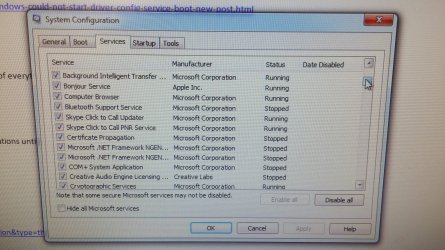
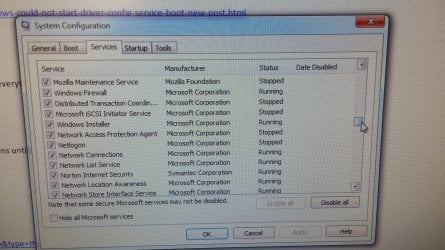
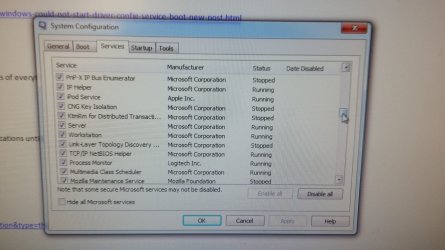
Tick that and then post back a picture of the remaining checkboxes which are still checked.

We see nothing but problems here with Norton. You would do better performance wise to uninstall it fully and install free Microsoft security essentials.

Other optimizations, best tools and methods in the bloatware and reinstall tutorials beneath the surf pic below. Those tutorials are based on what has worked best in tens of thousands of installs we've directly helped with here and have been used by millions without a single complaint.
 
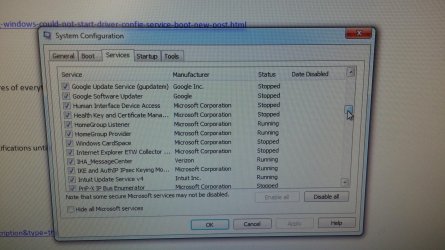
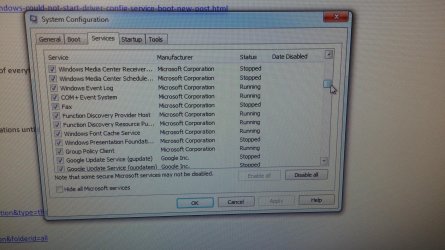
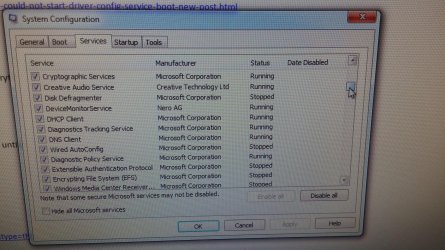
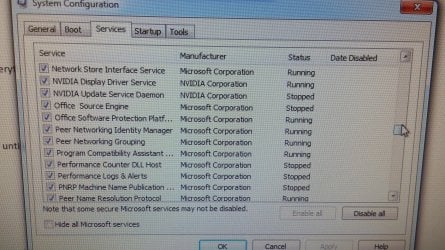
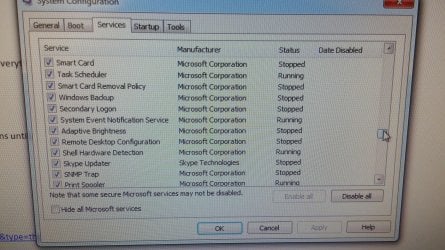
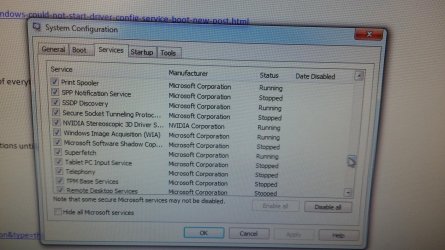
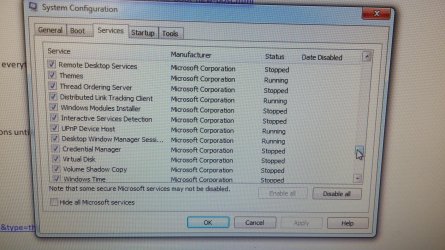
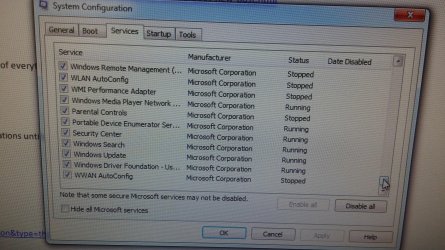
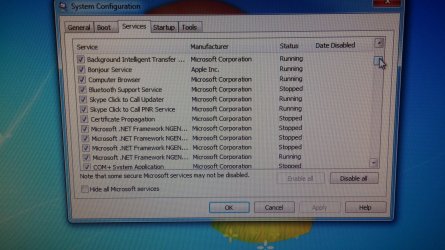
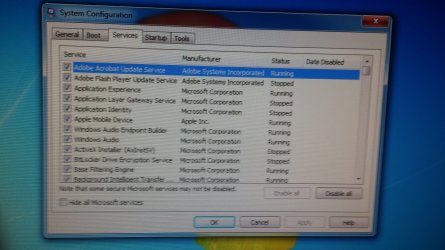
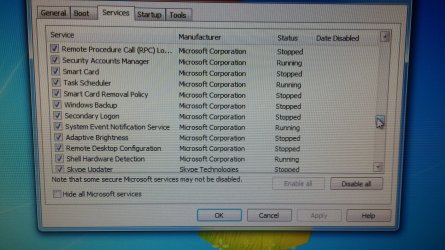
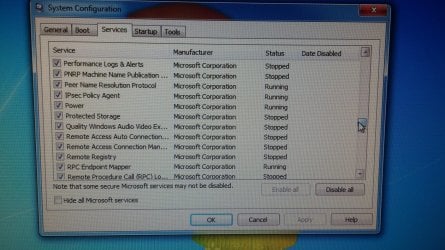
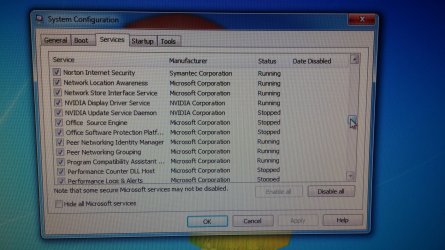
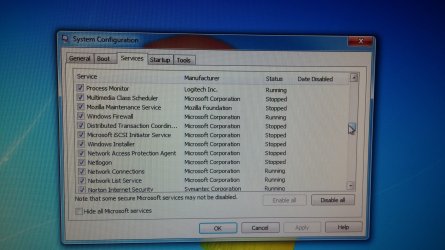
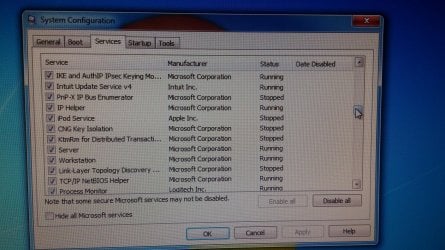
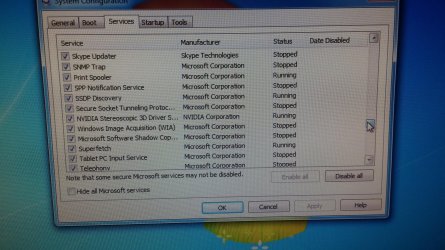
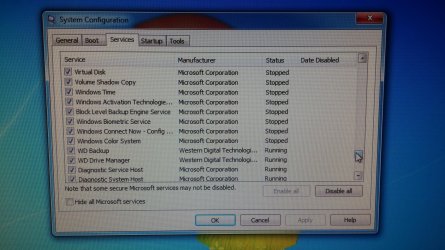
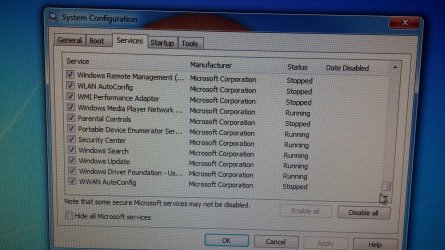
Okay, here are the Service Tab listing. I unchecked everything in Startup and checked Hide Microsoft Services under the Service Tab. Then I restarted and the picture were then taken before I restored everything back to normal. I also installed 8 optional and 1 Important MS update after the restart and before I took the pictures. I did not get the error message on the clean reboot, but did get it when I did a normal reboot.
 

Attachments

  • 0730152021b.jpg
    0730152021b.jpg
    822.3 KB · Views: 0
  • 0730152021a.jpg
    0730152021a.jpg
    831.6 KB · Views: 0
  • 0730152021.jpg
    0730152021.jpg
    753.9 KB · Views: 0
  • 0730152020a.jpg
    0730152020a.jpg
    865.1 KB · Views: 0
  • 0730152020.jpg
    0730152020.jpg
    528.5 KB · Views: 0

My Computer My Computer

At a glance

Windows Home Premium x64
Computer type
PC/Desktop
Computer Manufacturer/Model Number
custom build
OS
Windows Home Premium x64
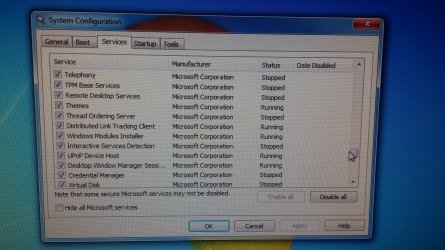
Here are some more
 

Attachments

  • 0730152023a.jpg
    0730152023a.jpg
    794.5 KB · Views: 0
  • 0730152023.jpg
    0730152023.jpg
    820.1 KB · Views: 0
  • 0730152022b.jpg
    0730152022b.jpg
    782.3 KB · Views: 0
  • 0730152022a.jpg
    0730152022a.jpg
    711.3 KB · Views: 0
  • 0730152022.jpg
    0730152022.jpg
    787.1 KB · Views: 0

My Computer My Computer

At a glance

Windows Home Premium x64
Computer type
PC/Desktop
Computer Manufacturer/Model Number
custom build
OS
Windows Home Premium x64
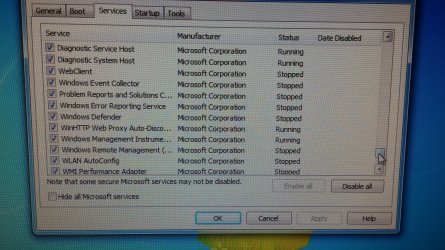
Andthese are the last of them
 

Attachments

  • 0730152023b.jpg
    0730152023b.jpg
    793.4 KB · Views: 0
  • 0730152023c.jpg
    0730152023c.jpg
    824.7 KB · Views: 0
  • 0730152024.jpg
    0730152024.jpg
    822.3 KB · Views: 0
  • 0730152024a.jpg
    0730152024a.jpg
    896.9 KB · Views: 0
  • 0730152024b.jpg
    0730152024b.jpg
    903.8 KB · Views: 0

My Computer My Computer

At a glance

Windows Home Premium x64
Computer type
PC/Desktop
Computer Manufacturer/Model Number
custom build
OS
Windows Home Premium x64
Can you not see that the box is not checked to Hide all Microsoft Services? :doh:
 
Yes, I could see that the box was not checked. I thought that I had followed your directions and when I downloaded the MS Updates it forced a reboot. I decided MS must have done a Normal Boot and that that had unchecked it. Right or wrong, your instruction said to post the pictures after the update download and that is what I did. I will redo the procedure and insure that it is checked when I take the pics.
 

My Computer My Computer

At a glance

Windows Home Premium x64
Computer type
PC/Desktop
Computer Manufacturer/Model Number
custom build
OS
Windows Home Premium x64
Back
Top