Good Evening Folks:
I trust everything is good with you all in the forums world.
Firstly let me say that I find Windows 7 suffers from the same disease that Apple's O/S, Noton AV, Nero's burning app, and a host of other programsw suffer from: they believe that your computer is actually theirs and they will force you to run through all their bells and whistles to complete what should be, and once was, a simple task.
A case in point is this stupid Libraries function. I still have no idea what it does or why it is there. I just recently snipped two maps that I can use for a project on which I am working. When I clicked Save As the destination bar attempted to route the snip to Libraries > Pictures. I changed the destination to Documents and saved the snip. Lo and behold it did not show up in Documents, but in Pictures.
I am at the point where I called Dell to find out if I could run Vista on this new machine and was told no, so I may have to go back to my old computer. I want my directories set up as per the Vista system: one for Documents; one for pictures; one for videos; etc. I don't want Lbraries, I can go draw a book from one in town if I need it. I don't want Windows Live anything. I want a machine that operates simply as a tool allowing me to use a word processor, allowing me to access the internet, and allowing me to send and receive e-mail. Nothing more.
If anyone has any solutions as to how I can get Windows 7 to operate the way I want it to, I will be most appreciative.
Regards
Powell Lucas
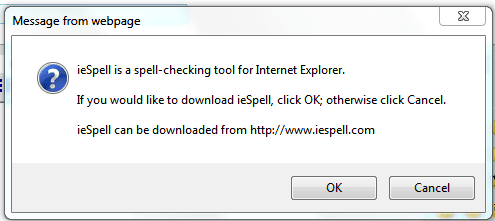
P.S. Is there any way I can set up Spell Check on this site. It used to work in Vista.
I trust everything is good with you all in the forums world.
Firstly let me say that I find Windows 7 suffers from the same disease that Apple's O/S, Noton AV, Nero's burning app, and a host of other programsw suffer from: they believe that your computer is actually theirs and they will force you to run through all their bells and whistles to complete what should be, and once was, a simple task.
A case in point is this stupid Libraries function. I still have no idea what it does or why it is there. I just recently snipped two maps that I can use for a project on which I am working. When I clicked Save As the destination bar attempted to route the snip to Libraries > Pictures. I changed the destination to Documents and saved the snip. Lo and behold it did not show up in Documents, but in Pictures.
I am at the point where I called Dell to find out if I could run Vista on this new machine and was told no, so I may have to go back to my old computer. I want my directories set up as per the Vista system: one for Documents; one for pictures; one for videos; etc. I don't want Lbraries, I can go draw a book from one in town if I need it. I don't want Windows Live anything. I want a machine that operates simply as a tool allowing me to use a word processor, allowing me to access the internet, and allowing me to send and receive e-mail. Nothing more.
If anyone has any solutions as to how I can get Windows 7 to operate the way I want it to, I will be most appreciative.
Regards
Powell Lucas
P.S. Is there any way I can set up Spell Check on this site. It used to work in Vista.
My Computer
- Computer Manufacturer/Model Number
- Dell Inspiron 620s
- OS
- Windows Home Premium, 64 4.096 bit
- CPU
- i3-2100
- Motherboard
- Dell 0DGGBY
- Memory
- Dimm0, Samsung 64 bit, 4.096 Mb; Dimm1, Hyundai 64 bit, 2.04
- Graphics Card(s)
- Intel HD Graphics Family
- Sound Card
- ?
- Monitor(s) Displays
- Dell E197FP
- Hard Drives
- ?
- PSU
- ?
- Case
- ?
- Cooling
- ?