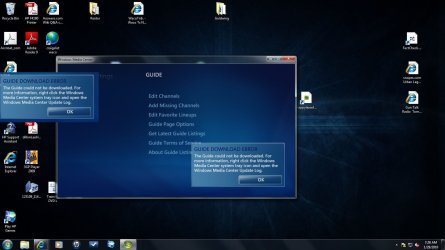
Fix to download Guide
Steps I took to fix my Media Center Guide Download Failure
Set my systems DNS to 8.8.8.8. and 8.8.4.4
a. Right click on My Network and select properties
b. Select Change Adapter Settings
c. Right click on the icon for your connection, select properties (mine is named Local Area Connection)
d. Select Internet Protocol Version 4, then select properties
e. At bottom select the radio button that says Use the following DNS........
f. Enter the 2 values listed above, save and exit
2) When Media Center ask for a zip code I used mine first and got min channels so I went to zap2it.com and saw the default zip code for my area (example, my zip is 85395 and on the web page it has Phoenix, 85001, I used 85001)
3) We need to clean out the eHome folder under ProgramData (be careful there are 2 folders on the system with that name, make sure you get the right one)
a. The ProgramData folder is hidden so you need to change settings to make it visible
b. Open Windows Explorer (not the browser)
c. Select Organize ->> Folder and search options ->> View Tab and then change Don't show hidden files, folders, or drives to Show hidden files, folders, and drives
d. Click ok and go back to the file list and go to c:\\ProgramData\Microsoft\eHome
e. Make a copy of everything in this folder and make a back up, once done delete everything in the eHome folder (eHome should be empty now)
4) Start Media Center and go through the setup steps, mine downloaded all settings as expected.
a. I did notice some of the programming was not correct but will give it some time to settl