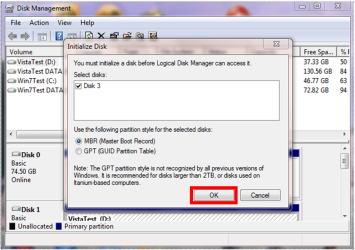
Hi, I used Diskpart to make a bootable install stick following this guide.
I selected the wrong disk, namely my data disk which consists of two SATA drives running in a RAID (not sure which) and did the 'clean' command so now the MBR of this drive is missing.
I can see the drive in explorer and assign a letter to it but I have to format it if I want to use it. Not an option.
Tried using my Win installation disk to use 'bootrec.exe /fixmbr' command in Command Prompt but that was of no use. Tried it again after booting my PC and pressing F8 to bring up the 'Repair your computer' option. Didn't work again.
Can anyone tell me how I can restore this drive's MBR in another way that doesn't involve reinstalling my computer or something else drastic.
(I don't have a backup of my MBR, if that is even possible.)
Thank you kindly for any help.
I selected the wrong disk, namely my data disk which consists of two SATA drives running in a RAID (not sure which) and did the 'clean' command so now the MBR of this drive is missing.
I can see the drive in explorer and assign a letter to it but I have to format it if I want to use it. Not an option.
Tried using my Win installation disk to use 'bootrec.exe /fixmbr' command in Command Prompt but that was of no use. Tried it again after booting my PC and pressing F8 to bring up the 'Repair your computer' option. Didn't work again.
Can anyone tell me how I can restore this drive's MBR in another way that doesn't involve reinstalling my computer or something else drastic.
(I don't have a backup of my MBR, if that is even possible.)
Thank you kindly for any help.
My Computer
At a glance
W7U 64b
- OS
- W7U 64b