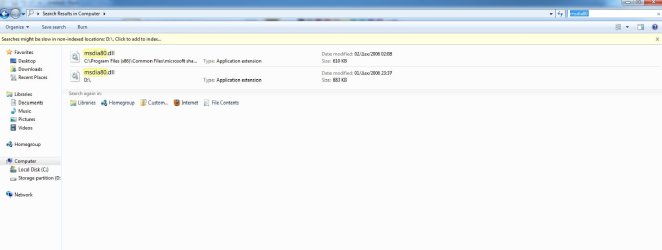
i found this on my system drive. what should i do? ive search on the forum, and found that this could be deleted, like solor said at this thread =====> http://www.sevenforums.com/general-discussion/20332-msdia80-dll-my-f-files-drive.html. is it save to do this?

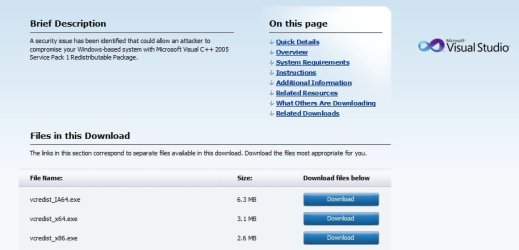
i also find a tut from that thread: FIX: The Msdia80.dll file is installed in the root folder of the boot drive when you install the Visual C++ 2005 Redistributable Package by using the Vcredist_x64.exe file or the Vcredist_ia64.exe file
and it told me to reg the file from this folder :

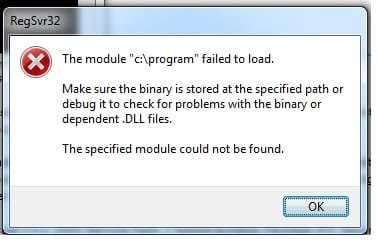
the problem is, that folder doesnt even exist. and i make it my self
any suggestions what to do? i dont want reinstall my win7 because of this
great thanks.
i also find a tut from that thread: FIX: The Msdia80.dll file is installed in the root folder of the boot drive when you install the Visual C++ 2005 Redistributable Package by using the Vcredist_x64.exe file or the Vcredist_ia64.exe file
and it told me to reg the file from this folder :
the problem is, that folder doesnt even exist. and i make it my self
any suggestions what to do? i dont want reinstall my win7 because of this
great thanks.
My Computer
- Computer Manufacturer/Model Number
- Toshiba Satellite A100
- OS
- Windows 7 Ultimate x86
- CPU
- Intel® Core™ 2 Duo T5200 @1.60 GHz
- Memory
- 1 GB
- Graphics Card(s)
- ATI Mobility Radeon X1400
- Sound Card
- Realtek Semiconductor Corp.
- Monitor(s) Displays
- 15.4" CSV 1280 x 800
- Hard Drives
- 120 GB
- Mouse
- e PRO
- Internet Speed
- 1 Mbps down / 80 Kbps up