
Hi All,
I have (4) hard drives that already have Windows 7 installed on each. My rig is a custom build, so as for Motherboard, I have:
Motherboard: Gigabyte G1.Assassin (has two 6GB/s SATA ports, and four 3 GB/s SATA ports) if not mistaken. I would put eligible drives on the 6 GB/s ports, and the others on the 3 GB/s ports. I know, my MB is ancient now!
The "new" drives are already connected via SATA ports, and both are functional, but one is extremely slow, and I believe it is because I didn't install them correctly. Missing drivers or something, not sure.
Here are my issues, broken down:
1. I have two choices to make, first is to use the "fastest HDD" as my primary, and the other 3 HDD's will be used as storage. Second choice is to induce RAID 10 or whichever is recommended. If I go with RAID, please point me to a site where I can use as a guide on how to do that correctly, as I have never done that before. Unless of course it is a simple process, and can be explained here. I just didn't want to have to go back and forth on this board, while becoming a nuisance.
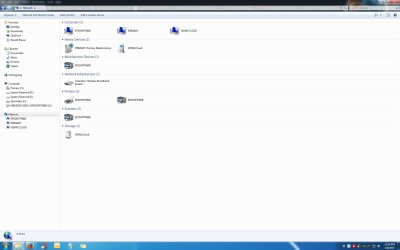
2. Going with the best recommendation based on #1 above, I need to resolve network recognition issues. I use the WD Mycloud 3TB as my backup. I like it because I travel a lot and I can easily use the app to pull up any document, picture, video, etc., while knowing that I don't need to pay a monthly fee to someone else. However, 50% of the time when I boot up, I see (Could not reconnect network drives, etc.) appear in service tray. I need all drives and WD MyCloud to talk to one another on the network, as apparently they are not half the time. From research, it seems that Microsoft acknowledges this as their own design flaw. There are some with different variations of bypassing MSFT's design flaw, by using scripts, changing the registry, or Group policies, etc. This is where I get lost and need help.
Reminder: Currently, all drives have Windows 7 installed. I will be conducting a clean install on all drives this weekend, just to ensure My computer is getting a fresh start. If not needed, or I need to format them first, please advise.
3. My memory is out playing somewhere else right now, as I cannot recall "what" I need to install BEFORE I actually install the first hard drive/s. For starters, I realize that I need to ensure the BIOS is up to date. But aren't there "Drivers" that I need to install for SATA purposes before the HDD talks to it? Or drivers other than this? Otherwise, the needed functionality will be lost if you don't install that first. I am just reiterating what a MSFT support site mentioned, but now can't remember all! Sorry.
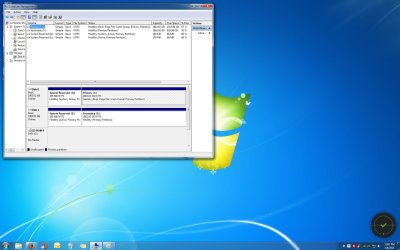
4. One last concern, is that my drive letters change when I boot into my second new drive (shown in attachment). When I am on the primary, the drive letter is C. When I boot into the slave, (as I have configured in BIOS to be as such), the drive letter for the slave is now C. Also the Reserve partitions change their letters as well. This has to be confusing just about every piece of software I have installed. Do I need to partition these differently in order to make their drive letters stay consistent? I guess if I went with a RAID configuration, this wouldn't be happening?
Disk Management Screen Shot and Network are attached.
My task this weekend is to backup all data from all drives, and afterwards was intending to do a clean install of Windows 7 Professional on all drives, just so I know things are starting off new and clean. But the above issues or concerns need to be addressed if there is someone out there that knows what I need. Thanks!
I have (4) hard drives that already have Windows 7 installed on each. My rig is a custom build, so as for Motherboard, I have:
Motherboard: Gigabyte G1.Assassin (has two 6GB/s SATA ports, and four 3 GB/s SATA ports) if not mistaken. I would put eligible drives on the 6 GB/s ports, and the others on the 3 GB/s ports. I know, my MB is ancient now!
The "new" drives are already connected via SATA ports, and both are functional, but one is extremely slow, and I believe it is because I didn't install them correctly. Missing drivers or something, not sure.
Here are my issues, broken down:
1. I have two choices to make, first is to use the "fastest HDD" as my primary, and the other 3 HDD's will be used as storage. Second choice is to induce RAID 10 or whichever is recommended. If I go with RAID, please point me to a site where I can use as a guide on how to do that correctly, as I have never done that before. Unless of course it is a simple process, and can be explained here. I just didn't want to have to go back and forth on this board, while becoming a nuisance.
2. Going with the best recommendation based on #1 above, I need to resolve network recognition issues. I use the WD Mycloud 3TB as my backup. I like it because I travel a lot and I can easily use the app to pull up any document, picture, video, etc., while knowing that I don't need to pay a monthly fee to someone else. However, 50% of the time when I boot up, I see (Could not reconnect network drives, etc.) appear in service tray. I need all drives and WD MyCloud to talk to one another on the network, as apparently they are not half the time. From research, it seems that Microsoft acknowledges this as their own design flaw. There are some with different variations of bypassing MSFT's design flaw, by using scripts, changing the registry, or Group policies, etc. This is where I get lost and need help.
Reminder: Currently, all drives have Windows 7 installed. I will be conducting a clean install on all drives this weekend, just to ensure My computer is getting a fresh start. If not needed, or I need to format them first, please advise.
3. My memory is out playing somewhere else right now, as I cannot recall "what" I need to install BEFORE I actually install the first hard drive/s. For starters, I realize that I need to ensure the BIOS is up to date. But aren't there "Drivers" that I need to install for SATA purposes before the HDD talks to it? Or drivers other than this? Otherwise, the needed functionality will be lost if you don't install that first. I am just reiterating what a MSFT support site mentioned, but now can't remember all! Sorry.
4. One last concern, is that my drive letters change when I boot into my second new drive (shown in attachment). When I am on the primary, the drive letter is C. When I boot into the slave, (as I have configured in BIOS to be as such), the drive letter for the slave is now C. Also the Reserve partitions change their letters as well. This has to be confusing just about every piece of software I have installed. Do I need to partition these differently in order to make their drive letters stay consistent? I guess if I went with a RAID configuration, this wouldn't be happening?
Disk Management Screen Shot and Network are attached.
My task this weekend is to backup all data from all drives, and afterwards was intending to do a clean install of Windows 7 Professional on all drives, just so I know things are starting off new and clean. But the above issues or concerns need to be addressed if there is someone out there that knows what I need. Thanks!
Attachments
My Computer
- Computer type
- PC/Desktop
- Computer Manufacturer/Model Number
- Custom Build
- OS
- Windows 7 Professional 64 bit
- CPU
- Intel Core I960
- Motherboard
- Intel Core I7 960
- Memory
- Corsair DDR3 Triple Channel 6GB
- Graphics Card(s)
- Nvidia GeForce GTX480 SLI
- Hard Drives
- Two WD Black 2TB
- Antivirus
- Bitdefender & Malwarebytes Anti-Malware
- Browser
- Firefox


