
- Local time
- 7:11 AM
- Messages
- 8,138
How odd. I suggest MSE because it is very conservative in the actions that it takes.
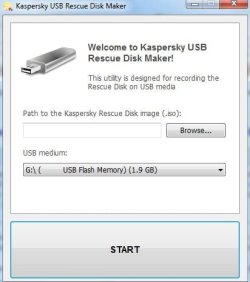
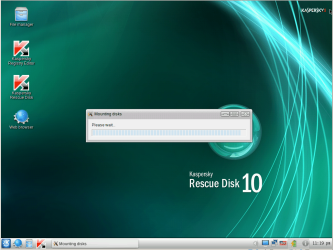
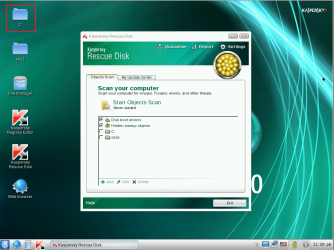
You can use a tool like this to boot and copy your files off (just in case):
How to record Kaspersky Rescue Disk 10 to an USB device and boot my computer from it?
You can also check to see if explorer.exe is still there:
C:\Windows\explorer.exe
And you can scan the system with that tool - if you want.
To bring it back to life, you might try these steps:
http://www.sevenforums.com/tutorials/3413-repair-install.html
That tutorial includes a link to download W7 install disk - if you need it,
You can use a tool like this to boot and copy your files off (just in case):
How to record Kaspersky Rescue Disk 10 to an USB device and boot my computer from it?
You can also check to see if explorer.exe is still there:
C:\Windows\explorer.exe
And you can scan the system with that tool - if you want.
To bring it back to life, you might try these steps:
http://www.sevenforums.com/tutorials/3413-repair-install.html
That tutorial includes a link to download W7 install disk - if you need it,
My Computer
At a glance
W7 Pro SP1 64biti78GBIntel HD Graphics
- Computer type
- Laptop
- Computer Manufacturer/Model Number
- Employer provided Dell Latitude
- OS
- W7 Pro SP1 64bit
- CPU
- i7
- Memory
- 8GB
- Graphics Card(s)
- Intel HD Graphics
- Hard Drives
- crappy SSD
- Antivirus
- Employer mandated Symantec Endpoint Protection
- Browser
- Pale Moon 64bit, IE11 64bit & Chrome 64bit



 Nothing is open right now lol.


