

- Local time
- 11:03 AM
- Messages
- 299
Solved:music system shortcut
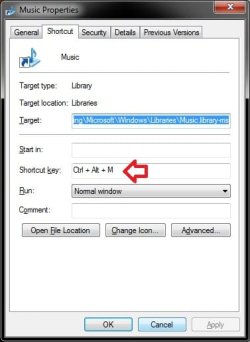
Hey all I frequently use shortcuts that I have copied in the System folder for instant access to folders and applications. One shortcut I would like to use is "music" for quick access to my music library which I have on an external HD. Unfortunately, typing "music" (without quotes) in run, loads the user/My Music folder. How can I change this to the folder where my music is actually stored?
My current workaround is to rename my shortcut from "music" to "musiq" but I would prefer not to have to do that.
Thanks!
Hey all I frequently use shortcuts that I have copied in the System folder for instant access to folders and applications. One shortcut I would like to use is "music" for quick access to my music library which I have on an external HD. Unfortunately, typing "music" (without quotes) in run, loads the user/My Music folder. How can I change this to the folder where my music is actually stored?
My current workaround is to rename my shortcut from "music" to "musiq" but I would prefer not to have to do that.
Thanks!
Last edited:
My Computer
- Computer Manufacturer/Model Number
- Gateway M6827
- OS
- Win 7 Professional 32-bit
- CPU
- Intel Core 2 Duo CPU T5750 @ 2.00 GHz
- Memory
- 3GB
- Monitor(s) Displays
- ViewSonic Vx900
- Screen Resolution
- 1280x1024
- Hard Drives
- 150GB Hard Drive




 Thanks for educating me on how things work so that I could figure out a solution with assistance.

