My Issues with Windows 7

Status
Not open for further replies.

My Computer

Computer Manufacturer/Model Number
Custom
OS
Windows 7 Ultimate x64
CPU
QX6700 @ 3.2Ghz (temporarily till I get the drive to tweak)
Motherboard
Asus Maximus Formula
Memory
8gb (4x2gb) OCZ PC2-8500
Graphics Card(s)
GTX280
Sound Card
Auzentech Prelude
Monitor(s) Displays
Samsung 244T & 940BF
Screen Resolution
1920x1200 & 1280x1024
Hard Drives
2 x Hitatchi 7K500 500GB in raid 0
PSU
Seasonic M-12 700w
Case
Lian Li PC-6077B
Cooling
Liquid (D-tek Fuzion 2/DDC+/240GTX)
Keyboard
Saitech Eclipse II
Mouse
Logitech G9
Internet Speed
22Mbit burst - 15 Mbit typical down / 500Kbit up
Other Info
http://pics.livejournal.com/bun_bun/pic/001c64ww
I will reply to the rest later... busy day today.
- It's probably not really worth it. There are too many people here that no matter what you say, simply won't be able to take criticism about Win 7.

Whew, I said a lot... I'll add some more later...
- Damn zzz2496, that was a long post! I think you've said enough! lol.. if people still can't understand why all this stuff holds true, there really isn't anything else you can say that they will understand.

This is a really interesting thread, a lot of the problem I was actually going to complain about, were brought up in here. I hope that even with all the disagreement, this thread will still stay open.

It's good to be able to see both sides of the story.


You two obviously have issues that the rest of us don't.

Wasn't it Phil Collins who sang both sides of the story?
 

My Computer

Computer Manufacturer/Model Number
Custom Build.
OS
Windows 7 Ultimate x64.
CPU
i5 760 @ 4.2Ghz. 1.18v
Motherboard
Gigabyte - H55M-USB3
Memory
4g Corsair xms3 ddr3, 1600Mhz.
Graphics Card(s)
Gigabyte GTX-560Ti soc edition
Sound Card
Asus Xonar Dx - Logitech Z5500.
Monitor(s) Displays
Acer 22" LCD Wide screen 1680-1050 -Samsung 42" Plasma....
Screen Resolution
1680/1050 -----1920/1080p.
Hard Drives
2x 2TB Seagate Go Flex,
1x 1TB Seagate,
1x 640WD Black,
x16 Gig sandisc flash drive,
1x8Gig sandisc flash drive.
PSU
XigmaTek 80plus NRP-PC702 - 700w dual 30a.
Case
Venus Gamers Midi Tower Case with LED Display
Cooling
Arctic Freezer 7 Pro Rev 2... x2 Arctic F8 case fans........
Keyboard
Logitech G15-v2 Gaming.
Mouse
Microsoft Sidewinder X8.
Internet Speed
Virgin Media - 50mb down- 8mb up.
Other Info
x2 Xbox 360 wireless controllers...

Dual layer optical disc drive...

Chrome 79million

A.V = MSE
One thing to keep in mind though people is if you go back to the days when XP was of sevens' age(new) then you will see xp was in quite a bad way and was no where near as complete as what seven is. It took a service pack to straighten it out. People were reluctant to make the switch from 2000 to xp.

Windows seven is still very very young and when you consider all that is to be considered then you will find its far more advanced, funtional and stable than any os this early in life..

Cheers....
I got XP from the very first, right after Beta, and it was OK, just like Windows 2000 before it. I don't see the "bad" you mentioned... At that time I was taking the "Installing, Configuring, and Administering Windows Client XP Pro class".

zzz2496
 

My Computer

Computer Manufacturer/Model Number
Self Built
OS
Windows7 Ultimate 64bit
CPU
Intel Core 2 Quad Q6600
Motherboard
Abit IN9-32X-MMAX
Memory
DDR2 Adata 4GB
Graphics Card(s)
Nvidia GeForce GTX 285 1024 and Nvidia GeForce 8800GT 512
Sound Card
Asus Xonar HDAV 1.3
Monitor(s) Displays
Dell 2407WFP and BenQ 2400v and Philips 150v3
Screen Resolution
3840x1200 and 1024x768
Hard Drives
2 WDC 1TB
1 WDC 1.5TB
1 WDC 640GB
1 WDC 320GB
1 Seagate 200GB
PSU
Corsair TX 850W
Case
Cooler Master HAF932
Cooling
Arctic Cooling Freezer Extreme and plenty of fans...
Keyboard
MicrosoftNaturalKeyboard 4000/Apple Alu keyboard/Dinovo mini
Mouse
Logitech G5/MarbleMouseTrackball/PerformanceMX/SpacePilotPRO
Internet Speed
1.5Mbps down/384Kbps up
Other Info
APC SURT 1000XL
Logitech Z-560
Wiimote
Mikrotik Router
Linksys (now Cisco) SD2008 8 port Gigabit switch
Linksys WRT54G (acting as AP)
Apple wireless Aluminium keyboard
Apple Magic Mouse
Xbox360 wired controller
Doesn't this depend on your PC? If you own a printer Windows 95 loved to work with, then obviously 7 most likely isn't for you. If, like I did, you are about to build a PC solely for gaming, then 7 is perfect.
 

My Computer

Computer Manufacturer/Model Number
Sony Vaio Z46GDU
OS
Windows 7 Ultimate x86-64
CPU
[email protected] 1066MHz FSB
Motherboard
Sony branded
Memory
6GB DDR3 1066MHz
Graphics Card(s)
9300M GS 256MB Dedicated (Speed) + Intel4500MHD (Stamina)
Sound Card
Realtek HD Audio
Monitor(s) Displays
13.1' WXGA
Screen Resolution
1600x900
Hard Drives
320GB 7200RPM w/ 16MB cache
Internet Speed
1MB/s
Doesn't this depend on your PC? If you own a printer Windows 95 loved to work with, then obviously 7 most likely isn't for you. If, like I did, you are about to build a PC solely for gaming, then 7 is perfect.
Pardon me?

No one is saying about hardware compatibility... So I don't understand this post...

zzz2496
 

My Computer

Computer Manufacturer/Model Number
Self Built
OS
Windows7 Ultimate 64bit
CPU
Intel Core 2 Quad Q6600
Motherboard
Abit IN9-32X-MMAX
Memory
DDR2 Adata 4GB
Graphics Card(s)
Nvidia GeForce GTX 285 1024 and Nvidia GeForce 8800GT 512
Sound Card
Asus Xonar HDAV 1.3
Monitor(s) Displays
Dell 2407WFP and BenQ 2400v and Philips 150v3
Screen Resolution
3840x1200 and 1024x768
Hard Drives
2 WDC 1TB
1 WDC 1.5TB
1 WDC 640GB
1 WDC 320GB
1 Seagate 200GB
PSU
Corsair TX 850W
Case
Cooler Master HAF932
Cooling
Arctic Cooling Freezer Extreme and plenty of fans...
Keyboard
MicrosoftNaturalKeyboard 4000/Apple Alu keyboard/Dinovo mini
Mouse
Logitech G5/MarbleMouseTrackball/PerformanceMX/SpacePilotPRO
Internet Speed
1.5Mbps down/384Kbps up
Other Info
APC SURT 1000XL
Logitech Z-560
Wiimote
Mikrotik Router
Linksys (now Cisco) SD2008 8 port Gigabit switch
Linksys WRT54G (acting as AP)
Apple wireless Aluminium keyboard
Apple Magic Mouse
Xbox360 wired controller
Doesn't this depend on your PC? If you own a printer Windows 95 loved to work with, then obviously 7 most likely isn't for you. If, like I did, you are about to build a PC solely for gaming, then 7 is perfect.
Pardon me?

No one is saying about hardware compatibility... So I don't understand this post...

zzz2496

Exactly...

I repeat. No where have I (or anyone in this thread) has stated that overall XP is superior to XP and should not use Windows 7. This is not the case. I simply beleive it is not perfect and does not deserve all the praise it has been getting.

I still like Windows 7 and if I didn't "want" to make the switch do you think I would have gone through all the trouble that I have?
 

My Computer

Computer Manufacturer/Model Number
Custom
OS
Windows 7 Ultimate x64
CPU
QX6700 @ 3.2Ghz (temporarily till I get the drive to tweak)
Motherboard
Asus Maximus Formula
Memory
8gb (4x2gb) OCZ PC2-8500
Graphics Card(s)
GTX280
Sound Card
Auzentech Prelude
Monitor(s) Displays
Samsung 244T & 940BF
Screen Resolution
1920x1200 & 1280x1024
Hard Drives
2 x Hitatchi 7K500 500GB in raid 0
PSU
Seasonic M-12 700w
Case
Lian Li PC-6077B
Cooling
Liquid (D-tek Fuzion 2/DDC+/240GTX)
Keyboard
Saitech Eclipse II
Mouse
Logitech G9
Internet Speed
22Mbit burst - 15 Mbit typical down / 500Kbit up
Other Info
http://pics.livejournal.com/bun_bun/pic/001c64ww
Ok,, well,, some of us praise 7 simply because,

yes, there are some faults and issues, but they really are minor issues.
I don't have any problems playing any games, or using any software. It's perfect.

And a far cry from XP and Vista. So, 7 does in fact, "In My Opinion", deserve every bit of praise that it gets.
It is a very stable, solid, system that is quite polished out of the gate, that still needs some tweaking with service packs and updates, but that should be a given. Over all, for an initial Release of an OS? Very solid.

However, yes, it is a polished and updated version of Vista. There is no telling that this could have been done with a service pack, but still. Very worth the upgrade from XP or Vista to 7. And deserves the praise it gets.

In My Opinion.

But then there are facts, which I won't go into.
 

My Computer

Computer Manufacturer/Model Number
Self Built
OS
Win 7 Ultimate 32bit
CPU
C2D E6600 2.4Ghz
Motherboard
Intel D965WH
Memory
4G Kingston KHX5400D2
Graphics Card(s)
EVGA GTX 570 HD SC (012-P3-1573-KR)
Sound Card
On-Board
Monitor(s) Displays
Samsung 226BW
Screen Resolution
1680 x 1050
Hard Drives
2 x 250 Seagate Barracuda
2 x 500 Seagate Barracuda (Raid1)
PSU
Corsair TX750W
Case
In-Win C589
Cooling
Stock Intel Cooling
I've been on board since 3.1 I thought 95 was great! Then 98...wow and 98 SE wow even better!! Then ME ouch!! Not so good!! Then came XP turned out to be very solid but time begets familiarity and on to Vista! To me this was a none event it worked fine, it accepted all my hardware but it was so painfully huge!! Now Win 7 -64 bit has taken a little getting used to but this in MHO is the very best yet! More built in features than I could number and so far rock solid!
 

My Computer

Computer Manufacturer/Model Number
home built
OS
Win 7 Home Premium 64 bit
CPU
3.30 gigahertz AMD Phenom II X6 1100T
Motherboard
ASUSTeK Computer INC. M4A79XTD EVO Rev X.0X
Memory
8 gigs DDR3
Graphics Card(s)
ATI Radeon HD 5670
Sound Card
Intel onboard
Monitor(s) Displays
Acer 24"
Screen Resolution
1680x1050
Hard Drives
Seagate 1 teabyte
Maxtor 500 gig
Seagate 750 gig
PSU
750 watt
Cooling
ASUS Silent Square CPU Cooler
Mouse
Microsoft natural wireless 6000 series
I've been on board since 3.1 I thought 95 was great! Then 98...wow and 98 SE wow even better!! Then ME ouch!! Not so good!! Then came XP turned out to be very solid but time begets familiarity and on to Vista! To me this was a none event it worked fine, it accepted all my hardware but it was so painfully huge!! Now Win 7 -64 bit has taken a little getting used to but this in MHO is the very best yet! More built in features than I could number and so far rock solid!


Perspective is valable here...
I also started with 3.1 Windows. I was started with DOS. I judge an OS on many factors but most important would be stability.
The 3 best releases from Redmond to me in that regard would be Windows for Workgroups...Win2K ... and now Win7.
 

My Computer

Computer Manufacturer/Model Number
Self-Built
OS
Vista Ultimate X64/ Windows 7 Dual-boot
CPU
Q6600
Motherboard
ASUS P5K
Memory
4G OCZ PC2 8500 Platinum
Graphics Card(s)
EVGA 8800GTS Vid Card
Hard Drives
500G Seagate SATA
200G Seagate SATA
100G WD Caviar SATA
80G WD Caviar IDE
PSU
OCZ Elite 800W PSU
Case
RaidMax Smilodon Case
Ok,, well,, some of us praise 7 simply because,

yes, there are some faults and issues, but they really are minor issues.
I don't have any problems playing any games, or using any software. It's perfect.

And a far cry from XP and Vista. So, 7 does in fact, "In My Opinion", deserve every bit of praise that it gets.
It is a very stable, solid, system that is quite polished out of the gate, that still needs some tweaking with service packs and updates, but that should be a given. Over all, for an initial Release of an OS? Very solid.

However, yes, it is a polished and updated version of Vista. There is no telling that this could have been done with a service pack, but still. Very worth the upgrade from XP or Vista to 7. And deserves the praise it gets.

In My Opinion.

But then there are facts, which I won't go into.

I found XP very stable and solid and never had any issues with it and it performed better in every way over 98se. Vista I also found fine other then it was a big bloated mess and I need to upgrade to at least 4gb of ram in order for it to be useable for me. Windows 7 is great in many ways but I personally hate the UI and find the lack of options a big step backwards.

I have also been with this since Windows 3.1. I kinda miss my 486DX33...
 
Last edited:

My Computer

Computer Manufacturer/Model Number
Custom
OS
Windows 7 Ultimate x64
CPU
QX6700 @ 3.2Ghz (temporarily till I get the drive to tweak)
Motherboard
Asus Maximus Formula
Memory
8gb (4x2gb) OCZ PC2-8500
Graphics Card(s)
GTX280
Sound Card
Auzentech Prelude
Monitor(s) Displays
Samsung 244T & 940BF
Screen Resolution
1920x1200 & 1280x1024
Hard Drives
2 x Hitatchi 7K500 500GB in raid 0
PSU
Seasonic M-12 700w
Case
Lian Li PC-6077B
Cooling
Liquid (D-tek Fuzion 2/DDC+/240GTX)
Keyboard
Saitech Eclipse II
Mouse
Logitech G9
Internet Speed
22Mbit burst - 15 Mbit typical down / 500Kbit up
Other Info
http://pics.livejournal.com/bun_bun/pic/001c64ww
I've been on board since 3.1 I thought 95 was great! Then 98...wow and 98 SE wow even better!! Then ME ouch!! Not so good!! Then came XP turned out to be very solid but time begets familiarity and on to Vista! To me this was a none event it worked fine, it accepted all my hardware but it was so painfully huge!! Now Win 7 -64 bit has taken a little getting used to but this in MHO is the very best yet! More built in features than I could number and so far rock solid!


Perspective is valable here...
I also started with 3.1 Windows. I was started with DOS. I judge an OS on many factors but most important would be stability.
The 3 best releases from Redmond to me in that regard would be Windows for Workgroups...Win2K ... and now Win7.

Agreed !! I miss my WIndows for Workgroups 3.11... I even have a custom "Autoexect.bat + Config.sys + some wicked boot menu" for it too... And yes, the next MOST STABLE is Win2000... Aahhh the piano intro, I miss that soo much. It ran PERFECTLY on a Celeron 300A with 32MB of RAM, not something XP can do... :) But all in all, XP is good enough to replace Win2000, it's a polished release of 2K, just like 7 is a polished release of Vista.

zzz2496
 

My Computer

Computer Manufacturer/Model Number
Self Built
OS
Windows7 Ultimate 64bit
CPU
Intel Core 2 Quad Q6600
Motherboard
Abit IN9-32X-MMAX
Memory
DDR2 Adata 4GB
Graphics Card(s)
Nvidia GeForce GTX 285 1024 and Nvidia GeForce 8800GT 512
Sound Card
Asus Xonar HDAV 1.3
Monitor(s) Displays
Dell 2407WFP and BenQ 2400v and Philips 150v3
Screen Resolution
3840x1200 and 1024x768
Hard Drives
2 WDC 1TB
1 WDC 1.5TB
1 WDC 640GB
1 WDC 320GB
1 Seagate 200GB
PSU
Corsair TX 850W
Case
Cooler Master HAF932
Cooling
Arctic Cooling Freezer Extreme and plenty of fans...
Keyboard
MicrosoftNaturalKeyboard 4000/Apple Alu keyboard/Dinovo mini
Mouse
Logitech G5/MarbleMouseTrackball/PerformanceMX/SpacePilotPRO
Internet Speed
1.5Mbps down/384Kbps up
Other Info
APC SURT 1000XL
Logitech Z-560
Wiimote
Mikrotik Router
Linksys (now Cisco) SD2008 8 port Gigabit switch
Linksys WRT54G (acting as AP)
Apple wireless Aluminium keyboard
Apple Magic Mouse
Xbox360 wired controller
My 2 cents worth a penny.
I was all XP & OSX all the time & had to come to W7 almost kicking & screaming but...
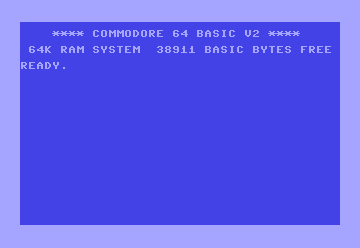
W7 is a treat, granted x64 going from 6 to 8 GB RAM very soon but I use Photoshop, Dreamweaver, & Captivate all day with constant ftp, Team Viewer, & some Flash now & then and it manages it all really nice. After several very bad Vista experiences I almost went total Mac but W7 has me back solid in the MS camp. Having another read of the above "Photoshop, Dreamweaver, & Captivate all day with constant ftp, Team Viewer, & some Flash".....Where is my old Commodore 64 today when I really need it (to play pong).

fmg
 

My Computer

OS
W7 Pro 64bit
CPU
Intel Core 2 Quad Q6600 Kentsfield
Motherboard
GIGABYTE GA-EX38-DQ6
Memory
6gb
Graphics Card(s)
MSI N9600GT 512M OC GeForce 9600 GT
Hard Drives
Intel SSD
HAD to post this WAY OFF TOPIC !
 

Attachments

  • C64_startup_animiert.gif
    C64_startup_animiert.gif
    1.6 KB · Views: 5

My Computer

OS
W7 Pro 64bit
CPU
Intel Core 2 Quad Q6600 Kentsfield
Motherboard
GIGABYTE GA-EX38-DQ6
Memory
6gb
Graphics Card(s)
MSI N9600GT 512M OC GeForce 9600 GT
Hard Drives
Intel SSD
Ok,, well,, some of us praise 7 simply because,

yes, there are some faults and issues, but they really are minor issues.
I don't have any problems playing any games, or using any software. It's perfect.

And a far cry from XP and Vista. So, 7 does in fact, "In My Opinion", deserve every bit of praise that it gets.
It is a very stable, solid, system that is quite polished out of the gate, that still needs some tweaking with service packs and updates, but that should be a given. Over all, for an initial Release of an OS? Very solid.

However, yes, it is a polished and updated version of Vista. There is no telling that this could have been done with a service pack, but still. Very worth the upgrade from XP or Vista to 7. And deserves the praise it gets.

In My Opinion.

But then there are facts, which I won't go into.

I found XP very stable and solid and never had any issues with it and it performed better in every way over 98se. Vista I also found fine other then it was a big bloated mess and I need to upgrade to at least 4gb of ram in order for it to be useable for me. Windows 7 is great in many ways but I personally hate the UI and find the lack of options a big step backwards.

I have also been with this since Windows 3.1. I kinda miss my 486DX33...

And with Xp, you had to add memory. You had to go from 32M or 64M to 128M or 256M and to get it to run really sweet, 512M. So, please, don't mention memory as a factor here. It's deja vu. Yes 7 runs better than Vista, but Vista brought a new dynamic,, JUST LIKE XP did in it's initial release. Everything changed with XP, everything. Well, Win2K mostly, but for the major consumer side of things, it was XP and not 2K. So in this dynamic, really it was 98SE(XP) -> 2K(Vista) -> XP(7). Yes, this can be debated further as to how well 2K ran versus Vista. 2K was really solid back then and a lot of people prefer it still over XP.

But bringing the memory dynamic forward is , really deja vu. and a non-issue.

and to bring it further, XP runs better today (due to all the updates and advances in software) on 1G of ram. So......

And lets also not forget the up roar over the whole new activation process XP brought to us all. Plus, with all the UI changes back then, people grumbled, people didn't like them. A lot of those same people who were really put off by XP, are all put off by Vista/7.

It's change. It's hard to deal with. 7 has a lot of really good aspects to it. A lot of the changes others miss, apparently, to focus groups weren't or they would still be there.
7 still needs some tweaking and SP1 is on it's way.

In fact you should check out Reliability and Resource Monitors. There is a lot to the guts of 7 that are heavily improved.

I recommend 3 books,

Windows 7 Resource Kit
Windows 7 Administrator's Pocket Consultant
MCTS Self-Paced Training Kit (Exam 70-680)

These will give you the complete inside scoop on everything you could ever want to know about Windows 7.
 

My Computer

Computer Manufacturer/Model Number
Self Built
OS
Win 7 Ultimate 32bit
CPU
C2D E6600 2.4Ghz
Motherboard
Intel D965WH
Memory
4G Kingston KHX5400D2
Graphics Card(s)
EVGA GTX 570 HD SC (012-P3-1573-KR)
Sound Card
On-Board
Monitor(s) Displays
Samsung 226BW
Screen Resolution
1680 x 1050
Hard Drives
2 x 250 Seagate Barracuda
2 x 500 Seagate Barracuda (Raid1)
PSU
Corsair TX750W
Case
In-Win C589
Cooling
Stock Intel Cooling
Excuse me, has anyone seen the cheese and crackers? :sarc:
 

My Computer

Computer Manufacturer/Model Number
HP Pavilion a4302f
OS
Win 7 Pro x64, VM Win XP, Win7 Pro Sandbox, Kubuntu 11
CPU
AMD Athlon(tm) II X4 640 @ 3.0 Gbz
Memory
12GB 1066MHz DDR3 SDRAM - 2x4GB, 2x2GB
Graphics Card(s)
ATI Radeon HD 4350 HD Graphics/Audio with 512MB
Sound Card
Realtek High Definition Audio
Monitor(s) Displays
1. Dell 23" SP2307, 2. Mitsublishi 40" HDTV, Hannspree 25"
Screen Resolution
1. 2048x1152, 2. 1920-1080, 3. 1920x1200
Hard Drives
Int: 1 120 Gig SSD i
1 - 2.5" 500 USB External HDD
1 -1 Tb USB External HDD
Case
Mid Tower
Cooling
Standard Fans - 5 fans (very quiet)
Keyboard
Microsoft Wireless 2000
Mouse
Microsoft Wireless Mouse 5000
Internet Speed
10 Mbit (realistically 500 Kbit - 1.2 Mbit)
Other Info
Speakers - Bose Desktop (Excellent Sound)
1 external CD|DVD\Blue-ray Recorders/Players (Sony)
And with Xp, you had to add memory. You had to go from 32M or 64M to 128M or 256M and to get it to run really sweet, 512M.

But bringing the memory dynamic forward is , really deja vu. and a non-issue.

And lets also not forget the up roar over the whole new activation process XP brought to us all. Plus, with all the UI changes back then, people grumbled, people didn't like them. A lot of those same people who were really put off by XP, are all put off by Vista/7.

In fact you should check out Reliability and Resource Monitors. There is a lot to the guts of 7 that are heavily improved.

I didn't have to add memory when I got XP. I had 256MB of ram in my K-2 550 with win98 and I had 256MB of ram in my K-2 550 when I got XP. Was fine. I can't remember the exact usage of RAM of XP but it wasn't more then 50% of my ram back then and it definitly was not more then double of 98's where as 7 is 3-4 times that have my fully updated XP now. So yes the substantial increase is still an issue to a lot of people.

Am I saying Windows 7 should only use 256-300MB of ram? No. At least not without some tweaking... however I would love to see it down around 600-700MB before tweaking. Windows Kernel is far too large and I feel it unecessary.

Activation is a completely other issue and Microsoft was definitly not the first to do this... Anytime I have had to deal with microsoft on that specific issue (fails everytime I try to install my media center edition XP OEM) I haven't had any issues and they have been quick to get me activated.

And I certainly hope things have gotten better... why are we paying all this money and useing all these freaking resources? Again I am not saying XP is superior to Windows 7 or that anyone should purposeful stick with or purchase XP over Win 7.

And on the UI issue of XP... you could make it look like 98 without any 3rd party tools/hacks. It wouldn't be that hard to make options to allow the start menu and UI to look and function like XP. Look at classic shell opensource application.

I dont see why Vista or Windows 7 needs to use so much ram or take so long to boot (windows 7 lesser on that last issue). I have been seeing this everywhere in todays software useing more and more RAM needlessly. Supreme Commander is a good example of this. On 32bit systems it could easily crash by filling up the users virtual space (2gb limit by default). There were some hacks and tricks to get around this but ultimatly some optimizations on GPG behalf reduced the memory consumption of the game considerably. IMO coders today are NOT focused enough on optimizations because hardware just keeps getting bigger and better therefore they have some slack... IMO this is wrong.
 

My Computer

Computer Manufacturer/Model Number
Custom
OS
Windows 7 Ultimate x64
CPU
QX6700 @ 3.2Ghz (temporarily till I get the drive to tweak)
Motherboard
Asus Maximus Formula
Memory
8gb (4x2gb) OCZ PC2-8500
Graphics Card(s)
GTX280
Sound Card
Auzentech Prelude
Monitor(s) Displays
Samsung 244T & 940BF
Screen Resolution
1920x1200 & 1280x1024
Hard Drives
2 x Hitatchi 7K500 500GB in raid 0
PSU
Seasonic M-12 700w
Case
Lian Li PC-6077B
Cooling
Liquid (D-tek Fuzion 2/DDC+/240GTX)
Keyboard
Saitech Eclipse II
Mouse
Logitech G9
Internet Speed
22Mbit burst - 15 Mbit typical down / 500Kbit up
Other Info
http://pics.livejournal.com/bun_bun/pic/001c64ww
My 2 cents worth a penny.
I was all XP & OSX all the time & had to come to W7 almost kicking & screaming but...
W7 is a treat, granted x64 going from 6 to 8 GB RAM very soon but I use Photoshop, Dreamweaver, & Captivate all day with constant ftp, Team Viewer, & some Flash now & then and it manages it all really nice. After several very bad Vista experiences I almost went total Mac but W7 has me back solid in the MS camp. Having another read of the above "Photoshop, Dreamweaver, & Captivate all day with constant ftp, Team Viewer, & some Flash".....Where is my old Commodore 64 today when I really need it (to play pong).

fmg

I imagine the photoshop experience would be a lot better on Windows 7 then XP. Being a bunch of technical video stuff that I cant remember (the way the OS renders multiple video paths or something...). Apple has apparently been doing it for awhile now (like 10 years?) and now microsoft has finally caught on.
 
Last edited:

My Computer

Computer Manufacturer/Model Number
Custom
OS
Windows 7 Ultimate x64
CPU
QX6700 @ 3.2Ghz (temporarily till I get the drive to tweak)
Motherboard
Asus Maximus Formula
Memory
8gb (4x2gb) OCZ PC2-8500
Graphics Card(s)
GTX280
Sound Card
Auzentech Prelude
Monitor(s) Displays
Samsung 244T & 940BF
Screen Resolution
1920x1200 & 1280x1024
Hard Drives
2 x Hitatchi 7K500 500GB in raid 0
PSU
Seasonic M-12 700w
Case
Lian Li PC-6077B
Cooling
Liquid (D-tek Fuzion 2/DDC+/240GTX)
Keyboard
Saitech Eclipse II
Mouse
Logitech G9
Internet Speed
22Mbit burst - 15 Mbit typical down / 500Kbit up
Other Info
http://pics.livejournal.com/bun_bun/pic/001c64ww
Mods. . .please close this thread.

Thank You, Lee
 

My Computer

Computer Manufacturer/Model Number
HP Pavilion a4302f
OS
Win 7 Pro x64, VM Win XP, Win7 Pro Sandbox, Kubuntu 11
CPU
AMD Athlon(tm) II X4 640 @ 3.0 Gbz
Memory
12GB 1066MHz DDR3 SDRAM - 2x4GB, 2x2GB
Graphics Card(s)
ATI Radeon HD 4350 HD Graphics/Audio with 512MB
Sound Card
Realtek High Definition Audio
Monitor(s) Displays
1. Dell 23" SP2307, 2. Mitsublishi 40" HDTV, Hannspree 25"
Screen Resolution
1. 2048x1152, 2. 1920-1080, 3. 1920x1200
Hard Drives
Int: 1 120 Gig SSD i
1 - 2.5" 500 USB External HDD
1 -1 Tb USB External HDD
Case
Mid Tower
Cooling
Standard Fans - 5 fans (very quiet)
Keyboard
Microsoft Wireless 2000
Mouse
Microsoft Wireless Mouse 5000
Internet Speed
10 Mbit (realistically 500 Kbit - 1.2 Mbit)
Other Info
Speakers - Bose Desktop (Excellent Sound)
1 external CD|DVD\Blue-ray Recorders/Players (Sony)
granted x64 going from 6 to 8 GB RAM very soon but I use Photoshop,
I imagine the photoshop experience would be a lot better on Windows 7 then XP
- Photoshop 64-bit is lightening fast! I open/save files so quickly. The entire upgrade from XP to Win 7 64, is worth it, for ALL heavy Photoshop users. As much of a pain in the ass it was for get x64 up, I can't even begin to explain how much faster it is.

Btw, with Captivate, there is an issue where you need to register your audio dll to get it working.

Mods. . .please close this thread.
- This thread has tons of very useful information. Posting your message just brings it back up to the top, getting more views, more replies, etc..
 

My Computer

OS
Windows 7
I didn't have to add memory when I got XP. I had 256MB of ram in my K-2 550 with win98 and I had 256MB of ram in my K-2 550 when I got XP. Was fine. I can't remember the exact usage of RAM of XP but it wasn't more then 50% of my ram back then and it definitly was not more then double of 98's where as 7 is 3-4 times that have my fully updated XP now. So yes the substantial increase is still an issue to a lot of people.

You didn't, but a whole, whole lot of people did have to. And XP runs different, it's a completely different OS versus Vista/7. Trying to compare them is really apples and oranges on the guts of it and how it runs and uses resources. You can't compare them like that. If this were XP 2.0 then I would agree more. But it's not.


Am I saying Windows 7 should only use 256-300MB of ram? No. At least not without some tweaking... however I would love to see it down around 600-700MB before tweaking. Windows Kernel is far too large and I feel it unecessary.
Again, it uses memory differently. You can feel however you want about it, but that doesn't change the solidness of the OS as a whole. Or in how it works and uses resources in a more efficient manner than XP did. Or vista even.

Activation is a completely other issue and Microsoft was definitly not the first to do this... Anytime I have had to deal with microsoft on that specific issue (fails everytime I try to install my media center edition XP OEM) I haven't had any issues and they have been quick to get me activated.
I was just bringing that up as one of the major complaints about XP.
but also,, how everyone feels it's not such a big deal anymore and XP is such a winner now as compared to the global resistance to XP as a whole. Which we are seeing with Vista/7, which is unwarranted in this case.

And I certainly hope things have gotten better... why are we paying all this money and useing all these freaking resources? Again I am not saying XP is superior to Windows 7 or that anyone should purposeful stick with or purchase XP over Win 7.
And I don't believe you are, but I think you have created an atmosphere around you about how you feel about it, and you are (IMO) creating mountains out of mole hills.

And on the UI issue of XP... you could make it look like 98 without any 3rd party tools/hacks. It wouldn't be that hard to make options to allow the start menu and UI to look and function like XP. Look at classic shell opensource application.
It's a mole hill. New UI is very nice to me. It really is a matter of opinion.

I dont see why Vista or Windows 7 needs to use so much ram or take so long to boot (windows 7 lesser on that last issue). I have been seeing this everywhere in todays software useing more and more RAM needlessly. Supreme Commander is a good example of this. On 32bit systems it could easily crash by filling up the users virtual space (2gb limit by default). There were some hacks and tricks to get around this but ultimatly some optimizations on GPG behalf reduced the memory consumption of the game considerably. IMO coders today are NOT focused enough on optimizations because hardware just keeps getting bigger and better therefore they have some slack... IMO this is wrong.
Mine boots much faster than XP did. And RAM will always need to increase.
Remember back in the day it was once said, "We will never need more than 640K of memory"?

Oh and,,, I love this one,, "we will never make a 32-bit operating system".

Welcome to the future
 

My Computer

Computer Manufacturer/Model Number
Self Built
OS
Win 7 Ultimate 32bit
CPU
C2D E6600 2.4Ghz
Motherboard
Intel D965WH
Memory
4G Kingston KHX5400D2
Graphics Card(s)
EVGA GTX 570 HD SC (012-P3-1573-KR)
Sound Card
On-Board
Monitor(s) Displays
Samsung 226BW
Screen Resolution
1680 x 1050
Hard Drives
2 x 250 Seagate Barracuda
2 x 500 Seagate Barracuda (Raid1)
PSU
Corsair TX750W
Case
In-Win C589
Cooling
Stock Intel Cooling
Status
Not open for further replies.
Back
Top