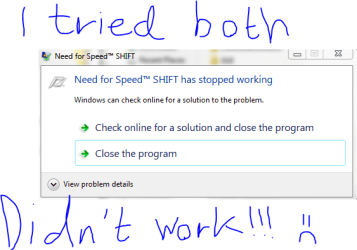
This is the solution:
Don't know if this will help but don't hurt to try. Edit your graphicsconfig ( goto C:\users\yourname\documents\NFS SHIFT\
I edit mine to this =
<xml version="1.0" ?>
<Reflection>
<class name="BRTTIRefCount" base="root class" />
<class name="BPersistent" base="BRTTIRefCount">
<prop name="Name" type="String" />
</class>
<class name="GraphicConfigData" base="BPersistent">
<prop name="Mode" type="Fct" />
<prop name="Vsync" type="Fct" />
<prop name="Windowed" type="Fct" />
<prop name="TextureFilter" type="Fct" />
<prop name="TextureResolution" type="Fct" />
<prop name="Brightness" type="Fct" />
<prop name="CarDetailLevel" type="Fct" />
<prop name="TrackDetailLevel" type="Fct" />
<prop name="ShadowDetailLevel" type="Fct" />
<prop name="MotionblurLevel" type="Fct" />
<prop name="EffectsDetailLevel" type="Fct" />
</class>
<data class="GraphicConfigData" id="0xBB11E0">
<prop name="Name" data="" />
<prop name="Mode" adapter="0" width="1024" height="768" antialias="8" refresh="75" />
<prop name="Vsync" vsync="0" />
<prop name="Windowed" windowed="0" />
<prop name="TextureFilter" texturefilter="0" />
<prop name="TextureResolution" textureresolution="0" />
<prop name="Brightness" brightness="10" />
<prop name="CarDetailLevel" cardetaillevel="0" />
<prop name="TrackDetailLevel" trackdetaillevel="0" />
<prop name="ShadowDetailLevel" shadowdetaillevel="0" />
<prop name="MotionblurLevel" motionblurLevel="0" />
<prop name="EffectsDetailLevel" effectsdetaillevel="2" />
</data>
</Reflection>
Also in game settings goto custem controler and set your keys up ( I use xbox360 pad ) and did not set the online player name key or gears.
Started the game and its working fine, you can change your settings higher when ever you like ( dont know if it will crash mine ) but the above got the game going for me.
Well hope it works for all or some like it has me, and good luck.
And I am using the onboard geforce 8200 in hybrid with 8400gs using nforce 15.26 drivers.
Source:
Got mine working at last - Need for Speed Technical Help - Need for Speed: EA Forums
As you see on the source site it has helped a lot of people, so it is worth a try

Also seems like the eye candy can be turned on again after this:
Quote: I have done this too , afterwards i have changed my ingame settings back to some more eyecandy and my game is still working.
Thanks for this tip , have been searching for awhile and was getting pretty frustrated.
Edit: Sorry about the missing <

It is edited now