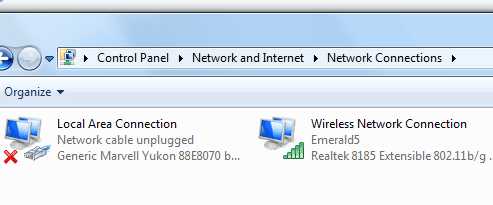
Hi, I'm needing help troubleshooting my internet connection. I was thinking there might be a troubleshooting tutorial in the archives here, but I didn't find what I was looking for.
I'm thinking I might have a virus. I am currently using C-cleaner, Super-Anti Spyware, Malwarebytes, Microsoft Security Essentials. I'm not sure what other programs I could use to help remove the virus, assuming it is a virus. The reason I suspect it's a virus is because I have had an intermittent connection. And I can't really condemn the router as my smart phone seems to work perfectly fine while browsing the internet in wifi mode.
This is a Win7 PC. The computer which is hooked directly to my modem is a Win8 PC. The Win 7 machine receives a signal via the router/modem. The modem & router is an all-in-one box which was provided by my ISP. The last time it was behaving this way I wiped the machine and reinstalled Windows. I'm trying to avoid doing that again if possible.
Thanks for your help,
Adam
I'm thinking I might have a virus. I am currently using C-cleaner, Super-Anti Spyware, Malwarebytes, Microsoft Security Essentials. I'm not sure what other programs I could use to help remove the virus, assuming it is a virus. The reason I suspect it's a virus is because I have had an intermittent connection. And I can't really condemn the router as my smart phone seems to work perfectly fine while browsing the internet in wifi mode.
This is a Win7 PC. The computer which is hooked directly to my modem is a Win8 PC. The Win 7 machine receives a signal via the router/modem. The modem & router is an all-in-one box which was provided by my ISP. The last time it was behaving this way I wiped the machine and reinstalled Windows. I'm trying to avoid doing that again if possible.
Thanks for your help,
Adam
My Computer
- Computer type
- PC/Desktop
- Computer Manufacturer/Model Number
- Acer Aspire m3202
- OS
- Windows 7 Home Premium 64 bit
- Antivirus
- not at the moment - just reinstalled


 )
)