Need Help!!!

makism

New member
Local time
9:54 AM
Messages
42
I really need some help, I have been searching up and down for a SCSI hard drive driver and have not been able to find anything. I have installed a new hard drive on an old Alienware laptop. Now there are two hard drives. The one hard drive has XP installed on it, while the new one I have been trying to install Windows 7 on. Both drives show up in the bios, and when xp is booted up. I am completely clueless as to where else to look for a scsi driver for a hard drive.
 

My Computer

Computer Manufacturer/Model Number
Dell
OS
Windows 7 Professional 32 bit
I really need some help, I have been searching up and down for a SCSI hard drive driver and have not been able to find anything. I have installed a new hard drive on an old Alienware laptop. Now there are two hard drives. The one hard drive has XP installed on it, while the new one I have been trying to install Windows 7 on. Both drives show up in the bios, and when xp is booted up. I am completely clueless as to where else to look for a scsi driver for a hard drive.
Hi makism, Are you sure you need a SCSI driver ? you may have a SATA HDD ,If the drive is showing in the bios then windows xp should recognise you have an additional hard drive installed, :confused:
 

My Computer

Computer type
PC/Desktop
Computer Manufacturer/Model Number
self build
OS
win 7 ultimate32bit, Win8.1pro wmc 32bit
CPU
amd phenom x4 9600
Motherboard
asus m2n32-sli deluxe
Memory
corsair twinxs 2x2gb
Graphics Card(s)
2x nvidia 1gb 8500gt
Sound Card
onboard
Monitor(s) Displays
23" PB Viseo 233d
Screen Resolution
1920x1080
Hard Drives
maxtor sata 500gb
maxtor sata 320gb
fujitsu sata200gb
PSU
oryxx tornado 750w
Case
thermaltake xaser lll
Cooling
artic freezer64 pro + 7 case fans
Double check what type of drive you have. Things to look for are SATA, IDE, SAS, SCSI, or USB.

You may need to load the drivers before it will work
Sent from my Droid Incredible
 

My Computer

OS
Windows 7 Ultimate x86
Motherboard
Asus P5N-D
Memory
8 Gig(4 x 2 Gig)
Graphics Card(s)
2 x GeForce 9500 GT (SLI)
Monitor(s) Displays
2 x 25" VGA, 1 37" DVI-D
Hard Drives
1x 5400 RPM 100 gig
4 x 5400 RPM 250 gig RAID 0+1
1 TB USB 3.0 external hard drive
500 gig external
I really need some help, I have been searching up and down for a SCSI hard drive driver and have not been able to find anything. I have installed a new hard drive on an old Alienware laptop. Now there are two hard drives. The one hard drive has XP installed on it, while the new one I have been trying to install Windows 7 on. Both drives show up in the bios, and when xp is booted up. I am completely clueless as to where else to look for a scsi driver for a hard drive.
There isn't normally a "driver" for a "hard drive". But there are drivers for the hardware controller to which the drive is connected.

If you really had a SCSI drive in your laptop, there may have been an onboard SCSI controller chip (perhaps Adaptec or some other manufacturer) and onboard SCSI connector to which the SCSI cable from that drive was actually connected. It's the onboard SCSI controller chip that needs the driver, not the SCSI drive itself.

If you can see that drive while in WinXP, you can provide us with the specific info we need to help you find where (or if) that manufacturer's Win7 drivers might (if you're lucky) be found. Normally Win7 has built-in support for most (or many) legacy devices (like your onboard SCSI controller chip) but maybe not. In that case, hopefully the manufacturer may now provide a Win7-usable/compatible driver (perhaps from Vista) that could work.

Anyway, while booted to your WinXP environment, right-click on My Computer, select Properties, Select the Hardware tab, then push the Device Manager button.

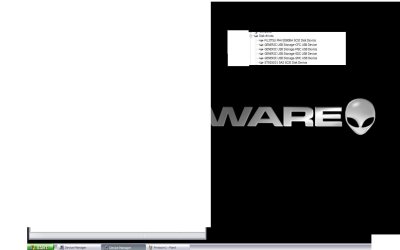
Next, expand your "disk drives" item and tell us exactly the complete description you see for that SCSI drive which you say cannot be seen by Win7 but which is supported by WinXP. It would be interesting for you to also provide what is shown for your second drive (though I realize it's not the problem). A screenshot of the expanded items would also be just as useful.

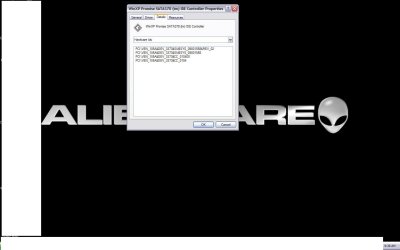
Then, select that SCSI disk drive, right-click on it, and select Properties. Then select the Details tab, and in the dropdown list (where Device Instance ID is probably shown by default) select the "Hardware IDs" item. Then, tell us exactly the items are that are shown for that disk drive. Again, either a list or a screenshot would provide the information needed.

Ok. Close these disk drive related windows all up, and while still in Device Manager now navigate down to what should be "SCSI and RAID controllers". Again, expand that item and tell us what you see there (again, screenshot would be fine).

Then, again, right-click on the SCSI controller you see, select Properties, select the Details tab, select the Hardware IDs item from the dropdown list, and once again tell us all the lines that you see there (again, screenshot would be fine).


Once you give us the working details in your working WinXP environment, we can maybe/hopefully help you in your Win7 environment for this SCSI controller/disk.

 

My Computer

Computer type
PC/Desktop
Computer Manufacturer/Model Number
Home-built, two systems (1) and (2)
OS
Windows 7 Pro x64 (1), Win7 Pro X64 (2)
CPU
i5-3350p 3.1Ghz/6MB-cache (1); E8400 3.0Ghz/6MB-cache (2)
Motherboard
ASUS P8Z77-V Pro (1); ASUS P5Q3 (2)
Memory
8GB PC3-12800 DDR3 (1); 4GB PC3-10600 DDR3 (2)
Graphics Card(s)
ATI HD7750 (1), (see TV cards); ATI R7 250 (2)
Sound Card
Realtek ALC892 HD Audio (1); Realtek ALC1200 HD Audio (2)
Monitor(s) Displays
Eizo HD2441W LCD, Eizo S2433W (1); Eizo 24" S2433W (2)
Screen Resolution
1920x1200, 1920x1200 (1); 1920x1200 (2)
Hard Drives
(1) 1TB SATA-II (7200RPM), 2x2TB SATA-III (7200RPM), 250GB SATA-III (10000RPM) for OS; 2x2TB external USB 3.0

(2) 320GB SATA-II (7200RPM), 750GB SATA-II (7200RPM), 150GB SATA-II (10000RPM) for OS; 2TB external USB 3.0
PSU
Nesteq ECS-6001 600W (1); Nesteq ECS-5001 500W (2)
Case
Acousti-Case 360 (1) and (2)
Cooling
Noctua NH-U12P SE2 for CPU, 2x120mm case fans (1) and (2)
Keyboard
IBM PS/2 (1) and (2)
Mouse
Logitech MX Revolution wireless (1); Microsoft wired (2)
Internet Speed
100mbps down / 10mbps up
Antivirus
Microsoft Security Essentials; Malwarebyte Anti-Malware Pro
Browser
Firefox
Other Info
Ceton InfiniTV 4-tuner cablecard-enabled TV card as well as Hauppauge HVR-2250 OTA/ATSC 2-tuner TV card in (1), running under Win7 WMC
Prntscrn2.JPG

Prntscrn3.JPG

Prntscrn4.JPG


I have attached 4 screenshots. I hope that these help everyone solve my problem.

Thanks!
prntscrn5.JPG
 

My Computer

Computer Manufacturer/Model Number
Dell
OS
Windows 7 Professional 32 bit
Hi makism , have a look at Dells website Dell Drivers and Downloads input your laptop model number and search the drivers there , if youwould be so kind and tell us the model number we may be able to find you a better driver :)
 

My Computer

Computer type
PC/Desktop
Computer Manufacturer/Model Number
self build
OS
win 7 ultimate32bit, Win8.1pro wmc 32bit
CPU
amd phenom x4 9600
Motherboard
asus m2n32-sli deluxe
Memory
corsair twinxs 2x2gb
Graphics Card(s)
2x nvidia 1gb 8500gt
Sound Card
onboard
Monitor(s) Displays
23" PB Viseo 233d
Screen Resolution
1920x1080
Hard Drives
maxtor sata 500gb
maxtor sata 320gb
fujitsu sata200gb
PSU
oryxx tornado 750w
Case
thermaltake xaser lll
Cooling
artic freezer64 pro + 7 case fans
I have attached 4 screenshots. I hope that these help everyone solve my problem.
Actually, there should probably be one more... for the Fujitsu MHV2080BH SCSI drive. That one's missing, although you showed TWO disk drives.

Are you implying that your Fujitsu drive is seen and understood by Win7, but that the ST925031-5AS drive is not? Is that the one you're missing?

This is kind of unexpected, as that Promise SATA378 controller is really where the drivers are crucial, if both hard drives are connected to that controller. I honestly wouldn't think there are ANY "drivers" for a hard drive, so you'd think BOTH drives would be supported under the controller. If one drive is supported, you'd think BOTH drives would be supported... since it seems the controller itself has to be supported if one of the drives is understood by Win7.

Also, it's interesting that WinXP thinks of them as SCSI drives though the controller's name suggests it's a SATA controller. But I may just not be familiar with this hardware combination.


Incidentally, if you could also provide a matching set of screenshots from the Win7 Device Manager (also requesting Hardware IDs, just as you did for WinXP) for the devices that ARE seen and supported in Win7, it would be very helpful.

Presumably there is one device (i.e. that second disk drive for which you opened this thread) that somehow is not supported, and which would be in the "other hardware" group with a yellow question mark on it that is NOT going to have complete information for it.


Again, you didn't answer how you got into this situation. Was this machine purchased from Dell with WinXP installed, and now you want to install Win7... and are missing the appropriate driver that way?

Have you called Dell for support? Have you checked the Dell site for drivers available for your machine? Do they support Win7 on that machine?

What is the actual Dell model?
 

My Computer

Computer type
PC/Desktop
Computer Manufacturer/Model Number
Home-built, two systems (1) and (2)
OS
Windows 7 Pro x64 (1), Win7 Pro X64 (2)
CPU
i5-3350p 3.1Ghz/6MB-cache (1); E8400 3.0Ghz/6MB-cache (2)
Motherboard
ASUS P8Z77-V Pro (1); ASUS P5Q3 (2)
Memory
8GB PC3-12800 DDR3 (1); 4GB PC3-10600 DDR3 (2)
Graphics Card(s)
ATI HD7750 (1), (see TV cards); ATI R7 250 (2)
Sound Card
Realtek ALC892 HD Audio (1); Realtek ALC1200 HD Audio (2)
Monitor(s) Displays
Eizo HD2441W LCD, Eizo S2433W (1); Eizo 24" S2433W (2)
Screen Resolution
1920x1200, 1920x1200 (1); 1920x1200 (2)
Hard Drives
(1) 1TB SATA-II (7200RPM), 2x2TB SATA-III (7200RPM), 250GB SATA-III (10000RPM) for OS; 2x2TB external USB 3.0

(2) 320GB SATA-II (7200RPM), 750GB SATA-II (7200RPM), 150GB SATA-II (10000RPM) for OS; 2TB external USB 3.0
PSU
Nesteq ECS-6001 600W (1); Nesteq ECS-5001 500W (2)
Case
Acousti-Case 360 (1) and (2)
Cooling
Noctua NH-U12P SE2 for CPU, 2x120mm case fans (1) and (2)
Keyboard
IBM PS/2 (1) and (2)
Mouse
Logitech MX Revolution wireless (1); Microsoft wired (2)
Internet Speed
100mbps down / 10mbps up
Antivirus
Microsoft Security Essentials; Malwarebyte Anti-Malware Pro
Browser
Firefox
Other Info
Ceton InfiniTV 4-tuner cablecard-enabled TV card as well as Hauppauge HVR-2250 OTA/ATSC 2-tuner TV card in (1), running under Win7 WMC
Maybe someone can elaborate on this more but even as far back as XP, the driver for SATA actually handles both SATA and SCSI devices. It either translates SCSI to SATA or the other way around depending on the drive/controller installed so that there is a single interface between the two upstream of the driver.

It is not uncommon to see disks labeled as "SCSI" when in fact they are SATA. But the bottom line is, the regular SATA driver for your laptops hard drive controller is all you need. If windows sees it, then your good to go...
 

My Computer

Computer Manufacturer/Model Number
Scratch built
OS
Windows 7 x64 Ultimate
CPU
i7 960
Motherboard
Asus P6X58D
Memory
12 Gig Corsair Dominator
Graphics Card(s)
Nvidia 480
Sound Card
Maudio Delta 44 + breakout box
Monitor(s) Displays
Dell UltraSharp U2410 24in and Samsung 21 dual monitors
Screen Resolution
1920x1200 and 1280x1024
Hard Drives
Primary: Intel X-25M G2 160G SSD
Secondary: Segate baracuda 1.0 TB
HDs in AHCI mode.
PSU
Corasair TX850
Case
Cooler Master HAF
Cooling
Corsair H50
Keyboard
Logitech G15 + N52 game pad
Mouse
Logitech MX518
Internet Speed
15kbs down 4.5kbps up
Other Info
WEI 7.6
CPU & RAM 7.6
Graphics 7.9
Hard disk 7.7
I've done a bit of research on this subject, and it appears that it is the Promise SATA378 controller which must be your problem.

That chip appears to only have drivers for WinXP, not for Vista or Win7.

So quite frankly, I'm surprised that either of your two drives is actually "supported".

Again, if you would post similar Device Manager "hardware ID's" screenshots from Win7, we could see exactly how far Win7 got in understanding this WinXP-vintage hardware (both SATA controller and hard drives).

It may simply be that all of the hardware on this machine is NOT supported by Win7. That happens, you know. You've indicated that it is 6-7 years old, and came with WinXP installed. That may be its limitation.
 

My Computer

Computer type
PC/Desktop
Computer Manufacturer/Model Number
Home-built, two systems (1) and (2)
OS
Windows 7 Pro x64 (1), Win7 Pro X64 (2)
CPU
i5-3350p 3.1Ghz/6MB-cache (1); E8400 3.0Ghz/6MB-cache (2)
Motherboard
ASUS P8Z77-V Pro (1); ASUS P5Q3 (2)
Memory
8GB PC3-12800 DDR3 (1); 4GB PC3-10600 DDR3 (2)
Graphics Card(s)
ATI HD7750 (1), (see TV cards); ATI R7 250 (2)
Sound Card
Realtek ALC892 HD Audio (1); Realtek ALC1200 HD Audio (2)
Monitor(s) Displays
Eizo HD2441W LCD, Eizo S2433W (1); Eizo 24" S2433W (2)
Screen Resolution
1920x1200, 1920x1200 (1); 1920x1200 (2)
Hard Drives
(1) 1TB SATA-II (7200RPM), 2x2TB SATA-III (7200RPM), 250GB SATA-III (10000RPM) for OS; 2x2TB external USB 3.0

(2) 320GB SATA-II (7200RPM), 750GB SATA-II (7200RPM), 150GB SATA-II (10000RPM) for OS; 2TB external USB 3.0
PSU
Nesteq ECS-6001 600W (1); Nesteq ECS-5001 500W (2)
Case
Acousti-Case 360 (1) and (2)
Cooling
Noctua NH-U12P SE2 for CPU, 2x120mm case fans (1) and (2)
Keyboard
IBM PS/2 (1) and (2)
Mouse
Logitech MX Revolution wireless (1); Microsoft wired (2)
Internet Speed
100mbps down / 10mbps up
Antivirus
Microsoft Security Essentials; Malwarebyte Anti-Malware Pro
Browser
Firefox
Other Info
Ceton InfiniTV 4-tuner cablecard-enabled TV card as well as Hauppauge HVR-2250 OTA/ATSC 2-tuner TV card in (1), running under Win7 WMC
Thankyou everyone for your comments. I'm sorry to say this but I cannot post anything from windows 7 because windows 7 will not install. The furthest I can get is to the screen that asks you where to put your install. dsperber I do like what you had to say about how the machine is not supported by Windows 7. Yes, the machine is 6-7 years old and I do believe that it came with Windows XP installed on it.
 

My Computer

Computer Manufacturer/Model Number
Dell
OS
Windows 7 Professional 32 bit
Another thing is that both drives show up in the bios but when I go to install Windows 7 its as if both of the drives disappear. Could it be that this machine doesn't support Windows 7 whatsoever or another issue? I am getting confused and am getting ready to throw this machine at the wall.
 

My Computer

Computer Manufacturer/Model Number
Dell
OS
Windows 7 Professional 32 bit
How large is the hard drive BTW?

If it is over 2 gig for sure and possibly if it is 2 gig, it may be the new ATA format that older disk controllers can't read no matter WHAT driver you use... Though some drives have a jumper to use the old formatting, you may lose some or a lot of disk space using that mode...
 

My Computer

Computer Manufacturer/Model Number
Scratch built
OS
Windows 7 x64 Ultimate
CPU
i7 960
Motherboard
Asus P6X58D
Memory
12 Gig Corsair Dominator
Graphics Card(s)
Nvidia 480
Sound Card
Maudio Delta 44 + breakout box
Monitor(s) Displays
Dell UltraSharp U2410 24in and Samsung 21 dual monitors
Screen Resolution
1920x1200 and 1280x1024
Hard Drives
Primary: Intel X-25M G2 160G SSD
Secondary: Segate baracuda 1.0 TB
HDs in AHCI mode.
PSU
Corasair TX850
Case
Cooler Master HAF
Cooling
Corsair H50
Keyboard
Logitech G15 + N52 game pad
Mouse
Logitech MX518
Internet Speed
15kbs down 4.5kbps up
Other Info
WEI 7.6
CPU & RAM 7.6
Graphics 7.9
Hard disk 7.7
BTW?
 

My Computer

Computer Manufacturer/Model Number
Dell
OS
Windows 7 Professional 32 bit
"By The Way" :)
 

My Computer

Computer Manufacturer/Model Number
Scratch built
OS
Windows 7 x64 Ultimate
CPU
i7 960
Motherboard
Asus P6X58D
Memory
12 Gig Corsair Dominator
Graphics Card(s)
Nvidia 480
Sound Card
Maudio Delta 44 + breakout box
Monitor(s) Displays
Dell UltraSharp U2410 24in and Samsung 21 dual monitors
Screen Resolution
1920x1200 and 1280x1024
Hard Drives
Primary: Intel X-25M G2 160G SSD
Secondary: Segate baracuda 1.0 TB
HDs in AHCI mode.
PSU
Corasair TX850
Case
Cooler Master HAF
Cooling
Corsair H50
Keyboard
Logitech G15 + N52 game pad
Mouse
Logitech MX518
Internet Speed
15kbs down 4.5kbps up
Other Info
WEI 7.6
CPU & RAM 7.6
Graphics 7.9
Hard disk 7.7
LOL....HAHAHA....Wow, I feel dumb...
 

My Computer

Computer Manufacturer/Model Number
Dell
OS
Windows 7 Professional 32 bit
The hard drive that I'm trying to install Windows 7 is a 250 gig.
 

My Computer

Computer Manufacturer/Model Number
Dell
OS
Windows 7 Professional 32 bit
Hi makism , have a look at Dells website Dell Drivers and Downloads input your laptop model number and search the drivers there , if youwould be so kind and tell us the model number we may be able to find you a better driver :)

Download the drivers for Promise 378 controller (drivers are for XP) from pebbly link above.
 

My Computer

OS
ME/XP/Vista/Win7
I will try that. Thanks for the help.
 

My Computer

Computer Manufacturer/Model Number
Dell
OS
Windows 7 Professional 32 bit
Back
Top