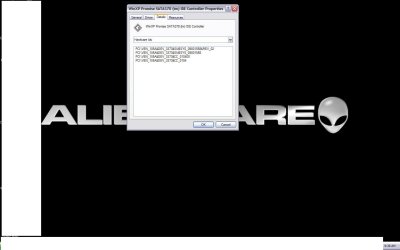
I really need some help, I have been searching up and down for a SCSI hard drive driver and have not been able to find anything. I have installed a new hard drive on an old Alienware laptop. Now there are two hard drives. The one hard drive has XP installed on it, while the new one I have been trying to install Windows 7 on. Both drives show up in the bios, and when xp is booted up. I am completely clueless as to where else to look for a scsi driver for a hard drive.
There isn't normally a "driver" for a "hard drive". But there are drivers for the hardware controller to which the drive is connected.
If you really had a SCSI drive in your laptop, there may have been an onboard SCSI controller chip (perhaps Adaptec or some other manufacturer) and onboard SCSI connector to which the SCSI cable from that drive was actually connected. It's the onboard SCSI controller chip that needs the driver, not the SCSI drive itself.
If you can see that drive while in WinXP, you can provide us with the specific info we need to help you find where (or if) that manufacturer's Win7 drivers might (if you're lucky) be found. Normally Win7 has built-in support for most (or many) legacy devices (like your onboard SCSI controller chip) but maybe not. In that case, hopefully the manufacturer may now provide a Win7-usable/compatible driver (perhaps from Vista) that could work.
Anyway, while booted to your WinXP environment, right-click on My Computer, select Properties, Select the Hardware tab, then push the Device Manager button.
Next, expand your "disk drives" item and tell us exactly the complete description you see for that SCSI drive which you say cannot be seen by Win7 but which is supported by WinXP. It would be interesting for you to also provide what is shown for your second drive (though I realize it's not the problem). A screenshot of the expanded items would also be just as useful.
Then, select that SCSI disk drive, right-click on it, and select Properties. Then select the Details tab, and in the dropdown list (where Device Instance ID is probably shown by default) select the "Hardware IDs" item. Then, tell us exactly the items are that are shown for that disk drive. Again, either a list or a screenshot would provide the information needed.
Ok. Close these disk drive related windows all up, and while still in Device Manager now navigate down to what should be "SCSI and RAID controllers". Again, expand that item and tell us what you see there (again, screenshot would be fine).
Then, again, right-click on the SCSI controller you see, select Properties, select the Details tab, select the Hardware IDs item from the dropdown list, and once again tell us all the lines that you see there (again, screenshot would be fine).
Once you give us the working details in your working WinXP environment, we can maybe/hopefully help you in your Win7 environment for this SCSI controller/disk.