Nero 9

aln688

New member
Local time
11:08 PM
Messages
95
Location
Norway
Is Nero 9 compatible with Windows 7? When I install it, it uncompresses its files then I get a box asking what I want to install, but the box on the left with the components is empty.

Thanks.
 

My Computer

OS
Windows 7 Ultimate x64
CPU
Intel Core i7 920 D0 @ 4.0 GHz
Motherboard
Asus Rampage II Gene
Memory
Corsair XMS3 1600 MHz 6 x 2GB (12GB)
Graphics Card(s)
VisionTek ATI Radeon HD 4870 X2
Sound Card
Creative X-Fi XtremeGamer
Monitor(s) Displays
Eizo Nanao S2100 21"
Screen Resolution
1600 x 1200
Hard Drives
Western Digital VelociRaptor 150GB
Western Digital Cavier 500GB
PSU
Seasonic M12D 850 watt
Case
Antec Mini P180
Cooling
2 x Sanyo Denki 9G1212H101, 1 x Sanyo Denki 9G1212
Keyboard
Logitech Illuminated Keyboard
Mouse
Logitech MX-610
mine works. did you completely remove any previous version of nero before running 9? and i don't just mean uninstalling it. i mean deleting all entries in the registry. be prepared for a long haul tho as nero leaves a lot of crap in there when it's uninstalled.
 

My Computer

Computer Manufacturer/Model Number
tw33k
OS
Windows 7 Ultimate (x64) SP1
CPU
Intel 3770k 4.6GHz
Motherboard
ASUS Maximus V Formula
Memory
8GB (2x 4GB) Crucial Ballistix
Graphics Card(s)
Sapphire 7950 (1060/1600)
Sound Card
On Board Realtek HD Audio
Monitor(s) Displays
27" Acer B273HU (via HDMI)
Screen Resolution
2048 x 1152
Hard Drives
Crucial M4 128GB
2TB WD Black
1TB Samsung F3 SATA
1TB WD Elite External
2TB WD USB 3.0
PSU
Corsair AX750 Gold
Case
Corsair Obsidian 800DW
Cooling
Corsair H100 (2x AP-121/2x UK-3000 push/pull)
Keyboard
Microsoft Wireless 5000
Mouse
Microsoft Wireless 5000
Internet Speed
5mb/s
Other Info
Logitech z-2300 2.1 speakers
Lamptron FC-5 v2
Nero is 1 of the finest examples of software that leaves excessive amounts of registry entries even after uninstallation. Awesome software without a doubt just that 1 major drawback.

Works fine for me under 7100 & 7127 :)
 

My Computer

Computer Manufacturer/Model Number
Compaq Desktop
OS
Windows 7 Ultimate x64
CPU
AMD Sempron Dual Core
Memory
3GB
Graphics Card(s)
NVIDIA GeForce 6150SE nForce 430
Screen Resolution
1024x768
Hard Drives
150GB Sata
yeah me too. it's a shame it's become such bloat ware. i don't install half it (things like sound trax, recode etc) but as burning software it's def. my favorite.
 

My Computer

Computer Manufacturer/Model Number
tw33k
OS
Windows 7 Ultimate (x64) SP1
CPU
Intel 3770k 4.6GHz
Motherboard
ASUS Maximus V Formula
Memory
8GB (2x 4GB) Crucial Ballistix
Graphics Card(s)
Sapphire 7950 (1060/1600)
Sound Card
On Board Realtek HD Audio
Monitor(s) Displays
27" Acer B273HU (via HDMI)
Screen Resolution
2048 x 1152
Hard Drives
Crucial M4 128GB
2TB WD Black
1TB Samsung F3 SATA
1TB WD Elite External
2TB WD USB 3.0
PSU
Corsair AX750 Gold
Case
Corsair Obsidian 800DW
Cooling
Corsair H100 (2x AP-121/2x UK-3000 push/pull)
Keyboard
Microsoft Wireless 5000
Mouse
Microsoft Wireless 5000
Internet Speed
5mb/s
Other Info
Logitech z-2300 2.1 speakers
Lamptron FC-5 v2
mine works. did you completely remove any previous version of nero before running 9? and i don't just mean uninstalling it. i mean deleting all entries in the registry. be prepared for a long haul tho as nero leaves a lot of crap in there when it's uninstalled.

Well I never had Nero installed to begin with, I always do a fresh install of Windows by formatting the C: drive. When I run the installer I get a blank list of components I'm supposed to customize.

Yes, Nero has become serious bloatware in recent years. Each new version of the trial I download, it's larger and larger. At last count I see the Nero 9 trial is around 400MB. That's why I'm trying to make do with InfraRecorder, free and native 64-bit. I'm still curious why Nero doesn't install though.

I'll try wiping the disk clean again and trying once more. The main point is it's supposed to install and work as per the posts here. Thanks.
 

My Computer

OS
Windows 7 Ultimate x64
CPU
Intel Core i7 920 D0 @ 4.0 GHz
Motherboard
Asus Rampage II Gene
Memory
Corsair XMS3 1600 MHz 6 x 2GB (12GB)
Graphics Card(s)
VisionTek ATI Radeon HD 4870 X2
Sound Card
Creative X-Fi XtremeGamer
Monitor(s) Displays
Eizo Nanao S2100 21"
Screen Resolution
1600 x 1200
Hard Drives
Western Digital VelociRaptor 150GB
Western Digital Cavier 500GB
PSU
Seasonic M12D 850 watt
Case
Antec Mini P180
Cooling
2 x Sanyo Denki 9G1212H101, 1 x Sanyo Denki 9G1212
Keyboard
Logitech Illuminated Keyboard
Mouse
Logitech MX-610
Some hints...use the Nero removal tool first. You will find the latest version on their website.

Before installing the new software disable system restore as Nero 9 has a problem in that it will create a restore point for every single component that is installed...in my case it was 22 restore points.
That will also speed up the process immensely.
Also use the custom install choice because InCD should not be installed as it clashes with Vista/Windows 7 own built-in software.
 

My Computer

Computer type
PC/Desktop
Computer Manufacturer/Model Number
Alienware® ALX X58
OS
Win 7 Ult SP1/Win 10 Pro (all x64)
CPU
Intel® Core™ i7-975 Extreme O/C to 4.02 GHz, 8MB Cache
Motherboard
Asus® P6T Deluxe V2 X58 LGA1366
Memory
24GB Corsair Vengeance DDR3 SDRAM at 1600MHz - 6 x 4096MB
Graphics Card(s)
1792 MB NVIDIA® GeForce® GTX 295 Dual Core
Sound Card
Onboard Soundmax® High-Definition 7.1 Performance Audio
Monitor(s) Displays
Samsung XL2370 LED backlit 23" W/S 2ms response time
Screen Resolution
1920 X 1080
Hard Drives
2 x 500gb SATA II
1 x 1TB SATA II
1 external eSATA LaCie 3TB
(Non-RAID)
PSU
Alienware® 1200 Watt Multi-GPU
Case
Alienware® P2 ALX Chassis with AlienIce™ 3.0 Video Cooling
Cooling
Alienware® High-Perf. Liquid Cooling + Acoustic Dampening
Keyboard
Microsoft® Wireless Entertainment 8000 + Logitech® G15 Wired
Mouse
Microsoft® Wireless Laser 8000 + Logitech® G9 Wired
Internet Speed
1Gb/s
Antivirus
McAfee LiveSafe
Browser
Firefox - latest
Other Info
Using non-RAID on purpose as I find RAID to be too temperamental.
Now set to AHCI
Some hints...use the Nero removal tool first. You will find the latest version on their website.

Before installing the new software disable system restore as Nero 9 has a problem in that it will create a restore point for every single component that is installed...in my case it was 22 restore points.
That will also speed up the process immensely.
Also use the custom install choice because InCD should not be installed as it clashes with Vista/Windows 7 own built-in software.

good advice. i think you should always choose the custom install option for all software you load. i like to know what's being loaded and where it's being loaded to
 

My Computer

Computer Manufacturer/Model Number
tw33k
OS
Windows 7 Ultimate (x64) SP1
CPU
Intel 3770k 4.6GHz
Motherboard
ASUS Maximus V Formula
Memory
8GB (2x 4GB) Crucial Ballistix
Graphics Card(s)
Sapphire 7950 (1060/1600)
Sound Card
On Board Realtek HD Audio
Monitor(s) Displays
27" Acer B273HU (via HDMI)
Screen Resolution
2048 x 1152
Hard Drives
Crucial M4 128GB
2TB WD Black
1TB Samsung F3 SATA
1TB WD Elite External
2TB WD USB 3.0
PSU
Corsair AX750 Gold
Case
Corsair Obsidian 800DW
Cooling
Corsair H100 (2x AP-121/2x UK-3000 push/pull)
Keyboard
Microsoft Wireless 5000
Mouse
Microsoft Wireless 5000
Internet Speed
5mb/s
Other Info
Logitech z-2300 2.1 speakers
Lamptron FC-5 v2
Mine works, better than it did in Vista strangely enough. To get the full use of ControlCenter you'll have to go to its installation folder and right-click and for all users, run as admin.
 

My Computer

Computer type
PC/Desktop
Computer Manufacturer/Model Number
Alienware® ALX X58
OS
Win 7 Ult SP1/Win 10 Pro (all x64)
CPU
Intel® Core™ i7-975 Extreme O/C to 4.02 GHz, 8MB Cache
Motherboard
Asus® P6T Deluxe V2 X58 LGA1366
Memory
24GB Corsair Vengeance DDR3 SDRAM at 1600MHz - 6 x 4096MB
Graphics Card(s)
1792 MB NVIDIA® GeForce® GTX 295 Dual Core
Sound Card
Onboard Soundmax® High-Definition 7.1 Performance Audio
Monitor(s) Displays
Samsung XL2370 LED backlit 23" W/S 2ms response time
Screen Resolution
1920 X 1080
Hard Drives
2 x 500gb SATA II
1 x 1TB SATA II
1 external eSATA LaCie 3TB
(Non-RAID)
PSU
Alienware® 1200 Watt Multi-GPU
Case
Alienware® P2 ALX Chassis with AlienIce™ 3.0 Video Cooling
Cooling
Alienware® High-Perf. Liquid Cooling + Acoustic Dampening
Keyboard
Microsoft® Wireless Entertainment 8000 + Logitech® G15 Wired
Mouse
Microsoft® Wireless Laser 8000 + Logitech® G9 Wired
Internet Speed
1Gb/s
Antivirus
McAfee LiveSafe
Browser
Firefox - latest
Other Info
Using non-RAID on purpose as I find RAID to be too temperamental.
Now set to AHCI
Some hints...use the Nero removal tool first. You will find the latest version on their website.

Before installing the new software disable system restore as Nero 9 has a problem in that it will create a restore point for every single component that is installed...in my case it was 22 restore points.
That will also speed up the process immensely.
Also use the custom install choice because InCD should not be installed as it clashes with Vista/Windows 7 own built-in software.

Have just done a full install of Nero 9 with system restore disabled. I'm amazed, it took only 20Mins from start of 'Installing'. It normally takes newrly an hour :p

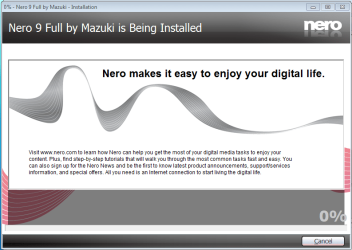
Installation started: Copyiing files @ 10:02
Nero Install (1002).PNG

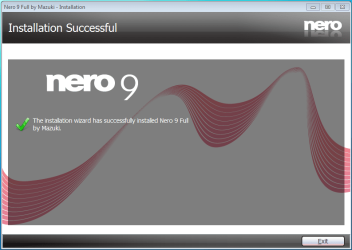
Finished @ 10:24
Nero Install (1024).PNG
 

My Computer

Computer Manufacturer/Model Number
Compaq Desktop
OS
Windows 7 Ultimate x64
CPU
AMD Sempron Dual Core
Memory
3GB
Graphics Card(s)
NVIDIA GeForce 6150SE nForce 430
Screen Resolution
1024x768
Hard Drives
150GB Sata
Makes quite a difference doesn't it?
 

My Computer

Computer type
PC/Desktop
Computer Manufacturer/Model Number
Alienware® ALX X58
OS
Win 7 Ult SP1/Win 10 Pro (all x64)
CPU
Intel® Core™ i7-975 Extreme O/C to 4.02 GHz, 8MB Cache
Motherboard
Asus® P6T Deluxe V2 X58 LGA1366
Memory
24GB Corsair Vengeance DDR3 SDRAM at 1600MHz - 6 x 4096MB
Graphics Card(s)
1792 MB NVIDIA® GeForce® GTX 295 Dual Core
Sound Card
Onboard Soundmax® High-Definition 7.1 Performance Audio
Monitor(s) Displays
Samsung XL2370 LED backlit 23" W/S 2ms response time
Screen Resolution
1920 X 1080
Hard Drives
2 x 500gb SATA II
1 x 1TB SATA II
1 external eSATA LaCie 3TB
(Non-RAID)
PSU
Alienware® 1200 Watt Multi-GPU
Case
Alienware® P2 ALX Chassis with AlienIce™ 3.0 Video Cooling
Cooling
Alienware® High-Perf. Liquid Cooling + Acoustic Dampening
Keyboard
Microsoft® Wireless Entertainment 8000 + Logitech® G15 Wired
Mouse
Microsoft® Wireless Laser 8000 + Logitech® G9 Wired
Internet Speed
1Gb/s
Antivirus
McAfee LiveSafe
Browser
Firefox - latest
Other Info
Using non-RAID on purpose as I find RAID to be too temperamental.
Now set to AHCI
Certainly does, i'd never have thought of that :p

All the times i've installed Nero 9 & never looked (or had to) at the restore points LOL
 

My Computer

Computer Manufacturer/Model Number
Compaq Desktop
OS
Windows 7 Ultimate x64
CPU
AMD Sempron Dual Core
Memory
3GB
Graphics Card(s)
NVIDIA GeForce 6150SE nForce 430
Screen Resolution
1024x768
Hard Drives
150GB Sata
I spotted that helpful hint on the Nero Forums. It's been reported that Nero 9 has created between 40 and 70 restore points when installing, absurd, and obviously added considerably to the time taken. Now that was the previous build of 9, maybe they've corrected it but I was just stating what I did in case anyone had problems.

Makes no difference anyway as you can always use their removal tool to get rid of remnants of necessary, should you wish to remove it.
 

My Computer

Computer type
PC/Desktop
Computer Manufacturer/Model Number
Alienware® ALX X58
OS
Win 7 Ult SP1/Win 10 Pro (all x64)
CPU
Intel® Core™ i7-975 Extreme O/C to 4.02 GHz, 8MB Cache
Motherboard
Asus® P6T Deluxe V2 X58 LGA1366
Memory
24GB Corsair Vengeance DDR3 SDRAM at 1600MHz - 6 x 4096MB
Graphics Card(s)
1792 MB NVIDIA® GeForce® GTX 295 Dual Core
Sound Card
Onboard Soundmax® High-Definition 7.1 Performance Audio
Monitor(s) Displays
Samsung XL2370 LED backlit 23" W/S 2ms response time
Screen Resolution
1920 X 1080
Hard Drives
2 x 500gb SATA II
1 x 1TB SATA II
1 external eSATA LaCie 3TB
(Non-RAID)
PSU
Alienware® 1200 Watt Multi-GPU
Case
Alienware® P2 ALX Chassis with AlienIce™ 3.0 Video Cooling
Cooling
Alienware® High-Perf. Liquid Cooling + Acoustic Dampening
Keyboard
Microsoft® Wireless Entertainment 8000 + Logitech® G15 Wired
Mouse
Microsoft® Wireless Laser 8000 + Logitech® G9 Wired
Internet Speed
1Gb/s
Antivirus
McAfee LiveSafe
Browser
Firefox - latest
Other Info
Using non-RAID on purpose as I find RAID to be too temperamental.
Now set to AHCI
yeah, i've had no problems installing nero 9. i do a custom install tho. i leave out photo snap, recode and the rest of what i consider unnecessary bloat ware.
 

My Computer

Computer Manufacturer/Model Number
tw33k
OS
Windows 7 Ultimate (x64) SP1
CPU
Intel 3770k 4.6GHz
Motherboard
ASUS Maximus V Formula
Memory
8GB (2x 4GB) Crucial Ballistix
Graphics Card(s)
Sapphire 7950 (1060/1600)
Sound Card
On Board Realtek HD Audio
Monitor(s) Displays
27" Acer B273HU (via HDMI)
Screen Resolution
2048 x 1152
Hard Drives
Crucial M4 128GB
2TB WD Black
1TB Samsung F3 SATA
1TB WD Elite External
2TB WD USB 3.0
PSU
Corsair AX750 Gold
Case
Corsair Obsidian 800DW
Cooling
Corsair H100 (2x AP-121/2x UK-3000 push/pull)
Keyboard
Microsoft Wireless 5000
Mouse
Microsoft Wireless 5000
Internet Speed
5mb/s
Other Info
Logitech z-2300 2.1 speakers
Lamptron FC-5 v2
Back
Top