

Hi I'm using the last version of IE for Win7. Some days ago I mistakenly downloaded some file in my Motorola Android Phone which caused my phone started creating new tabs in chrome whenever I click on any link/picture or even any where on the page in the phone. I guess it's some kind of Malware.
Any ways yesterday I plugged my phone with my PC through USB cable and wanted to use my Cellular Internet by doing USB Tethering as my Broadband was down for some reason. Now the problem has been spread in my windows too and IE is opening new tabs every now and then like for instance I search something on Google and click on the link the IE creates a new tab and it shows some label on the tab so quick (fast-ads) or something like that. Happens on every site even while I was just going to make this thread a new tab was opened along!
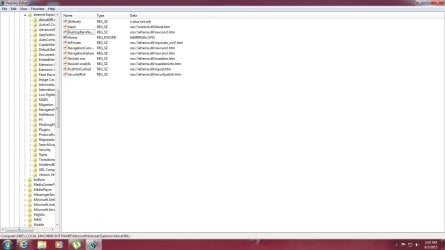
I looked for a solution around the web but couldn't find some solid solution to the problem and I simply just don't want to put my self into any hassle by installing various Anti-Virum/Malware softwares and looking forward that someone could identify the files I found in the "Regedit" and can verify that if they are safe to modify or delete as I read on different sites that it's related to entries in Regedit. I've attached 3 screenshots below...
- 1st Screenshot is from my "regedit" under "HKLM/ Software / Microsoft / Internet Explorer /About URLs"
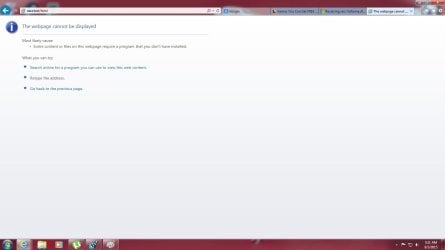
- 2nd Screenshot shows the opened Tab
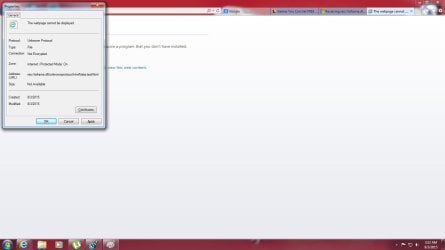
- 3rd Screenshot shows the properties of the Tab
Please help me out and guide me that how can I get rid of that and about the phone i'll just erase and reset it.
Any ways yesterday I plugged my phone with my PC through USB cable and wanted to use my Cellular Internet by doing USB Tethering as my Broadband was down for some reason. Now the problem has been spread in my windows too and IE is opening new tabs every now and then like for instance I search something on Google and click on the link the IE creates a new tab and it shows some label on the tab so quick (fast-ads) or something like that. Happens on every site even while I was just going to make this thread a new tab was opened along!
I looked for a solution around the web but couldn't find some solid solution to the problem and I simply just don't want to put my self into any hassle by installing various Anti-Virum/Malware softwares and looking forward that someone could identify the files I found in the "Regedit" and can verify that if they are safe to modify or delete as I read on different sites that it's related to entries in Regedit. I've attached 3 screenshots below...
- 1st Screenshot is from my "regedit" under "HKLM/ Software / Microsoft / Internet Explorer /About URLs"
- 2nd Screenshot shows the opened Tab
- 3rd Screenshot shows the properties of the Tab
Please help me out and guide me that how can I get rid of that and about the phone i'll just erase and reset it.
Attachments
My Computer
- Computer type
- PC/Desktop
- Computer Manufacturer/Model Number
- Self Built
- OS
- Windows 10 Pro
- CPU
- Core i5 9600K
- Motherboard
- ASUS ROG Strix Z390-F Gaming
- Memory
- Corsair Vengeance Pro 2x 8GB (16GB) 3200MHz DDR4
- Graphics Card(s)
- MSI GTX 1070 Gaming X 8GB
- Sound Card
- ASRock A-Style Purity Sound
- Monitor(s) Displays
- ASUS VX239H IPS
- Screen Resolution
- 1920x1080
- Hard Drives
- XPG SPECTRIX S40G 2566GB M.2 NVMe | Patriot P210 512GB SSD | Seagate BarraCuda 4TB 5400RPM
- PSU
- Thermaltake Smart 600w RGB 80Plus
- Case
- NZXT H500 with 3x Corsair HD120 RGB w/Node Pro
- Cooling
- Cryorig H7
- Keyboard
- Corsair K70 RapidFire RGB (Cherry MX Speed)
- Mouse
- Logitech G402 Hyperion Fury
- Internet Speed
- 20MB Cable Broadband
- Browser
- Chrome
- Other Info
- Corsair MM300 Extended Anti-Fray Mouse Pad | Edifier C2 2.1ch Sound System | XBOX One S Controller | XBOX 360 Wireless Controller for Windows | APC SUA1000i Smart-UPS | PS4 Slim 500GB [Region 1 - USA]


