Solved No bootable device detected on startup

mav52

New member
Local time
8:51 PM
Messages
6
Newbie here. I noticed another thread with the similar title but my problem is a little different.

My PC will not boot or restart unless I tell it during loading (pushing F12) which hard drive to load to,, if I don't tell it which one I get a message saving windows doesn't recognize a boot to device. Once I F12, click and click on the correct HHD, the pc boots and windows starts and everything is find until, I log off and turnoff my machine or a windows update requires a restart, then I start over. A local hard drive C was replaced by a tech at a store dec 2014.
 

My Computer

Computer type
PC/Desktop
Computer Manufacturer/Model Number
Dell
OS
Win 7 Home Premium 64 bit
CPU
Intel i7 920 @2.67Ghz
Memory
12.0 GB
Graphics Card(s)
NVIDIA GeForce GTX 660
Hard Drives
0, 1 are 1TB each

External drives 1TB Black Armor
Antivirus
Norton 360
Browser
Firefox, Chrome
You may want to check the mobo battery as it sounds like it's dead and not holding your bios settings?
Another thought is are you saving the changes to the boot order then leaving the bios?
 

My Computer

Computer type
PC/Desktop
Computer Manufacturer/Model Number
A blend of brains, brawn and dumb luck.
OS
Windows 7 Ultimate 64
CPU
i7 3770k OC'd 4.6 @ 1.17v, also FX 8120 & i5 miniITX
Motherboard
MSI P67A-GD80 b3
Memory
32 gb G.Skill Sniper DDR3 10-12-12-31 @ 2133
Graphics Card(s)
XFX Radeon 7870 2GB DDR5
Sound Card
Sound Blaster Z Series Card
Monitor(s) Displays
(2) LG LED 23" 1920 x 1080 2ms Monitors via mini d-port
Screen Resolution
1680 X 1050 p
Hard Drives
Samsung 256 gb 830 SSD sata III
(1) 1 tb WD Black
(2) 1 tb Hitachi deskmates/sata II
(2) 1 tb WD green/sata II
(2) 3 tb Seagate Barracuda
(1) 120 gb OCZ Vertex SS
(1) Drobo 5N w/5 Seagate 3tb
PSU
EVGA modular 1000G2 80% gold rating & APC 1200 RS
Case
CoolerMaster Storm Styker
Cooling
7 case fans 140mm & 120mm, NZXT Kraken X60
Keyboard
(2) Logitech Illuminated Keyboards (1) usb (1) wireless
Mouse
Logitech G700 & T-BC21 - nano nx for the laptop
Internet Speed
Basic 120mbps down
Antivirus
Trend Micro Titanium Max Security & Malwarebytes Premium
Browser
Chrome and IE 10
Other Info
5 Noctua case fans + 3 Noctua in p/p on NZXT cooler
Integrated hot swap drive bays for 2.5" Drives
(2) Lite-on dvd/cd/Blu Ray optical 22X
Integrated fan controller and led on/off
HP Officejet Pro 8630 all-n-one
Hot-swappable 3.5" hard drive bay
Netgear Nighthawk router
Asus USB 3 & sata 6 PCIe card
Vantec IDE to sata adptr./Ultra sata adptr
Lenovo L420 i5 lappy with m sata
Drobo 5N advanced NAS
You may want to check the mobo battery as it sounds like it's dead and not holding your bios settings?
Another thought is are you saving the changes to the boot order then leaving the bios?

Thank you for the ideas. Never thought about the battery before. On the saving the boot order, I will have to recheck that. So I will log off, and restart my PC and check.
 

My Computer

Computer type
PC/Desktop
Computer Manufacturer/Model Number
Dell
OS
Win 7 Home Premium 64 bit
CPU
Intel i7 920 @2.67Ghz
Memory
12.0 GB
Graphics Card(s)
NVIDIA GeForce GTX 660
Hard Drives
0, 1 are 1TB each

External drives 1TB Black Armor
Antivirus
Norton 360
Browser
Firefox, Chrome
I did check the Boot Setting Configuration - > Hard Disk Boot Priority.
It notes :
1. HDD P0 - WDC-WD10EZE
2. HDD P1 - St1000DM003

When I click in F12 during the boot up attempt it notes the same selections.

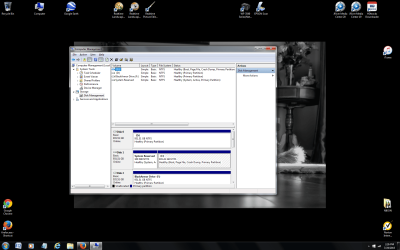
I've included an attachment of the Computer Storage Managerment assignements
 

Attachments

  • Untitled.png
    Untitled.png
    152.3 KB · Views: 4

My Computer

Computer type
PC/Desktop
Computer Manufacturer/Model Number
Dell
OS
Win 7 Home Premium 64 bit
CPU
Intel i7 920 @2.67Ghz
Memory
12.0 GB
Graphics Card(s)
NVIDIA GeForce GTX 660
Hard Drives
0, 1 are 1TB each

External drives 1TB Black Armor
Antivirus
Norton 360
Browser
Firefox, Chrome
That's the HDD Boot Priority but what is the exact order of boot devices? It should be a separate menu.
 

My Computer

Computer type
PC/Desktop
Computer Manufacturer/Model Number
Custom Build
OS
Windows 7 Ultimate x64 SP1
CPU
AMD Phenom 2 1090T
Motherboard
Gigabyte GA-890FXA-UD5
Memory
2x8GB Kingston HyperX Fury Black 1600Mhz Unganged
Graphics Card(s)
MSI GTX 970 Gaming 4G
Sound Card
Realtek On-Board HD 7.1 Audio / Logitech G35
Monitor(s) Displays
3xAcer GD245HQ
Screen Resolution
1920x1080
Hard Drives
Samsung 850 Pro 512GB SSD - OS /
WD Caviar Black SATA 3 - 1 TBx2 - Dynamic RAID 0 /
WD Caviar Green SATA 2 - 640GBx2 - Dynamic RAID 0 /
WD Caviar Green SATA 2 - 640GB - Internal Backup /
Seagate Barracude SATA 3 - 3TB - External Backup/ Sync
PSU
HighPower 1000W
Case
Cooler Master HAF 932
Cooling
Noctua NH-D14
Keyboard
Logitech G19
Mouse
Logitech G500
Internet Speed
100/4 Mbit Cable (100GB quota)
Antivirus
ZoneAlarm Extreme Security / MBAM Pro / MBAE Free / SAS Free
Browser
IE 11 - Firefox - Chrome
Other Info
Logitech F710/ G27/ G940/ Z5500 // TrackIR 5 // Nvidia 3D Surround Vision
That's the HDD Boot Priority but what is the exact order of boot devices? It should be a separate menu.

Can you direct me to where to look.
 

My Computer

Computer type
PC/Desktop
Computer Manufacturer/Model Number
Dell
OS
Win 7 Home Premium 64 bit
CPU
Intel i7 920 @2.67Ghz
Memory
12.0 GB
Graphics Card(s)
NVIDIA GeForce GTX 660
Hard Drives
0, 1 are 1TB each

External drives 1TB Black Armor
Antivirus
Norton 360
Browser
Firefox, Chrome
It depends on the BIOS, but should be under the same main menu.
 

My Computer

Computer type
PC/Desktop
Computer Manufacturer/Model Number
Custom Build
OS
Windows 7 Ultimate x64 SP1
CPU
AMD Phenom 2 1090T
Motherboard
Gigabyte GA-890FXA-UD5
Memory
2x8GB Kingston HyperX Fury Black 1600Mhz Unganged
Graphics Card(s)
MSI GTX 970 Gaming 4G
Sound Card
Realtek On-Board HD 7.1 Audio / Logitech G35
Monitor(s) Displays
3xAcer GD245HQ
Screen Resolution
1920x1080
Hard Drives
Samsung 850 Pro 512GB SSD - OS /
WD Caviar Black SATA 3 - 1 TBx2 - Dynamic RAID 0 /
WD Caviar Green SATA 2 - 640GBx2 - Dynamic RAID 0 /
WD Caviar Green SATA 2 - 640GB - Internal Backup /
Seagate Barracude SATA 3 - 3TB - External Backup/ Sync
PSU
HighPower 1000W
Case
Cooler Master HAF 932
Cooling
Noctua NH-D14
Keyboard
Logitech G19
Mouse
Logitech G500
Internet Speed
100/4 Mbit Cable (100GB quota)
Antivirus
ZoneAlarm Extreme Security / MBAM Pro / MBAE Free / SAS Free
Browser
IE 11 - Firefox - Chrome
Other Info
Logitech F710/ G27/ G940/ Z5500 // TrackIR 5 // Nvidia 3D Surround Vision
Please try getting into your bios which is slightly different on each system. Googling Dell Bios should give you the F key or Delete key to tap while booting. In the bios you have limited keys to push normally the arrows, enter then you can save changes and exit or just exit without changes. It's a very good idea to just have a look around and don't change things but visit and learn how to move around and see what the default settings are and then exit without changes. Get back into bios a couple of times and when you're familiar with moving around go visit the boot drives available and boot order sections and learn how to change and restore the boot devices and boot order. Normally you want your optical/DVD first then your OS/C drive second in order, from there other drives you can include or not to your whim....then you always save and exit with these new changes with F10 key and your off to the boot races. Don't over play around in the bios till you are very comfortable with what your doing and if you have questions we can help !
 

My Computer

Computer type
PC/Desktop
Computer Manufacturer/Model Number
A blend of brains, brawn and dumb luck.
OS
Windows 7 Ultimate 64
CPU
i7 3770k OC'd 4.6 @ 1.17v, also FX 8120 & i5 miniITX
Motherboard
MSI P67A-GD80 b3
Memory
32 gb G.Skill Sniper DDR3 10-12-12-31 @ 2133
Graphics Card(s)
XFX Radeon 7870 2GB DDR5
Sound Card
Sound Blaster Z Series Card
Monitor(s) Displays
(2) LG LED 23" 1920 x 1080 2ms Monitors via mini d-port
Screen Resolution
1680 X 1050 p
Hard Drives
Samsung 256 gb 830 SSD sata III
(1) 1 tb WD Black
(2) 1 tb Hitachi deskmates/sata II
(2) 1 tb WD green/sata II
(2) 3 tb Seagate Barracuda
(1) 120 gb OCZ Vertex SS
(1) Drobo 5N w/5 Seagate 3tb
PSU
EVGA modular 1000G2 80% gold rating & APC 1200 RS
Case
CoolerMaster Storm Styker
Cooling
7 case fans 140mm & 120mm, NZXT Kraken X60
Keyboard
(2) Logitech Illuminated Keyboards (1) usb (1) wireless
Mouse
Logitech G700 & T-BC21 - nano nx for the laptop
Internet Speed
Basic 120mbps down
Antivirus
Trend Micro Titanium Max Security & Malwarebytes Premium
Browser
Chrome and IE 10
Other Info
5 Noctua case fans + 3 Noctua in p/p on NZXT cooler
Integrated hot swap drive bays for 2.5" Drives
(2) Lite-on dvd/cd/Blu Ray optical 22X
Integrated fan controller and led on/off
HP Officejet Pro 8630 all-n-one
Hot-swappable 3.5" hard drive bay
Netgear Nighthawk router
Asus USB 3 & sata 6 PCIe card
Vantec IDE to sata adptr./Ultra sata adptr
Lenovo L420 i5 lappy with m sata
Drobo 5N advanced NAS
I have a Gateway, and when I first started messing around in Bios, it never worked. Then I realized that I was not paying close enough attention to the instructions, such as :Press F10 to save and exit; etc. you have to do exactly as it says or the changes won't be saved. Of course, your rig will be different, but pay close attention to everything!
 

My Computer

Computer type
PC/Desktop
Computer Manufacturer/Model Number
Gateway GT5656
OS
Windows 7 x64 SP1
CPU
AMD Athlon 64 X2 6000+ / 3.0 GHz
Motherboard
NVIDIA GeForce 6150 SE
Memory
6 GB
Monitor(s) Displays
Lenovo LED
Screen Resolution
1920 X 1080
Hard Drives
Windows on 500 GB spinner; Ubuntu 16 on Sandisk 250GB SSD; Bodhi5 on Samsung 250GB SSD; another old spinner for fooling around.
PSU
Original that came with computer
Keyboard
Logitech wireless
Mouse
Logitech wireless
Antivirus
Microsoft Sec Essentials
Browser
Vivaldi
I did check the Boot Setting Configuration - > Hard Disk Boot Priority.
It notes :
1. HDD P0 - WDC-WD10EZE
2. HDD P1 - St1000DM003

The Disk Mgmt configuration is correct. Likely wrong HD set first to boot.

Which is the OS hard drive, the Seagate or Western Digital?

That drive should be first in hard drive priority list above.

Then the Hard Drive should be first in BIOS Boot Priority order normally under the Boot tab.
 
I did check the Boot Setting Configuration - > Hard Disk Boot Priority.
It notes :
1. HDD P0 - WDC-WD10EZE
2. HDD P1 - St1000DM003

The Disk Mgmt configuration is correct. Likely wrong HD set first to boot.

Which is the OS hard drive, the Seagate or Western Digital?

That drive should be first in hard drive priority list above.

Then the Hard Drive should be first in BIOS Boot Priority order normally under the Boot tab.


Checking ,
 

My Computer

Computer type
PC/Desktop
Computer Manufacturer/Model Number
Dell
OS
Win 7 Home Premium 64 bit
CPU
Intel i7 920 @2.67Ghz
Memory
12.0 GB
Graphics Card(s)
NVIDIA GeForce GTX 660
Hard Drives
0, 1 are 1TB each

External drives 1TB Black Armor
Antivirus
Norton 360
Browser
Firefox, Chrome
I did check the Boot Setting Configuration - > Hard Disk Boot Priority.
It notes :
1. HDD P0 - WDC-WD10EZE
2. HDD P1 - St1000DM003

The Disk Mgmt configuration is correct. Likely wrong HD set first to boot.

Which is the OS hard drive, the Seagate or Western Digital?

That drive should be first in hard drive priority list above.

Then the Hard Drive should be first in BIOS Boot Priority order normally under the Boot tab.


If you look back up to my attachment of the Disk Management area, its noted
Disk 0 = D
Disk 1 = C

In my disk manager is notes this;
in Location 0 Channel 1 is the ST
in location 0 channel 0 is the WDC
 

My Computer

Computer type
PC/Desktop
Computer Manufacturer/Model Number
Dell
OS
Win 7 Home Premium 64 bit
CPU
Intel i7 920 @2.67Ghz
Memory
12.0 GB
Graphics Card(s)
NVIDIA GeForce GTX 660
Hard Drives
0, 1 are 1TB each

External drives 1TB Black Armor
Antivirus
Norton 360
Browser
Firefox, Chrome
If you're confirming that the OS drive is Seagate St1000DM003, then the Hard Disk Boot Priority you posted above is incorrect since the Seagate needs to be set first priority so that it will boot the OS. Try changing that now, also checking on BIOS Boot tab that Hard Drive is set first to boot, save changes, reboot to see what happens. If it doesn't boot the OS go back into BIOS to make sure Seagate is still set first priority hard drive, hard drive is in fact set first device to boot, and confirm by another method which is the OS hard drive.
 
Back
Top