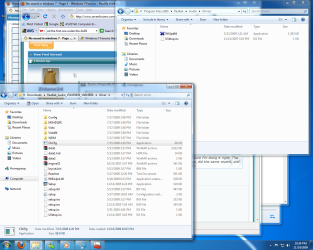
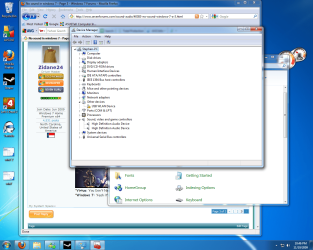
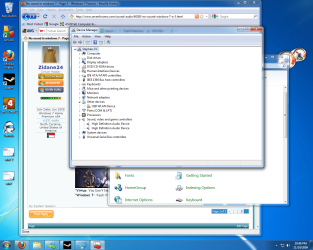
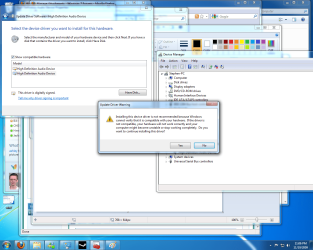
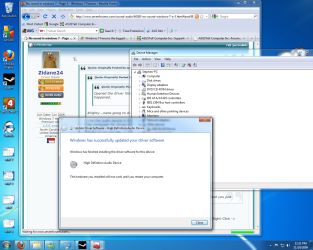
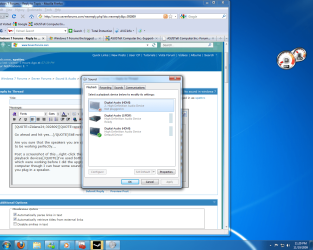
Can you tell me what is in that Driver folder?...Yes I did, same thing. I've done all that I can think of. I'll start posting some screenshots, maybe I'm just being really dumb and doing the wrong thing, but I'm pretty sure I'm doing it right. The window on the bottom left is the folder I downloaded, I ran AsusSetup, did the same wizard, and installed the same folder that does nothing. (The one in the top right).Well this is funny, it does the exact same installation as the previous ones you sent me (Realtek), and it does the same thing. Creates the folder, but nothing installed. I downloaded the 2 ones under AUDIO, extracted them, and ran them both. Same thing. Do I need to make sure I get all of them done?
No you only need the first one under the AUDIO tab in the link...this is bizarre:shock:
Did you run the installer as an Administrator?
http://www.sevenforums.com/tutorials/11841-run-administrator.html
My Computer
At a glance
Windows 7 Home Premium x64 - Mac OS X 10.6.4 x64Intel Core 2 Duo T9300 2.5 GHz4GB Kingston DDR2-800NVIDIA Geforce 8600M GT (512MB Model)
- Computer Manufacturer/Model Number
- Compal JFT02 (Custom Build Laptop)
- OS
- Windows 7 Home Premium x64 - Mac OS X 10.6.4 x64
- CPU
- Intel Core 2 Duo T9300 2.5 GHz
- Motherboard
- JFT02
- Memory
- 4GB Kingston DDR2-800
- Graphics Card(s)
- NVIDIA Geforce 8600M GT (512MB Model)
- Sound Card
- Realtek HD Audio
- Monitor(s) Displays
- WUXGA Standard Laptop Display
- Screen Resolution
- 1680*1050
- Hard Drives
- Toshiba 320GB 5400RPM Laptop HD
- PSU
- Standard Laptop Power Supply
- Case
- Standard Laptop Case
- Cooling
- Standard Laptop Cooling
- Keyboard
- Standard Laptop 105 Key-Keyboard
- Mouse
- Synaptics Touchpad
- Internet Speed
- Verizion Online DSL 3360/864 kbs (dl/up)