Not BSOD but freezing

davet111

New member
Local time
3:49 AM
Messages
24
Hey guys,
My computer isn't BSOD, but it's freezing completely and I can leave it for 24 hours and it doesn't ever reset or bluescreen.
The screen just locks up and I have to hard reset.

I've ran MemTest86 for 24 hours, Prime95 for 24 hours, and Furmark for 15 minutes.
All of these ran successfully.
I've updated windows. I've made sure all my drivers are up to date.
I just reformatted within the last couple months (I was suffereing from another problem which may be related here )

But every once and a while (sometimes a couple times a day, some times once a week) my computer will completely freeze.

There are no weird events in windows event viewer.

I'm looking for other tests I can do, or other places I can look that will tell me what's going on.

Here's my diagnostic tool files
 

Attachments

My Computer

Computer type
PC/Desktop
Computer Manufacturer/Model Number
Custom Build
OS
Windows 7 64 Bit
CPU
Intel i7-3770k
Motherboard
Gigabyte GA-Z77x-UD3h
Memory
Mushkin Enhanced Blackline (2 x 8GB) DDR3 1600
Graphics Card(s)
Sapphire Radeon 7870
Hard Drives
Plexor M3M 128 mSATA III
Antivirus
McAfee
Browser
Chrome
Hello davet111 :) .
Your PC actually did bug check although not recently (23rd of Aug - 2nd of Oct) I feel it's still relevant.
There are eleven bug checks nine of them are 0x3B with a pointing finger on your GPU,
drivers and CCC.exe (Catalyst Control Center). The most recent of the bunch is a 0x116 TDR
which puts your graphics in the spot light although most likely, it's not always only that (could be RAM / motherboard/ PSU as well).
The oldest on is all McAfee along with network drivers. McAfee is no longer installed but the old drivers are still present.
Code:
lmvm RTL8192su
start             end                 module name
fffff880`05e39000 fffff880`05efc000   RTL8192su   (deferred)             
    Image path: \SystemRoot\system32\DRIVERS\RTL8192su.sys
    Image name: RTL8192su.sys
    Timestamp:        [U][COLOR=Red]Wed Sep 29 09:01:40 2010[/COLOR][/U] (4CA2D644)
    CheckSum:         000ABC4B
    ImageSize:        000C3000
    Translations:     0000.04b0 0000.04e4 0409.04b0 0409.04e4

6: kd> lmvm jnprna6
start             end                 module name
fffff880`0440b000 fffff880`04494000   jnprna6    (deferred)             
    Image path: \SystemRoot\system32\DRIVERS\jnprna6.sys
    Image name: jnprna6.sys
    Timestamp:        [COLOR=Red][U]Mon Aug 27 22:01:16 2012[/U][/COLOR] (503BC3FC)
    CheckSum:         0008B495
    ImageSize:        00089000
    Translations:     0000.04b0 0000.04e4 0409.04b0 0409.04e4

:ar: Update your D-Link DWA-131 Wireless N Nano USB Adapter driver:

Description | Version | Update | File Size | Download
Utility and Driver Auto Installation Program (v1.00.0187) | v1086.48.0809.2011 | 2012/4/19 | 29121k | Choose a server


:ar: What do you use Juniper Network Agent for?

:ar: Install 13.9 without CCC:

  1. Download the latest 13.9 driver for your GPU.
  2. Uninstall Catalyst Control Center using the built in Add/Remove Programs. :orb: Start → type appwiz.cpl and hit the Enter key.
  3. Then follow through with a pass of Driver Sweeper.
   Note
Install the display driver only! | Do not install the Catalyst Control Center software.


:ar: Test for thermals and stability:

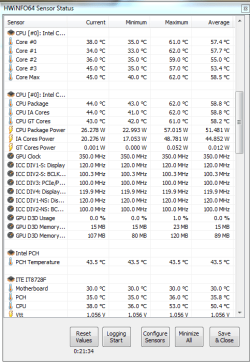
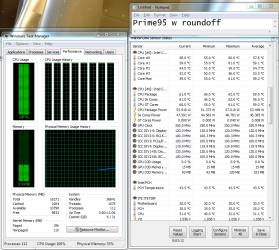
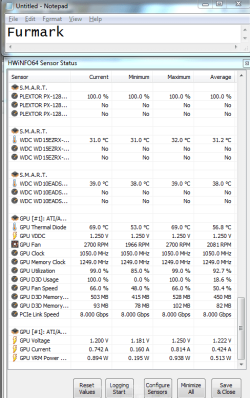
  • Download HWinfo and post a Screenshot of the sensors window, one at idle and another while putting load on the PC using Prime95 for the CPU side and Furmark for the GPU.
    • Before running Prime95 make sure to enable Round-off checking (see 1st post under the tutorial).

Let us know the results :) .
 

My Computer

Computer type
PC/Desktop
OS
Windows 10
CPU
Intel Core i5 3570K
Motherboard
Asus P8Z77V-PRO
Memory
16GB 1600Mhz G.Skill
Graphics Card(s)
Gigabyte GTX 970 G1-Gaming
PSU
Seasonic 1000W Platinum
Case
Fractal Design Define R4
Cooling
Noctua NH-D14
:ar: Update your D-Link DWA-131 Wireless N Nano USB Adapter driver:
Updated.

:ar: What do you use Juniper Network Agent for?
I use it to remote into my work's network

:ar: Install 13.9 without CCC:
Installed


:ar: Test for thermals and stability:

Let me know if you need anymore for screenshots. From what I can tell these temperatures are very reasonable.
 

Attachments

  • prime95.PNG
    prime95.PNG
    59.8 KB · Views: 0
  • furmark.png
    furmark.png
    26.1 KB · Views: 0
  • Idle.PNG
    Idle.PNG
    18.1 KB · Views: 60

My Computer

Computer type
PC/Desktop
Computer Manufacturer/Model Number
Custom Build
OS
Windows 7 64 Bit
CPU
Intel i7-3770k
Motherboard
Gigabyte GA-Z77x-UD3h
Memory
Mushkin Enhanced Blackline (2 x 8GB) DDR3 1600
Graphics Card(s)
Sapphire Radeon 7870
Hard Drives
Plexor M3M 128 mSATA III
Antivirus
McAfee
Browser
Chrome
Thanks for the update :) .
I find it odd that the idle temperatures are higher than the ones with Prime95 running, are the fans spin at all while idle? Overall the temperatures are reasonable yes.

Try the system out for a couple of days (or next freeze) and keep us posted.
If it does continue to freeze physically remove your GPU from the system and try it in that configuration.
 

My Computer

Computer type
PC/Desktop
OS
Windows 10
CPU
Intel Core i5 3570K
Motherboard
Asus P8Z77V-PRO
Memory
16GB 1600Mhz G.Skill
Graphics Card(s)
Gigabyte GTX 970 G1-Gaming
PSU
Seasonic 1000W Platinum
Case
Fractal Design Define R4
Cooling
Noctua NH-D14
Wow, great catch. Apparently I was already running Prime95 in the background when I took taht idle screenshot. I updated with an actual idle capture now. Sorry for that!
 

My Computer

Computer type
PC/Desktop
Computer Manufacturer/Model Number
Custom Build
OS
Windows 7 64 Bit
CPU
Intel i7-3770k
Motherboard
Gigabyte GA-Z77x-UD3h
Memory
Mushkin Enhanced Blackline (2 x 8GB) DDR3 1600
Graphics Card(s)
Sapphire Radeon 7870
Hard Drives
Plexor M3M 128 mSATA III
Antivirus
McAfee
Browser
Chrome
Don't worry about it :geek:.
Keep us updated.
 

My Computer

Computer type
PC/Desktop
OS
Windows 10
CPU
Intel Core i5 3570K
Motherboard
Asus P8Z77V-PRO
Memory
16GB 1600Mhz G.Skill
Graphics Card(s)
Gigabyte GTX 970 G1-Gaming
PSU
Seasonic 1000W Platinum
Case
Fractal Design Define R4
Cooling
Noctua NH-D14
A little information.
When you close Prime 95 it doesn't stop working.
You have to go to the top bar and select (Test) and their will be a option to stop the test.
 

My Computer

Computer type
PC/Desktop
Computer Manufacturer/Model Number
Home made Desktop
OS
Windows 10 Pro. 64/ version 1709 Windows 7 Pro/64
CPU
Intel i7-6800K @ 4.3
Motherboard
ASUS X-99 Deluxe II
Memory
Corsair Platinum 16 gig @2400
Graphics Card(s)
EVGA GTX 1070 OC
Monitor(s) Displays
Asus 27" LED LCD/VE278Q
Screen Resolution
1920-1080 or 1280-720 HDMI
Hard Drives
INTEL SSD 730-240 Gb Sata 3.0/
PSU
EVGA Platium 1200W
Case
Phanteks Luxe Tempered Glass 8 fans/ one radiator
Cooling
XSPC/ Water Cooled CPU
Keyboard
Das 4 Professional
Mouse
Logitech M705/MX Anywhere 2-S
Internet Speed
100 mbits
Antivirus
Microsoft Security Essentials/ Malwarebytes Premium 3.0/ SAS
Browser
I.E. 11 default/Firefox/ ISP Time Warner Cable/Spectrum
Other Info
LG BluRay Burner/
Sound system-KLipsch-THX/
Icy Dock ssd Hot Swap bays.
Hey!
No problems for a while, then it froze again last night, then BSOD today. Looks like it might be something wrong with the video card.
Here's the SF_diagnostics
 

Attachments

My Computer

Computer type
PC/Desktop
Computer Manufacturer/Model Number
Custom Build
OS
Windows 7 64 Bit
CPU
Intel i7-3770k
Motherboard
Gigabyte GA-Z77x-UD3h
Memory
Mushkin Enhanced Blackline (2 x 8GB) DDR3 1600
Graphics Card(s)
Sapphire Radeon 7870
Hard Drives
Plexor M3M 128 mSATA III
Antivirus
McAfee
Browser
Chrome
Sorry that I took long to reply, I somehow missed it :zip:!!!

The latest bug check is a TDR again, may I ask where did you get your BIOS version from?
Code:
BiosVersion = [COLOR=Red][U]F20c[/U][/COLOR]
BiosReleaseDate = 09/18/2013
On Gigabyte's website, the latest is:
Code:
[COLOR=Red][U]F19e[/U][/COLOR]    3.62 MB    2012/11/21
and it's Beta. Please look at the bottom left corner of the motherboard, look for "Rev x.x" where x.x are numbers, what are they?


What is the make, model and age of your PSU?
Fill out this form and post back the result:


:ar: Testing the RAM:

Test and Diagnose RAM Issues with Memtest86+:

   Tip

  • :info: Pay close attention to part 3 of the tutorial "If you have errors"
  • :tip: Test the RAM with Memtest86+ for at least 7-10 passes. It may take up to 22 passes to find problems. Make sure to run it once after the system has been on for a few hours and is warm, and then also run it again when the system has been off for a few hours and is cold.
When done with the testing procedure take a picture and upload it here.

:ar: This will help you to determine where the issue is origination from (if any):
First run it with all the existing/installed RAM modules. If it comes with no error, all is good.

But if it starts showing errors, Stop testing. Errors/red lines means one or more RAM is faulty. But the fault may occur due to a faulty DIMM slot, too, which is a motherboard component. Using memtest86+, you can discriminate between a faulty RAM and a faulty motherboard.

How? Say you have two RAM sticks and two DIMM slots. You obtained errors at the test with all RAM sticks installed. Now, remove all the sticks but one. Test it in all the available slots, one by one. Continue the same procedure for all the available sticks.
How to make the inference that is it a RAM issue or it is a motherboard issue? Suppose you have got the result like that:
test|Slot1|Slot2
RAM1| Error | Error
RAM2|Good|Good
It is a RAM, a bad RAM.

But if you have got a result like that:
test|Slot1|Slot2
RAM1| Error |Good
RAM2| Error |Good
It is a motherboard issue. The particular slot is bad.

Post back with the results :).
 

My Computer

Computer type
PC/Desktop
OS
Windows 10
CPU
Intel Core i5 3570K
Motherboard
Asus P8Z77V-PRO
Memory
16GB 1600Mhz G.Skill
Graphics Card(s)
Gigabyte GTX 970 G1-Gaming
PSU
Seasonic 1000W Platinum
Case
Fractal Design Define R4
Cooling
Noctua NH-D14
Hey there, thanks for all the help so far.
Firmware:
I'm not exactly sure what BIOS version I was using originally, but I was still having problems then. Then I first upgraded to F18 (stable) and was still having problems, then went to F19e (Beta) and still had problems. The BIOS version had no impact on the crashing/freezing as far as I can tell.
PowerSupply:
Here is my power supply. I'm pretty sure it provides plenty of power.
Rosewill HIVE Series HIVE-650 650W Continuous @40°C, 80 PLUS BRONZE Certified, Modular Design, Single +12V Rail, ATX12V v2.31/EPS12V v2.92, SLI Ready, CrossFire Ready, Active-PFC Power Supply - Newegg.com

Here are the results of the link you sent:
Minimum PSU Wattage: 268 Watts
Recommended Wattage: 318 Watts

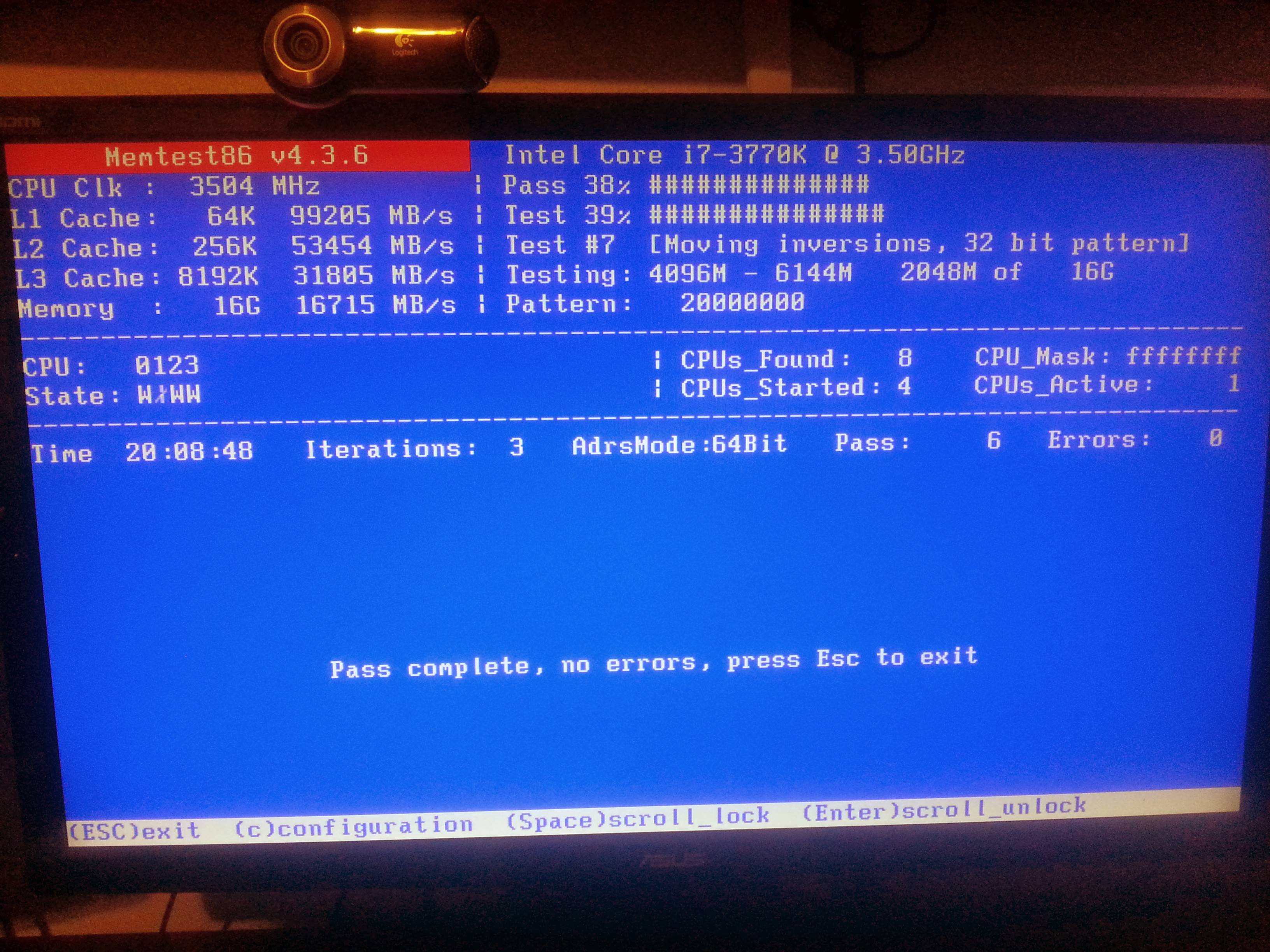
As I said before, I ran Mem86+ but only for 2 cycles.
I ran it again for 6. here is the screenshot.
eN3dXe0.jpg


I still haven't ran it with the video card removed. Would you like me to do that, or do you have other tests I can perform?
 

My Computer

Computer type
PC/Desktop
Computer Manufacturer/Model Number
Custom Build
OS
Windows 7 64 Bit
CPU
Intel i7-3770k
Motherboard
Gigabyte GA-Z77x-UD3h
Memory
Mushkin Enhanced Blackline (2 x 8GB) DDR3 1600
Graphics Card(s)
Sapphire Radeon 7870
Hard Drives
Plexor M3M 128 mSATA III
Antivirus
McAfee
Browser
Chrome
Thanks for the added information :) .

I still haven't ran it with the video card removed. Would you like me to do that

Yes please try the system in that configuration that way we can perhaps eliminate the prime suspect ;).
 

My Computer

Computer type
PC/Desktop
OS
Windows 10
CPU
Intel Core i5 3570K
Motherboard
Asus P8Z77V-PRO
Memory
16GB 1600Mhz G.Skill
Graphics Card(s)
Gigabyte GTX 970 G1-Gaming
PSU
Seasonic 1000W Platinum
Case
Fractal Design Define R4
Cooling
Noctua NH-D14
Ok. I can do that. Lets say that the computer doesn't crash once the video card is removed, should we assume it's a hardware problem with the video card and an RMA would fix the issue?

One other thing to note, is that I'm using both the onboard integrated video of the MOBO and the video card (2 monitors on the video card, one on the mobo)

Do you think that the switching back and forth could be causing issues?

Next, one thing that I've noticed when the computer "freezes" is that the USB devices go down, in that the LED's no longer light up on many of the devices. This is what led me to attempting to update the BIOS -- because others experiencing USB problems stated that updating the BIOS fixed their USB problems, albeit, they had different problems than me.
 

My Computer

Computer type
PC/Desktop
Computer Manufacturer/Model Number
Custom Build
OS
Windows 7 64 Bit
CPU
Intel i7-3770k
Motherboard
Gigabyte GA-Z77x-UD3h
Memory
Mushkin Enhanced Blackline (2 x 8GB) DDR3 1600
Graphics Card(s)
Sapphire Radeon 7870
Hard Drives
Plexor M3M 128 mSATA III
Antivirus
McAfee
Browser
Chrome
Ok. I can do that. Lets say that the computer doesn't crash once the video card is removed, should we assume it's a hardware problem with the video card and an RMA would fix the issue?
There could be other factors in play such as the motherboard slot,
we need to eliminate them one at a time.
How's it been?
One other thing to note, is that I'm using both the onboard integrated video of the MOBO and the video card (2 monitors on the video card, one on the mobo)

Do you think that the switching back and forth could be causing issues?
It's a possibility, although less likely.

Next, one thing that I've noticed when the computer "freezes" is that the USB devices go down, in that the LED's no longer light up on many of the devices. This is what led me to attempting to update the BIOS -- because others experiencing USB problems stated that updating the BIOS fixed their USB problems, albeit, they had different problems than me.
This is a behavior that usually starting to happen when a mother is reaching the end of it's life
and/or a short of some kind had taken place.

Did something changed, hardware-wise before these issues started?
An extra mother standoffs is a very common cause.
 

My Computer

Computer type
PC/Desktop
OS
Windows 10
CPU
Intel Core i5 3570K
Motherboard
Asus P8Z77V-PRO
Memory
16GB 1600Mhz G.Skill
Graphics Card(s)
Gigabyte GTX 970 G1-Gaming
PSU
Seasonic 1000W Platinum
Case
Fractal Design Define R4
Cooling
Noctua NH-D14
How's it been?
So far no crashes. It's been up for probably 3 days. It's certainly gone longer in between crashes before, so I can't be certain of anything yet.
Did something changed, hardware-wise before these issues started?
An extra mother standoffs is a very common cause.
No, these issues have been plaguing me since I built the PC about 6 months ago. I've just been living with it because they are ALL new components, so I don't really know where to start looking and since I can't reproduce it reliably, it just takes forever to troubleshoot. It's been very frustrating, to say the least.
 

My Computer

Computer type
PC/Desktop
Computer Manufacturer/Model Number
Custom Build
OS
Windows 7 64 Bit
CPU
Intel i7-3770k
Motherboard
Gigabyte GA-Z77x-UD3h
Memory
Mushkin Enhanced Blackline (2 x 8GB) DDR3 1600
Graphics Card(s)
Sapphire Radeon 7870
Hard Drives
Plexor M3M 128 mSATA III
Antivirus
McAfee
Browser
Chrome
Are you positive you didn't bend and pins (CPU/socket) and that you didn't install an extra standoff?
 

My Computer

Computer type
PC/Desktop
OS
Windows 10
CPU
Intel Core i5 3570K
Motherboard
Asus P8Z77V-PRO
Memory
16GB 1600Mhz G.Skill
Graphics Card(s)
Gigabyte GTX 970 G1-Gaming
PSU
Seasonic 1000W Platinum
Case
Fractal Design Define R4
Cooling
Noctua NH-D14
Not positive, but this is like my 4th build, and I had a friend with me who's done 10ish... So we had plenty of experience in the room.
When I was building it, I made sure not to install any extra standoffs (It's bitten me before) and I was very careful with the cpu. Obviously the only way to be 100% sure is to take it apart, which I can do.

I just checked the standoffs from the reverse side of the case, and every space there is a standoff installed, there is a screw on the other side associated with it.
 

My Computer

Computer type
PC/Desktop
Computer Manufacturer/Model Number
Custom Build
OS
Windows 7 64 Bit
CPU
Intel i7-3770k
Motherboard
Gigabyte GA-Z77x-UD3h
Memory
Mushkin Enhanced Blackline (2 x 8GB) DDR3 1600
Graphics Card(s)
Sapphire Radeon 7870
Hard Drives
Plexor M3M 128 mSATA III
Antivirus
McAfee
Browser
Chrome
I just checked the standoffs from the reverse side of the case, and every space there is a standoff installed, there is a screw on the other side associated with it.

I take it there are extra then?
 

My Computer

Computer type
PC/Desktop
OS
Windows 10
CPU
Intel Core i5 3570K
Motherboard
Asus P8Z77V-PRO
Memory
16GB 1600Mhz G.Skill
Graphics Card(s)
Gigabyte GTX 970 G1-Gaming
PSU
Seasonic 1000W Platinum
Case
Fractal Design Define R4
Cooling
Noctua NH-D14
I probably didn't describe that well enough.
Every standoff has a screw in it. There are empty standoff holes.

From the back side there are 9 stand off's populating the holes, on the front, there are 9 screws. ( I think 9, I'm at work right now)
 

My Computer

Computer type
PC/Desktop
Computer Manufacturer/Model Number
Custom Build
OS
Windows 7 64 Bit
CPU
Intel i7-3770k
Motherboard
Gigabyte GA-Z77x-UD3h
Memory
Mushkin Enhanced Blackline (2 x 8GB) DDR3 1600
Graphics Card(s)
Sapphire Radeon 7870
Hard Drives
Plexor M3M 128 mSATA III
Antivirus
McAfee
Browser
Chrome
Ohh OK thanks for clearing that up :).

Did you remove the GPU from the equation?
 

My Computer

Computer type
PC/Desktop
OS
Windows 10
CPU
Intel Core i5 3570K
Motherboard
Asus P8Z77V-PRO
Memory
16GB 1600Mhz G.Skill
Graphics Card(s)
Gigabyte GTX 970 G1-Gaming
PSU
Seasonic 1000W Platinum
Case
Fractal Design Define R4
Cooling
Noctua NH-D14
Yeah, the GPU is has been removed and the system has been up for 4 days with no crashing so far.
 

My Computer

Computer type
PC/Desktop
Computer Manufacturer/Model Number
Custom Build
OS
Windows 7 64 Bit
CPU
Intel i7-3770k
Motherboard
Gigabyte GA-Z77x-UD3h
Memory
Mushkin Enhanced Blackline (2 x 8GB) DDR3 1600
Graphics Card(s)
Sapphire Radeon 7870
Hard Drives
Plexor M3M 128 mSATA III
Antivirus
McAfee
Browser
Chrome
Back
Top