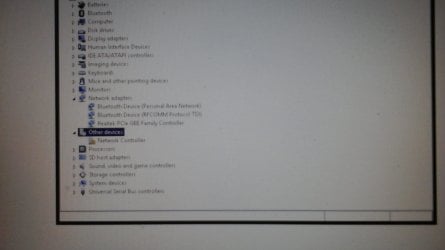
So basically today I waked up see my laptop's Internet saying no connections are available. So I went and reset the router still
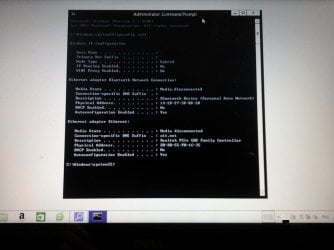
no network show. Then I go to my phone the internet is working fine on there so is other devices in my house. So I look up fix's for it it said to uninstall the wireless adapter in msconfig I think then click scan for hardware changes but, when I did that it didnt reinstall it then if I restart my laptop it didnt show up either. So I just went on to find a new fix now this one tell me that my firewall is not enable then I goto see if it enable or not and it not but, when I go to use recommended setting it buffers for a few minite then just stops not enabling anything now I need to find out how to fix firewall not enabling this fix say goto services because firewall isn't enable I did that set it to automatic then tries to start it again it loads then pop up this error saying windows could not start the window firewall on local computer...So it comes down to this conclusion I have no permission for anything on my computer I set the UAC to very low try all above steps still same result run everything in adminstrator not working either. So pleaseeeee helpppp!!!
P. S sorry if the big block of text is hard to read
Also I am new and a total noob in computers so don't expect me to know everything.
Wireless problem
At&t
Linksey
Windows defender
If anyone need something specific do tell me
no network show. Then I go to my phone the internet is working fine on there so is other devices in my house. So I look up fix's for it it said to uninstall the wireless adapter in msconfig I think then click scan for hardware changes but, when I did that it didnt reinstall it then if I restart my laptop it didnt show up either. So I just went on to find a new fix now this one tell me that my firewall is not enable then I goto see if it enable or not and it not but, when I go to use recommended setting it buffers for a few minite then just stops not enabling anything now I need to find out how to fix firewall not enabling this fix say goto services because firewall isn't enable I did that set it to automatic then tries to start it again it loads then pop up this error saying windows could not start the window firewall on local computer...So it comes down to this conclusion I have no permission for anything on my computer I set the UAC to very low try all above steps still same result run everything in adminstrator not working either. So pleaseeeee helpppp!!!
P. S sorry if the big block of text is hard to read
Also I am new and a total noob in computers so don't expect me to know everything.
Wireless problem
At&t
Linksey
Windows defender
If anyone need something specific do tell me
Attachments
Last edited:
My Computer
At a glance
64 bit windows 8UnknownUnknownUnknow
- Computer type
- Laptop
- Computer Manufacturer/Model Number
- Dell
- OS
- 64 bit windows 8
- CPU
- Unknown
- Motherboard
- Unknown
- Memory
- Unknown
- Graphics Card(s)
- Unknow
- Hard Drives
- Unknown
- Antivirus
- Unknown
- Browser
- Google Chrome