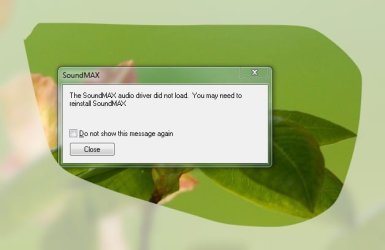
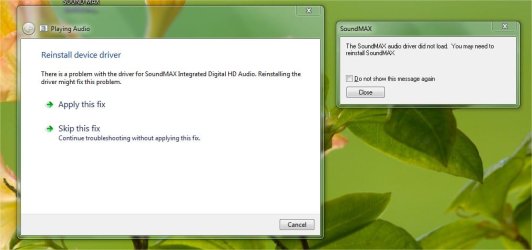
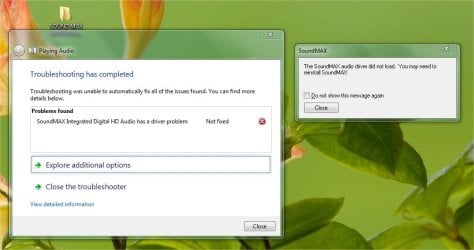
Hello everyone,
I'm having a problem using my motherboard’s onboard HD audio instead of my video card’s audio, so without further ado here is the situation;
I have an Asus maximus iii gene motherboard which has a SupremeFX X-Fi built-in sound card (this is a very nice card provided you can use it), on the board I have an ASUS EAH5870 V2 (basically an ATI 5870) which also has onboard audio useable through HDMI. When I first ran Windows 7 X64 the drivers for the video card and its audio were installed first, but then I noticed that my audio jacks (both on the back of motherboard and on the case) won’t work, which is a big problem for me. But at least I have audio through speakers on my monitor (through HDMI).
So to fix the problem I just tried to install drivers from Asus for the X-FI chip, but that failed since no HD audio hardware could be found by the installer. Google-ing the problem I came across hotfixes, which Asus also provides but they are not compatible with windows 7 X64… so I’m back at square one.
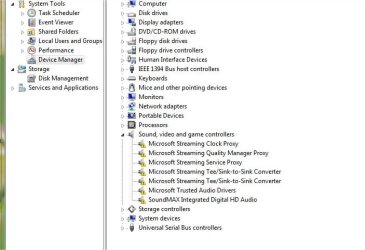
It’s worth mentioning I have gone through my device manager and under audio only the ATI HD audio device is visible and I cannot see the X-FI device anywhere.
So I would like help installing drivers for the X-FI chip and use the onboard surround sound and HD audio jack on the case.
Thanks in advance to anyone who takes the time to read this.
-----------------------------------------
Update of things I have tried
1) I opened my case and checked that all of the cables are connected properly for audio and double checked everything else.
2) In the BIOS I have a only options to enable sound as HD audio or AC97 (I have selected HD audio since that’s the connection my case came with)... other than that there are no options related to getting sound to audio jacks (in any case I have enables all the peripheral devices in my BIOS).
3) Driver genius was really nice after 28 driver updates I had a very crisp sound coming out of the monitor speakers (yeah!!!) but this is from the ATI audio on the graphics card.
Now something I forgot to communicated at the beginning was that I can't even get sound out of the 8 channel sound connections on the motherboard itself, which leads me to believe somehow that the onboard audio is being overwritten by something else. I have even tried the optical surround sound but no luck.
I'm now looking through forums and sites trying to find how I can manually install the audio hardware on my motherboard... and then eventually disable the ATI Audio using device manager. But then I run back to the problem that Asus provided drivers can't find the HD device. AHHH what a vicious loop this is!!!
I'm having a problem using my motherboard’s onboard HD audio instead of my video card’s audio, so without further ado here is the situation;
I have an Asus maximus iii gene motherboard which has a SupremeFX X-Fi built-in sound card (this is a very nice card provided you can use it), on the board I have an ASUS EAH5870 V2 (basically an ATI 5870) which also has onboard audio useable through HDMI. When I first ran Windows 7 X64 the drivers for the video card and its audio were installed first, but then I noticed that my audio jacks (both on the back of motherboard and on the case) won’t work, which is a big problem for me. But at least I have audio through speakers on my monitor (through HDMI).
So to fix the problem I just tried to install drivers from Asus for the X-FI chip, but that failed since no HD audio hardware could be found by the installer. Google-ing the problem I came across hotfixes, which Asus also provides but they are not compatible with windows 7 X64… so I’m back at square one.
It’s worth mentioning I have gone through my device manager and under audio only the ATI HD audio device is visible and I cannot see the X-FI device anywhere.
So I would like help installing drivers for the X-FI chip and use the onboard surround sound and HD audio jack on the case.
Thanks in advance to anyone who takes the time to read this.
-----------------------------------------
Update of things I have tried
1) I opened my case and checked that all of the cables are connected properly for audio and double checked everything else.
2) In the BIOS I have a only options to enable sound as HD audio or AC97 (I have selected HD audio since that’s the connection my case came with)... other than that there are no options related to getting sound to audio jacks (in any case I have enables all the peripheral devices in my BIOS).
3) Driver genius was really nice after 28 driver updates I had a very crisp sound coming out of the monitor speakers (yeah!!!) but this is from the ATI audio on the graphics card.
Now something I forgot to communicated at the beginning was that I can't even get sound out of the 8 channel sound connections on the motherboard itself, which leads me to believe somehow that the onboard audio is being overwritten by something else. I have even tried the optical surround sound but no luck.
I'm now looking through forums and sites trying to find how I can manually install the audio hardware on my motherboard... and then eventually disable the ATI Audio using device manager. But then I run back to the problem that Asus provided drivers can't find the HD device. AHHH what a vicious loop this is!!!
My Computer
At a glance
Windows 7 Ultimate x64Intel I7 875K (liquid cooled)Corsair Dominator 1600Mhz (4 x 2 gigabited)Asus EAH5870 V2
- Computer Manufacturer/Model Number
- Assambled it myself, but the heart of it is ASUS
- OS
- Windows 7 Ultimate x64
- CPU
- Intel I7 875K (liquid cooled)
- Motherboard
- Asus maximus iii gene
- Memory
- Corsair Dominator 1600Mhz (4 x 2 gigabited)
- Graphics Card(s)
- Asus EAH5870 V2
- Sound Card
- onboard (SupremeFX X-FI chip) & graphics card (ATI HD audio)
- Monitor(s) Displays
- AOC 24 inch LCD
- Screen Resolution
- 1080p
- Hard Drives
- One Samsung F1 1TB (SATA) So nothing special
- PSU
- Corsair HX 750 Watt (modular)
- Case
- Lian li v352B (mATX case)
- Cooling
- Corsair H50 with just push airflow
- Keyboard
- Logitech Ultra Slim (no really that's what its called)
- Mouse
- Logitech MX reveloutions
- Internet Speed
- 10 Mbps (according to ISP)
- Other Info
- This is my first build!!!