Hello everyone!
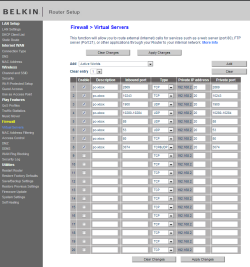
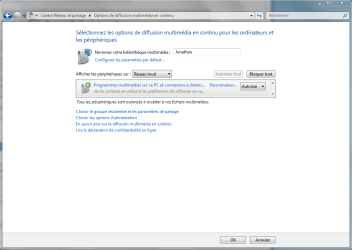
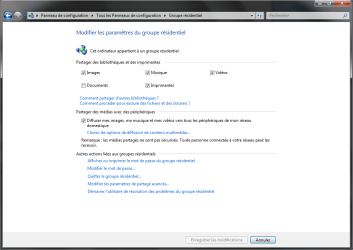
I have a problem that is about to make me mad! I just purchased a Xbox 360 and I am trying to stream files/media center with my windows 7 home 64 bit OS PC. Both my devices are connected wirelessly to my router (Model Belkin N600) and they can't both access internet/xbox Live. The Xbox is showing up in the network map (picture 1, yes my OS is in french). The problem is that it doesn't show up on my media devices in my homegroup page (picture 2) even with media sharing enabled (picture 3). I tried many options to troubleshoot my problem and read many forums. I first plugged the xbox with a network cable directly into my PC. Everything worked flawlessly. I concluded that it was likely to be a networking problem. I also did try to hook up my xbox with a cable to the router instead of connecting wirelessly but it didn't work. I did disable every firewall (windows and router firewalls) and antivirus I have (McAfee Virusscan enterprise 8.8)...still no sucess. I did make sure a had UPnP enabled in my router as well as in windows services. I am 100% certain both the devices are on the same network and submask. I have media extender services enabled as well. I read something about the multicast router option but I couldn't find options about it in my router and I can't even tell if it is important for Xbox recognition my the pc.
Now, here I am, clueless and asking for help.
I have a problem that is about to make me mad! I just purchased a Xbox 360 and I am trying to stream files/media center with my windows 7 home 64 bit OS PC. Both my devices are connected wirelessly to my router (Model Belkin N600) and they can't both access internet/xbox Live. The Xbox is showing up in the network map (picture 1, yes my OS is in french). The problem is that it doesn't show up on my media devices in my homegroup page (picture 2) even with media sharing enabled (picture 3). I tried many options to troubleshoot my problem and read many forums. I first plugged the xbox with a network cable directly into my PC. Everything worked flawlessly. I concluded that it was likely to be a networking problem. I also did try to hook up my xbox with a cable to the router instead of connecting wirelessly but it didn't work. I did disable every firewall (windows and router firewalls) and antivirus I have (McAfee Virusscan enterprise 8.8)...still no sucess. I did make sure a had UPnP enabled in my router as well as in windows services. I am 100% certain both the devices are on the same network and submask. I have media extender services enabled as well. I read something about the multicast router option but I couldn't find options about it in my router and I can't even tell if it is important for Xbox recognition my the pc.
Now, here I am, clueless and asking for help.
Attachments

My Computer
- OS
- win7 home premium 64bit