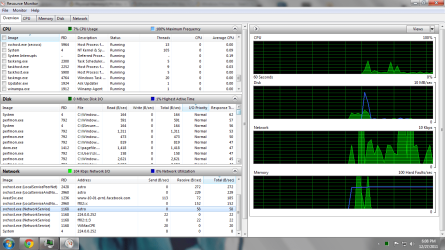
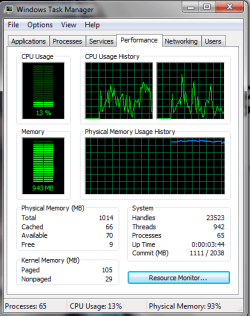
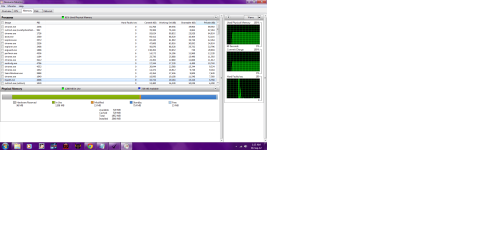
Physical Memory/CPU Usage showing high

i think that I am also encountering the same problem. so many processes in record but only one or 2 is running. please let me know what are those which i don't need and how to terminate them permanently. and some guidelines to avoid future encounter with them again. thanks in advance for those who will reply and more power

PS:
i only have 1 application running and that is chrome with only 1 tab. ;(

Hello heavendenied and welcome to Seven Forums.

In looking at your two snips I don't see any major issues. Your System Idle Process (2nd snip) is at 98% which is about normal when your computer is simply waiting for something to do. What many people do is go into Resource Monitor for a real time view of what's going on with their machine.

http://www.sevenforums.com/tutorials/12523-resource-monitor.html

You could also change your startup programs to further reduce system resources. Some folks have just their antivirus program (and touchpad for laptops) the only things that start at startup (Method Three.)

http://www.sevenforums.com/tutorials/1401-startup-programs-change.html
 

My Computer

Computer type
Laptop
Computer Manufacturer/Model Number
Sony Vaio VPCEB47GM Laptop
OS
Win 7 Pro 64-bit
CPU
Intel i5 2.4 Ghz
Memory
8GB DDR3
Graphics Card(s)
Intel HD 3000
Sound Card
IDT High Definition
Monitor(s) Displays
15.6 WGXA Anti-Glare LED
Screen Resolution
1280x800
Hard Drives
640Gb 7200rpm
Antivirus
MSE
Browser
Opera (primary) with IE9 backup
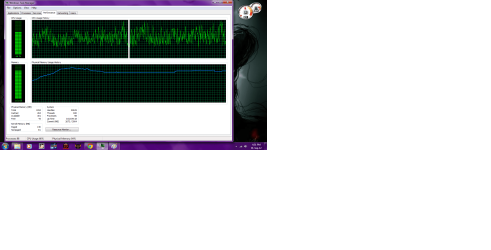
@sir marsmimar. you sure? is it ok to have so many svchost.exe? nad by the way I only have 1 user account in my PC and no guests or other user accounts.

PS. please let me know if you want to see all of my resource monitor
 

Attachments

  • 3.png
    3.png
    59.4 KB · Views: 108

My Computer

OS
windows 7 32 bit
It's perfectly normal to have that many svchost.exe running at the same time. This article explains why that is.

What is svchost.exe And Why Is It Running? - How-To Geek

I also noticed you have only 60 processes for all users (2nd snip.) That's a relatively small number. As you add additional programs to your machine that number will go up. And your Resource Monitor also looks good. So I think your machine is perfectly fine.

If you follow the basic maintenance for Windows 7 you should have no problems for years to come. Basic maintenance involves using the built in Disk Cleanup and Disk Defragmenter. There's no hard and fast rule but I think Cleanup should be run about once a month and Defragmenter only when the analysis shows 5% or more (which may not ever happen because Windows 7 is real good about maintinaing itself.)

http://www.sevenforums.com/tutorials/818-disk-cleanup-open-use.html

http://www.sevenforums.com/tutorials/11733-disk-defragmenter-open-use.html

The only other regular maintenance I'd suggest is backing up your important files and folders on a regular basis and creating a System Image and saving it to an external hard drive. If you need more info about backups, system images, and how to restore your computer from the backups and images, you can read some of the excellent advice here:

Backup and Restore - Windows 7 Forums
 

My Computer

Computer type
Laptop
Computer Manufacturer/Model Number
Sony Vaio VPCEB47GM Laptop
OS
Win 7 Pro 64-bit
CPU
Intel i5 2.4 Ghz
Memory
8GB DDR3
Graphics Card(s)
Intel HD 3000
Sound Card
IDT High Definition
Monitor(s) Displays
15.6 WGXA Anti-Glare LED
Screen Resolution
1280x800
Hard Drives
640Gb 7200rpm
Antivirus
MSE
Browser
Opera (primary) with IE9 backup
i think that I am also encountering the same problem. so many processes in record but only one or 2 is running. please let me know what are those which i don't need and how to terminate them permanently. and some guidelines to avoid future encounter with them again. thanks in advance for those who will reply and more power

PS:
i only have 1 application running and that is chrome with only 1 tab. ;(
60 processes is average. Any particular reason you want to stop processes and get yourself into trouble?
 

My Computer

Computer Manufacturer/Model Number
HP, Dell, Gateway, Toshiba - 4 laptops and 2 desktops
OS
Vista, Windows7, Mint Mate, Zorin, Windows 8
CPU
from 1.6GHz Duo to i7
Monitor(s) Displays
2x HP w2207
Hard Drives
5x HDD, 7x SSD, 12x Externals
Keyboard
with trackball - no mices
Mouse
Trackball mice
Internet Speed
DSL 6000
when i bought my unit even though i run so many apps it will only be at 10% which is the max. then one day i saw it went up to that level @__@
 

My Computer

OS
windows 7 32 bit

My Computer

Computer Manufacturer/Model Number
HP, Dell, Gateway, Toshiba - 4 laptops and 2 desktops
OS
Vista, Windows7, Mint Mate, Zorin, Windows 8
CPU
from 1.6GHz Duo to i7
Monitor(s) Displays
2x HP w2207
Hard Drives
5x HDD, 7x SSD, 12x Externals
Keyboard
with trackball - no mices
Mouse
Trackball mice
Internet Speed
DSL 6000
here

is this normal? too high physical memory even though no apps are open?
 

Attachments

  • MB.png
    MB.png
    15.6 KB · Views: 88

My Computer

OS
windows 7 32 bit
Well, for starters you have no RAM, so to speak. 1GB is too little. 2GB is the absolute minimum and 3GB is optimal for a 32bit system. The usage you show is normal for such a restricted configuration. There may be a lot of startups that are running. You must stop all of them - except the AV program.
 

My Computer

Computer Manufacturer/Model Number
HP, Dell, Gateway, Toshiba - 4 laptops and 2 desktops
OS
Vista, Windows7, Mint Mate, Zorin, Windows 8
CPU
from 1.6GHz Duo to i7
Monitor(s) Displays
2x HP w2207
Hard Drives
5x HDD, 7x SSD, 12x Externals
Keyboard
with trackball - no mices
Mouse
Trackball mice
Internet Speed
DSL 6000
my ram is so high pls help..

hi.. my laptop is windows 7 ultimate 2gig x64.. my problem is the ram usage is so high with no application is open. Just surfing the internet.. i open 8 tab and end up wif 85%+ ram usage.. i duno wat to do so pls help me.. :cry::cry:

i have upload the print screen of my task manager.. pls help me guys.. TQ
 

Attachments

  • 1.png
    1.png
    116.7 KB · Views: 22
  • 2.png
    2.png
    115.4 KB · Views: 12
  • 3.png
    3.png
    111.4 KB · Views: 11
  • 4.png
    4.png
    91.6 KB · Views: 17

My Computer

OS
windows 7 ultimate x64
hi.. my laptop is windows 7 ultimate 2gig x64.. my problem is the ram usage is so high with no application is open. Just surfing the internet.. i open 8 tab and end up wif 85%+ ram usage.. i duno wat to do so pls help me.. :cry::cry:

i have upload the print screen of my task manager.. pls help me guys.. TQ

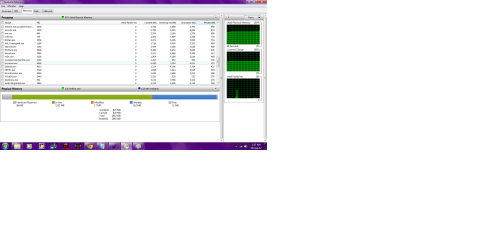
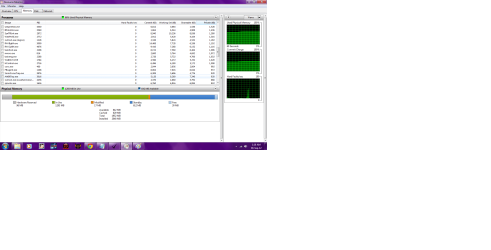
Open Resource Monitor and click on the Memory tab. That will show you how your RAM is being used. Windows 7 is a lot better at allocating and using memory than previous versions of Windows. The basic philosophy of Windows 7 is "unused RAM is wasted RAM." Please post a screenshot of the Memory tab.

http://www.sevenforums.com/tutorials/12523-resource-monitor.html
 

My Computer

Computer type
Laptop
Computer Manufacturer/Model Number
Sony Vaio VPCEB47GM Laptop
OS
Win 7 Pro 64-bit
CPU
Intel i5 2.4 Ghz
Memory
8GB DDR3
Graphics Card(s)
Intel HD 3000
Sound Card
IDT High Definition
Monitor(s) Displays
15.6 WGXA Anti-Glare LED
Screen Resolution
1280x800
Hard Drives
640Gb 7200rpm
Antivirus
MSE
Browser
Opera (primary) with IE9 backup
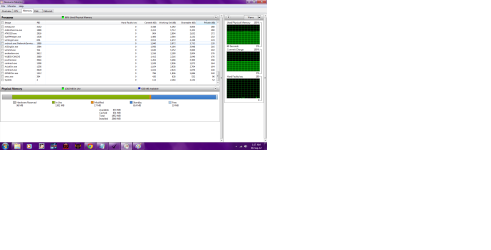
the resource monitor ss

can tell something out of it? :(:(
 

Attachments

  • e.png
    e.png
    60 KB · Views: 26
  • d.png
    d.png
    61.3 KB · Views: 19
  • c.png
    c.png
    62.7 KB · Views: 24
  • b.png
    b.png
    61.9 KB · Views: 23
  • a.png
    a.png
    61.3 KB · Views: 51

My Computer

OS
windows 7 ultimate x64
This is good. At least your RAM is efficiently used.
 

My Computer

Computer Manufacturer/Model Number
HP, Dell, Gateway, Toshiba - 4 laptops and 2 desktops
OS
Vista, Windows7, Mint Mate, Zorin, Windows 8
CPU
from 1.6GHz Duo to i7
Monitor(s) Displays
2x HP w2207
Hard Drives
5x HDD, 7x SSD, 12x Externals
Keyboard
with trackball - no mices
Mouse
Trackball mice
Internet Speed
DSL 6000
Well, I think the best scenario is when all your RAM is being used. Windows 7 does an excellent job in managing RAM. No need to interfere.
 

My Computer

Computer Manufacturer/Model Number
HP, Dell, Gateway, Toshiba - 4 laptops and 2 desktops
OS
Vista, Windows7, Mint Mate, Zorin, Windows 8
CPU
from 1.6GHz Duo to i7
Monitor(s) Displays
2x HP w2207
Hard Drives
5x HDD, 7x SSD, 12x Externals
Keyboard
with trackball - no mices
Mouse
Trackball mice
Internet Speed
DSL 6000
hey atm i have nothing open but as soon as i go on google chrome or try and watch a film it shoots up to like 90% memory and 100% cpu
it wasnt like this a few days ago so i dont know whats changed but its really laggy.

:(
 

Attachments

  • cpu usage.jpg
    cpu usage.jpg
    80.3 KB · Views: 11

My Computer

Computer type
Laptop
Computer Manufacturer/Model Number
HP
OS
windows 7 starter
hey atm i have nothing open but as soon as i go on google chrome or try and watch a film it shoots up to like 90% memory and 100% cpu
it wasnt like this a few days ago so i dont know whats changed but its really laggy.

:(
I think your problem is that you do not have enough RAM. 1GB of RAM is really pushing it.

I suggest you get 4GB of RAM (or the maximum that your board allows) and things will come to order.
 

My Computer

Computer Manufacturer/Model Number
HP, Dell, Gateway, Toshiba - 4 laptops and 2 desktops
OS
Vista, Windows7, Mint Mate, Zorin, Windows 8
CPU
from 1.6GHz Duo to i7
Monitor(s) Displays
2x HP w2207
Hard Drives
5x HDD, 7x SSD, 12x Externals
Keyboard
with trackball - no mices
Mouse
Trackball mice
Internet Speed
DSL 6000
Thanks It was working fine the other day so don't understand the massive change now
.

How would I get more ram? Thanks
 

My Computer

Computer type
Laptop
Computer Manufacturer/Model Number
HP
OS
windows 7 starter
Scan your system with the Crucial Scanner. Then you know what your board will support. Then you can buy the RAM sticks (Dimms) anywhere - wherever they are the cheapest. But Crucial usually has good prices.
 

My Computer

Computer Manufacturer/Model Number
HP, Dell, Gateway, Toshiba - 4 laptops and 2 desktops
OS
Vista, Windows7, Mint Mate, Zorin, Windows 8
CPU
from 1.6GHz Duo to i7
Monitor(s) Displays
2x HP w2207
Hard Drives
5x HDD, 7x SSD, 12x Externals
Keyboard
with trackball - no mices
Mouse
Trackball mice
Internet Speed
DSL 6000
Back
Top