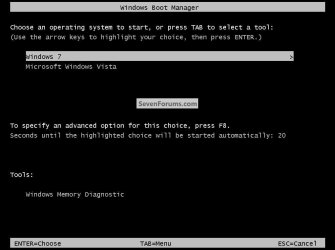
Hello again Combine.
Edit: This tutorial at the link below has been updated to include how to do this, have a look.
Partition Wizard : Use the Bootable CD
Your questions in order ...
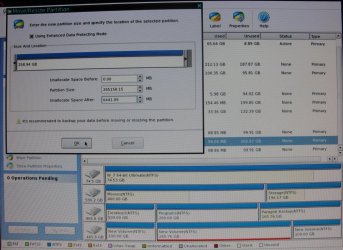
1) Use the Partition Wizard CD to shrink the "HP C:" partition.
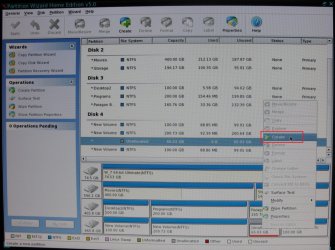
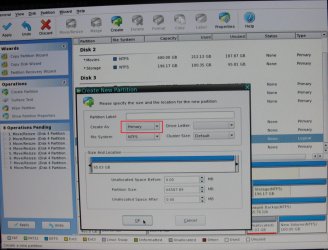
2) Regarding "Option Three" not needed as you need to use Partition Wizard to create the new partition so that when you do it can be created as primary to start with and there will be no need to change it after it has been created.
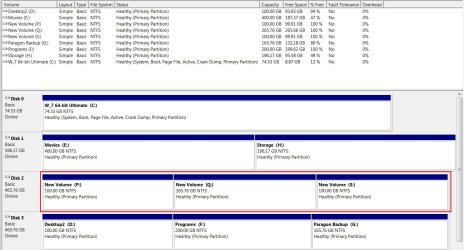
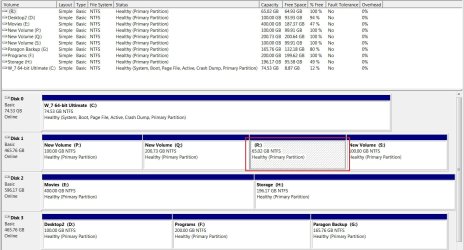
see the snips below
3) You will not need to repair the boot files in Windows 7 until after you have installed XP and it's booting good.
4) "Finally" yes you should be able to install XP as you want to the newly created partition; be sure to have the needed XP drivers on hand before you start the XP install.
Have a look at the snips below; I closely replicated your situation so I could make sure you will be able to do this; use Partition Wizard to shrink the C: and create the new partition you need.
Make any backups of data you don't want to lose before you start this.
@Greg, thanks!
Edit: This tutorial at the link below has been updated to include how to do this, have a look.
Partition Wizard : Use the Bootable CD
Your questions in order ...
1) Use the Partition Wizard CD to shrink the "HP C:" partition.
2) Regarding "Option Three" not needed as you need to use Partition Wizard to create the new partition so that when you do it can be created as primary to start with and there will be no need to change it after it has been created.
see the snips below
3) You will not need to repair the boot files in Windows 7 until after you have installed XP and it's booting good.
4) "Finally" yes you should be able to install XP as you want to the newly created partition; be sure to have the needed XP drivers on hand before you start the XP install.
Have a look at the snips below; I closely replicated your situation so I could make sure you will be able to do this; use Partition Wizard to shrink the C: and create the new partition you need.
Make any backups of data you don't want to lose before you start this.
@Greg, thanks!
Last edited:
My Computer
At a glance
W 7 64-bit UltimateIntel Q9550 Yorkfield8GB Dominator 8500C5DATI : XFX 5870
- Computer Manufacturer/Model Number
- * BFK Customs *
- OS
- W 7 64-bit Ultimate
- CPU
- Intel Q9550 Yorkfield
- Motherboard
- ASUS P5Q Pro
- Memory
- 8GB Dominator 8500C5D
- Graphics Card(s)
- ATI : XFX 5870
- Sound Card
- Realtek HD Audio 7-1
- Monitor(s) Displays
- 1x 47" LCD HDMI & 3x 26" LCD HDMI
- Screen Resolution
- 1920x1080P & 1920x1200
- Hard Drives
- 1x 80GB Intel X25-M G2 SSD : 1x 500GB & 1x 640GB WD Caviar Black(s)
- PSU
- Corsair 620HX
- Case
- Cooler Master RC-690
- Cooling
- Tuniq Tower 120, 2x 140mm and 3x 120mm case fans
- Keyboard
- Microsoft 500
- Mouse
- Razer Diamondback 3G
- Internet Speed
- 14 Mb/s
- Other Info
- 1x Koutech 3Gb/s SATA HDD Hot Swap Rack