Plz help with Windows Mail

Barreloffun

New member
Local time
2:42 PM
Messages
17
Hi, im new to windows 7 and im lost. my comp was running fine for the first week that i had it but not is gone berserk. I dont know what happened, but my windows mail that I set up is now only showing mail that I had left on my email client servers and didnt download to my machine. I have about 40 or so message that just disappeared and have no idea were they went. some are not that important but I have some messages in there that I really need to get back. I tried to do a system restore to see if that would help. I had about 3 or 4 system restore points that some how made themselves and now they do not show up anymore. I tried to make a system restore point myself but that doesn't seem to work either the system seems to say that I have a 0x8000ffff catastrophic failure. I have no idea how to trouble shoot that. I thought that my external hard drive might have something to do with it. My new machine insisted that I reformat, but I dont want to b/c I will loose all my data, which may have given me a virus from my old machine that tweaked out on me. I tried downloading several anti-virus programs from Cnet but each time the download was stopped mid-way and told me that an error occurred. When I clicked ok and tried to continue I received a message that says "not enough space available to process this command" but my hard drive is brand new and shows that I have over 250GB left. I dont understand this. Thought it could be a compatibility error but still nothing. I tried searching online for help for my problems and something was said about shadow volume being turned off or stopped. i switched that to auto and started it. Still cannot do system restore to previous point in time, because the points don't show up. I believe that the comp may have tried to delete them automatically thinking that there wasn't enough available space left on the machine. i don't know what to do or how to fix these problems. I'm at a loss here and I have a week old machine. please help!!!! Thank you.
 

My Computer

Computer Manufacturer/Model Number
Compaq
OS
Windows 7 64bit Home Edition
Welcome!

It sounds as if you may have a virus. Download Malwarebytes if you can, and run a Full scan.

You may want to try downloading Malwarebytes in Safe Mode with Networking.

If you can, take your hard drive to another machine, and run Malwarebytes from there.
 

My Computer

Computer Manufacturer/Model Number
Custom
OS
Windows 7 Professional x64
CPU
Intel i7 2600K OC'd @ 4620 MHz
Motherboard
Asus P8Z68-V Pro
Memory
16GB GSkill Sniper 2133 Mhz (4x4GB)
Graphics Card(s)
EVGA GeForce GTX 480 SuperClocked+
Sound Card
Realtek High Definition Audio
Monitor(s) Displays
2x Acer S273HLbmii 27"
Screen Resolution
2 x 1920x1080
Hard Drives
64GB Crucial M4 SSD

Storage: Hitachi 1TB 5400RPM, Samsung 1.5TB 5400RPM
PSU
Corsair HW Series 750w (modular)
Case
Cooler Master HAF 932 Advanced Blue Edition
Cooling
CM Hyper 212+ CPU cooler, 3x 230mm + 1x 140mm case fans
Keyboard
Logitech MK320 (wireless)
Mouse
Logitech MK320 (wireless)
Internet Speed
30 Mb/s : 2 Mb/s
There is a good possibilty that Jon's analysis may be correct. If it is, that problem should be given top priority.

Regarding the email, system restore will not retrun the lost email. Windows 7, however has a great featrue, system image. After you clean your machine of any malware, you can use system image to retrurn to an earlier date. All mail one your email client will be restored to the way it was on the date selected. Be careful, however, if you choose a date that is too early the malware will be restored, also.
 

My Computer

Computer type
PC/Desktop
Computer Manufacturer/Model Number
Dell XPS 420
OS
Windows 10, Home Clean Install
CPU
Intel Core2 processsor Q8200(2.33Ghz 1333FSB) Quad Core Tech
Motherboard
Dell
Memory
6 gb
Graphics Card(s)
ATI Radeon 256MB HD3650
Sound Card
Intergrated 7.1 Channel Audio
Monitor(s) Displays
Dell SP2009W 20"
Hard Drives
640 GB Serial ATA Hard drive
Cooling
Fan
Keyboard
Dell USB Keyboard
Mouse
Dell Premium Optical USB
Internet Speed
DSL 2.85
Hi, thanks for the quick response. I was able to download the malwarebytes, from Cnet successfully. I find this weird because avast, avira, and especially AVG9-free gave me problems when i tried to download them. I did a full system scan, it took 38 min. there result was there was no malicious hardware found.

Malwarebytes' Anti-Malware 1.44
Database version: 3921
Windows 6.1.7600
Internet Explorer 8.0.7600.16385

3/27/2010 9:33:04 PM
mbam-log-2010-03-27 (21-33-04).txt

Scan type: Full Scan (C:\|D:\|E:\|)
Objects scanned: 266155
Time elapsed: 38 minute(s), 33 second(s)

Memory Processes Infected: 0
Memory Modules Infected: 0
Registry Keys Infected: 0
Registry Values Infected: 0
Registry Data Items Infected: 0
Folders Infected: 0
Files Infected: 0

Memory Processes Infected:
(No malicious items detected)

Memory Modules Infected:
(No malicious items detected)

Registry Keys Infected:
(No malicious items detected)

Registry Values Infected:
(No malicious items detected)

Registry Data Items Infected:
(No malicious items detected)

Folders Infected:
(No malicious items detected)

Files Infected:
(No malicious items detected)


Now, is there another possiblity that would have caused my system to act like this (services, device manager or something of the sort). I dont know what to do.
 

My Computer

Computer Manufacturer/Model Number
Compaq
OS
Windows 7 64bit Home Edition
Malwarebytes does not search for virus, but searches for other malware. We know that you do not have the malware that malwarebytes would find, but you may still have a virus.

Some virus block the know a/v sites to make sure that you cannot remove them.
 

My Computer

Computer type
PC/Desktop
Computer Manufacturer/Model Number
Dell XPS 420
OS
Windows 10, Home Clean Install
CPU
Intel Core2 processsor Q8200(2.33Ghz 1333FSB) Quad Core Tech
Motherboard
Dell
Memory
6 gb
Graphics Card(s)
ATI Radeon 256MB HD3650
Sound Card
Intergrated 7.1 Channel Audio
Monitor(s) Displays
Dell SP2009W 20"
Hard Drives
640 GB Serial ATA Hard drive
Cooling
Fan
Keyboard
Dell USB Keyboard
Mouse
Dell Premium Optical USB
Internet Speed
DSL 2.85
I have also managed to download iobit 360 security, and I have done a full system scan. No viruses show up.
 

My Computer

Computer Manufacturer/Model Number
Compaq
OS
Windows 7 64bit Home Edition
How much space is allocated tobackup, System Image, system restore and backup and restore? You should have at least 15% of your hard drive with a minimum of 30gb.
 

My Computer

Computer type
PC/Desktop
Computer Manufacturer/Model Number
Dell XPS 420
OS
Windows 10, Home Clean Install
CPU
Intel Core2 processsor Q8200(2.33Ghz 1333FSB) Quad Core Tech
Motherboard
Dell
Memory
6 gb
Graphics Card(s)
ATI Radeon 256MB HD3650
Sound Card
Intergrated 7.1 Channel Audio
Monitor(s) Displays
Dell SP2009W 20"
Hard Drives
640 GB Serial ATA Hard drive
Cooling
Fan
Keyboard
Dell USB Keyboard
Mouse
Dell Premium Optical USB
Internet Speed
DSL 2.85
Rich, I am asking this mainly for my learning. Would an online virus scan be effective for the OP?
 

My Computer

Computer Manufacturer/Model Number
Home built
OS
Windows 7 Ultimate 32 bit
CPU
Intel(R) Pentium(R) 4 CPU 3.00GHz
Motherboard
ASUS P4P800-VM Motherboard Chipset: Intel 865G + ICH5
Memory
2.50 GB RAM
Graphics Card(s)
NVIDIA GeForce 7600 GS
Sound Card
SoundMax Integrated Digital Audio (Chip)
Monitor(s) Displays
ViewSonic VX 1962 wm
Screen Resolution
1680 X 1050
Hard Drives
Seagate Barracuda 7200.10 80 GB
ST380215A ATA Device 18.6 GB
Western Digital "My Book" external hard drive 750 GB
Cooling
Fan based
Keyboard
Microsoft Comfort Curve Keyboard 2000 v10 USB
Mouse
Logitec optic USB
Internet Speed
3.01 Mb/s download 0.64 Mb/s upload

My Computer

Computer Manufacturer/Model Number
Custom
OS
Windows 7 Professional x64
CPU
Intel i7 2600K OC'd @ 4620 MHz
Motherboard
Asus P8Z68-V Pro
Memory
16GB GSkill Sniper 2133 Mhz (4x4GB)
Graphics Card(s)
EVGA GeForce GTX 480 SuperClocked+
Sound Card
Realtek High Definition Audio
Monitor(s) Displays
2x Acer S273HLbmii 27"
Screen Resolution
2 x 1920x1080
Hard Drives
64GB Crucial M4 SSD

Storage: Hitachi 1TB 5400RPM, Samsung 1.5TB 5400RPM
PSU
Corsair HW Series 750w (modular)
Case
Cooler Master HAF 932 Advanced Blue Edition
Cooling
CM Hyper 212+ CPU cooler, 3x 230mm + 1x 140mm case fans
Keyboard
Logitech MK320 (wireless)
Mouse
Logitech MK320 (wireless)
Internet Speed
30 Mb/s : 2 Mb/s
Rich, I am asking this mainly for my learning. Would an online virus scan be effective for the OP?


Actually, I was thinking about that and was going to post, until I noticed that the poster was able to finally make a scan using 360 security.
 

My Computer

Computer type
PC/Desktop
Computer Manufacturer/Model Number
Dell XPS 420
OS
Windows 10, Home Clean Install
CPU
Intel Core2 processsor Q8200(2.33Ghz 1333FSB) Quad Core Tech
Motherboard
Dell
Memory
6 gb
Graphics Card(s)
ATI Radeon 256MB HD3650
Sound Card
Intergrated 7.1 Channel Audio
Monitor(s) Displays
Dell SP2009W 20"
Hard Drives
640 GB Serial ATA Hard drive
Cooling
Fan
Keyboard
Dell USB Keyboard
Mouse
Dell Premium Optical USB
Internet Speed
DSL 2.85
Thanks for the answer, Rich. I'm learning.
 

My Computer

Computer Manufacturer/Model Number
Home built
OS
Windows 7 Ultimate 32 bit
CPU
Intel(R) Pentium(R) 4 CPU 3.00GHz
Motherboard
ASUS P4P800-VM Motherboard Chipset: Intel 865G + ICH5
Memory
2.50 GB RAM
Graphics Card(s)
NVIDIA GeForce 7600 GS
Sound Card
SoundMax Integrated Digital Audio (Chip)
Monitor(s) Displays
ViewSonic VX 1962 wm
Screen Resolution
1680 X 1050
Hard Drives
Seagate Barracuda 7200.10 80 GB
ST380215A ATA Device 18.6 GB
Western Digital "My Book" external hard drive 750 GB
Cooling
Fan based
Keyboard
Microsoft Comfort Curve Keyboard 2000 v10 USB
Mouse
Logitec optic USB
Internet Speed
3.01 Mb/s download 0.64 Mb/s upload
Were would i find how much space is being set aside for system restore ect...i dont have original boot disc so i cannot go do repair install. I thought maybe to do a system reboot from the the prompt when pressing f8. however, when i press f8 it doesnt give me that option. any other suggestion?
 

My Computer

Computer Manufacturer/Model Number
Compaq
OS
Windows 7 64bit Home Edition
Go to my computer Icon, click. You will see back up drive, with available and how much in total.
 

My Computer

Computer type
PC/Desktop
Computer Manufacturer/Model Number
Dell XPS 420
OS
Windows 10, Home Clean Install
CPU
Intel Core2 processsor Q8200(2.33Ghz 1333FSB) Quad Core Tech
Motherboard
Dell
Memory
6 gb
Graphics Card(s)
ATI Radeon 256MB HD3650
Sound Card
Intergrated 7.1 Channel Audio
Monitor(s) Displays
Dell SP2009W 20"
Hard Drives
640 GB Serial ATA Hard drive
Cooling
Fan
Keyboard
Dell USB Keyboard
Mouse
Dell Premium Optical USB
Internet Speed
DSL 2.85
do u mean the recovery D drive? if so I have 12GB partitioned off. however, im still getting this message that i have not enough disk space on my C hard drive i have over 260 GB free but when i just troed to move my music over from my old machine it said that there is not enough space. I dont understand how that is possible? is there something wrong with my disk drivers??? did i accidently change something i should not have??
 

My Computer

Computer Manufacturer/Model Number
Compaq
OS
Windows 7 64bit Home Edition
It should be called back up drive. D, recovery was set up by the mfg of your comptuer to recover to original factory specs.
 

My Computer

Computer type
PC/Desktop
Computer Manufacturer/Model Number
Dell XPS 420
OS
Windows 10, Home Clean Install
CPU
Intel Core2 processsor Q8200(2.33Ghz 1333FSB) Quad Core Tech
Motherboard
Dell
Memory
6 gb
Graphics Card(s)
ATI Radeon 256MB HD3650
Sound Card
Intergrated 7.1 Channel Audio
Monitor(s) Displays
Dell SP2009W 20"
Hard Drives
640 GB Serial ATA Hard drive
Cooling
Fan
Keyboard
Dell USB Keyboard
Mouse
Dell Premium Optical USB
Internet Speed
DSL 2.85
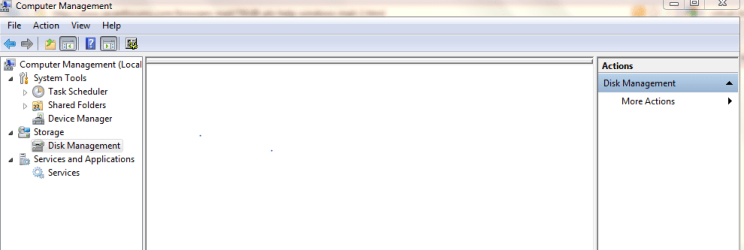
Type computer managment is search. Then go to disk managment, take a shot of what you see and post it. You can use snipping tool.
 

My Computer

Computer type
PC/Desktop
Computer Manufacturer/Model Number
Dell XPS 420
OS
Windows 10, Home Clean Install
CPU
Intel Core2 processsor Q8200(2.33Ghz 1333FSB) Quad Core Tech
Motherboard
Dell
Memory
6 gb
Graphics Card(s)
ATI Radeon 256MB HD3650
Sound Card
Intergrated 7.1 Channel Audio
Monitor(s) Displays
Dell SP2009W 20"
Hard Drives
640 GB Serial ATA Hard drive
Cooling
Fan
Keyboard
Dell USB Keyboard
Mouse
Dell Premium Optical USB
Internet Speed
DSL 2.85
not sure how to post what i saw using snip tool but i attached it, i think. when i opened what you aid to, nothing came up in the window it was blank...
 

Attachments

  • Capture.PNG
    Capture.PNG
    15 KB · Views: 6

My Computer

Computer Manufacturer/Model Number
Compaq
OS
Windows 7 64bit Home Edition
OK, bit surprised by what you posted. Click on computer and post a screen shot of what you see there. The way you posted the shot of Disk Management will be fine. I just want to be sure of how many drives you have and how much space in each.
 

My Computer

Computer type
PC/Desktop
Computer Manufacturer/Model Number
Dell XPS 420
OS
Windows 10, Home Clean Install
CPU
Intel Core2 processsor Q8200(2.33Ghz 1333FSB) Quad Core Tech
Motherboard
Dell
Memory
6 gb
Graphics Card(s)
ATI Radeon 256MB HD3650
Sound Card
Intergrated 7.1 Channel Audio
Monitor(s) Displays
Dell SP2009W 20"
Hard Drives
640 GB Serial ATA Hard drive
Cooling
Fan
Keyboard
Dell USB Keyboard
Mouse
Dell Premium Optical USB
Internet Speed
DSL 2.85
Im not at my laptop, but when i get back there ill send u the image. Rich, your rection to the image was "bit surprised by what you posted," how so? Also, i was just looking at some of the earlier post and i dont quite understand the system imaging thing. I set it up but i dont see how i can go back to another date, if nothing was saved before hand. Also i tried to do a system restore on start up by pressing F8, but it never gave me the prompt not even an option to go into safe mode, which i also thought was very weird. I Managed to download a program that i think will recover my email that vanished from windows mail, i was running a scan but had to go so ill see what happens when i get back.
 

My Computer

Computer Manufacturer/Model Number
Compaq
OS
Windows 7 64bit Home Edition
Im not at my laptop, but when i get back there ill send u the image. Rich, your rection to the image was "bit surprised by what you posted," how so? Also, i was just looking at some of the earlier post and i dont quite understand the system imaging thing. I set it up but i dont see how i can go back to another date, if nothing was saved before hand. Also i tried to do a system restore on start up by pressing F8, but it never gave me the prompt not even an option to go into safe mode, which i also thought was very weird. I Managed to download a program that i think will recover my email that vanished from windows mail, i was running a scan but had to go so ill see what happens when i get back.

No big deal, just surprised that it did not show a backup partition. Many users set up a separate drive for backup. I set up a drive Z, just for image, restore etc.
 

My Computer

Computer type
PC/Desktop
Computer Manufacturer/Model Number
Dell XPS 420
OS
Windows 10, Home Clean Install
CPU
Intel Core2 processsor Q8200(2.33Ghz 1333FSB) Quad Core Tech
Motherboard
Dell
Memory
6 gb
Graphics Card(s)
ATI Radeon 256MB HD3650
Sound Card
Intergrated 7.1 Channel Audio
Monitor(s) Displays
Dell SP2009W 20"
Hard Drives
640 GB Serial ATA Hard drive
Cooling
Fan
Keyboard
Dell USB Keyboard
Mouse
Dell Premium Optical USB
Internet Speed
DSL 2.85
Back
Top